
Loop Remote
Version:19.8
Published:2025-01-02
Introduction
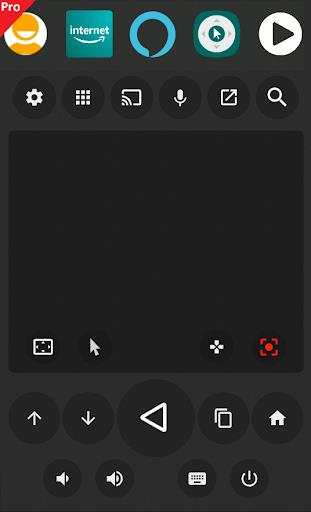
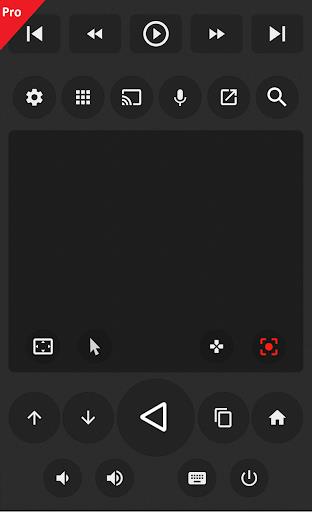
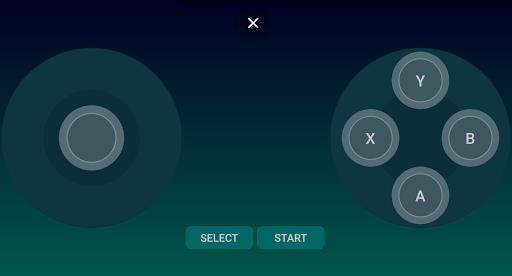
No longer do you need to juggle multiple remote controls to manage your TV viewing experience. With Loop Remote, you can now control your Android TV box directly from your smartphone. This user-friendly app allows you to easily customize and access outstanding functions for quick and convenient control. Whether you want to change channels, adjust the volume, or navigate through menus, Zank Remote has you covered. With a simple and intuitive interface, Zank Remote makes controlling your TV a breeze. Say goodbye to complicated remote controls and hello to a seamless viewing experience with Zank Remote. Download now and take full control of your TV right from your phone!
Features of Loop Remote:
- Control Android TV boxes from your phone.
- Simple customization options.
- Fast and convenient control functions.
- Easy to use with straightforward operations.
- Supports mobile phones for quick TV control.
- Provides support functions and tools during use.
Conclusion:
Loop Remote is the ultimate app for controlling your TV with ease and convenience. With features like simple customization, fast control functions, and support tools, using this app on your phone will make TV watching a breeze. Download Zank Remote now to experience efficient TV control and enjoy all the benefits it has to offer.
Show More
Information
Screenshots
Latest Update












Hot Tags
Latest News
-
![Revealing the Launch Playlists and Cross-Progression for COD Warzone Mobile News]()
-
![March 2024 Free Redemption Codes for Honkai: Star Rail News]()
-
PUBG Mobile Teams Up with Bentley Motors: Luxury Cars, Exclusive Collectibles, and Beyond 2024-04-18
![PUBG Mobile Teams Up with Bentley Motors: Luxury Cars, Exclusive Collectibles, and Beyond News]()
-
![Monster Never Cry is now accessible on both Android and iOS mobile devices. News]()
-
V2.2 of the Farlight 84 update introduces an overhauled Season structure, fresh in-game currency, an 2024-04-16
![V2.2 of the Farlight 84 update introduces an overhauled Season structure, fresh in-game currency, an News]()
-
![Arrival of Genshin Impact 4.6 Update: 'Embers of Two Realms, Twilight of Crimson' News]()
-
April 2024 Clash of Clans Update: Unveiling a Fresh Companion, Enhanced Levels, Chat Tagging, and Be 2024-04-16
![April 2024 Clash of Clans Update: Unveiling a Fresh Companion, Enhanced Levels, Chat Tagging, and Be News]()







Comment
Bajah Boboshanti
I love this app it works really good on my android 10 no issues. But I have True with the touch pad not being able to click on the app. If I can get that resolved I will purchase this and and I do recommend it for android tv box os 10.
Jan 06, 2025 12:33:12
Thiago Drusiani
This app is what I was looking for to full control my android tv navigator. Now I can take advantage using a pointer to click. Need some improvement to scroll pages though, like a side rolling bar or 2 fingers movement to be perfect. But I hope it'll came soon!
Jan 06, 2025 06:45:34
Asharafali Mulla
It's awesome and it works smoothly on my local android box. 100% recommended for people's who are searching android box remote and more to say it is best than cetus play in which scroll option won't works. Note : If your android box won't get connected or showing in your android phone use IP input option and input IP of your android box. ( check video for reference ) And last I am loving it
Jan 05, 2025 21:19:54
Dominic Douse
It works fine for a few day's at a time and then it completely brakes I tried everything eventually I descoverd that reinstalling it on both device's fixed the bug however this is most frustrating as having to reinstall it on both device's is a pain other than that it works fine it has okay response times most of the time the haptic feedback leaves something to be desired as it is the only option that works at all I have no choice to use it so I can't complain to much as at least it exists
Jan 05, 2025 11:31:53
Heinz Werner Kramski-Grote
Powerful app. Clipboard integration is very useful for complex passwords. Brings list of running apps to Android TV. A minor drawback: Center click on apps always opens the context menu instead of starting them directly, when this one is enabled (Mi Box S, Android TV 9)
Jan 04, 2025 07:37:05
sumayyah
The app looks great but I can't use it on my TV. I have an Android T.V ver 9 or higher and I followed the instructions for it. However when I get to the accessibility part, the allow Android box option is nowhere to be found. Please fix this so I can use this remote. Edit: its fixed thanks.
Jan 04, 2025 02:39:04