

Document Scanner PDF・Scan Shot
Version:1.19.0.4481
Published:2025-01-20
Introduction
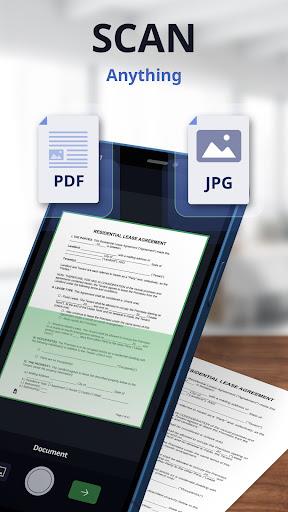
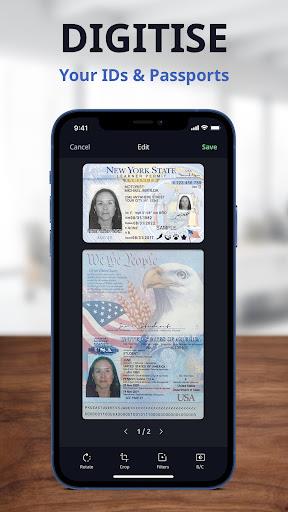
Transform your smartphone into a convenient portable document scanner with Document Scanner PDF・Scan Shot. This all-in-one app allows you to easily scan, sign, and convert any document to PDF or JPG/JPEG format, whether you are at home, the office, or on the go. From scanning documents, receipts, IDs, and passports to editing text with OCR technology, this app has it all. With features like AI auto-border detection, document merging, and easy sharing options, Scan Shot is perfect for both work and personal use. Boost productivity, streamline your workflow, and always have a reliable scanner at your fingertips. Download now for free and simplify your document management tasks.
Features of Document Scanner PDF・Scan Shot:
Versatile Scanning Options: Scan Shot allows you to scan a wide range of documents, from receipts and IDs to handwritten notes and photos, making it a versatile tool for all your scanning needs.
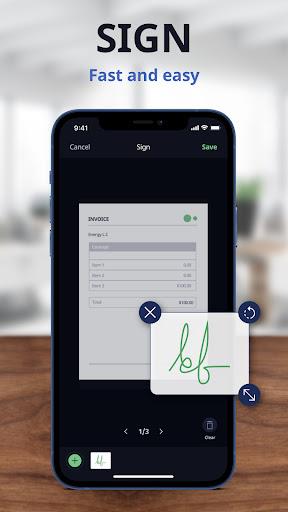
Easy E-signature Creation: With the ability to create and save multiple e-signatures, Scan Shot makes it quick and simple to sign important documents on the go.
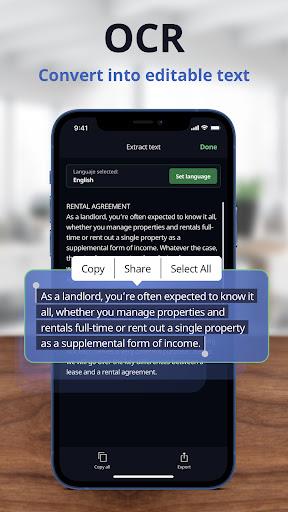
OCR Technology: The app's OCR technology allows you to extract text from PDF documents or photos, saving you time and hassle when editing text.
Seamless Document Management: Merge different scans into one document, optimize scans with filters and editing tools, and export documents in any format you prefer for easy sharing and storage.
Tips for Users:
Take advantage of the AI auto-border detection feature to quickly and accurately scan documents without the need for manual adjustments.
Use the app's editing tools to enhance the quality of your scans by adjusting brightness, saturation, and more.
Organize your files efficiently by merging scans into one document and adding unlimited pages as needed.
Share your scanned documents easily by exporting them in PDF or JPEG format and emailing them directly from the app.
Conclusion:
Document Scanner PDF・Scan Shot is a must-have app for anyone looking to streamline their document scanning and signing process. With its versatile scanning options, easy e-signature creation, OCR technology, and seamless document management features, this app is sure to boost your productivity and efficiency, whether for work or personal use. Download Scan Shot today and experience the convenience of having a powerful document scanner and signer right at your fingertips.
Show More
Information
Screenshots
Latest Update









Hot Tags
Latest News
-
![Revealing the Launch Playlists and Cross-Progression for COD Warzone Mobile News]()
-
![March 2024 Free Redemption Codes for Honkai: Star Rail News]()
-
PUBG Mobile Teams Up with Bentley Motors: Luxury Cars, Exclusive Collectibles, and Beyond 2024-04-18
![PUBG Mobile Teams Up with Bentley Motors: Luxury Cars, Exclusive Collectibles, and Beyond News]()
-
![Monster Never Cry is now accessible on both Android and iOS mobile devices. News]()
-
V2.2 of the Farlight 84 update introduces an overhauled Season structure, fresh in-game currency, an 2024-04-16
![V2.2 of the Farlight 84 update introduces an overhauled Season structure, fresh in-game currency, an News]()
-
![Arrival of Genshin Impact 4.6 Update: 'Embers of Two Realms, Twilight of Crimson' News]()
-
April 2024 Clash of Clans Update: Unveiling a Fresh Companion, Enhanced Levels, Chat Tagging, and Be 2024-04-16
![April 2024 Clash of Clans Update: Unveiling a Fresh Companion, Enhanced Levels, Chat Tagging, and Be News]()







Comment
Hazel Sillver
It's a good app, but because I used it whilst in hospital (for two lung operations and obviously on pain medication) I didn't realise I was signing up to a weekly payment. Even though I'm sure GooglePlay can see I haven't used the app since, they refuse to refund the multiple payments I've unknowingly been making every week for the past 4-5 months. So please be aware of what you're signing up for!!
Jan 24, 2025 18:11:42
Rachel Coates
Only needed app as had to submit a document in pdf format . Wasn't accepted as image too small tried to cancel subscription and advised this needed to be done in app store. My tech knowledge is zilch can't find how to do this. WOULD NOT RECOMMEND! Gooogling cancel registration directed a tech novice to where my subscriptions are hidden and have cancelled subscription. Thank you Google help
Jan 24, 2025 01:52:03
Nathan Keller
This is a dirty trick. I hate apps like these. Make it easy to cancel after a free trial and don't bait and switch! I love how the developer put a link out to show how to cancel but it's different in each post and noboday can click it!! Why even have the option to unsubscribe if you're just going to dedriect people to their app store? It's also not a very clean app. low quality document with poor resolution. Developers, please don't reply. Nothing you say will make this better.
Jan 24, 2025 00:19:07
Inga Kononenko
You scan a document – and then discover you must SUBSCRIBE to use that scan. Next, you can't cancel your subscription in the app: Cancel the Subscription just tells you can do it only in Google Play, then takes you to a "pay us more" screen. And then the developers have the nerve to patronizingly tell users "you know you can manage it through Google Play." Just shut up. I was going to give the app 3 stars until I saw those condescending replies. 1 star. Plus, the quality of the scan was meh.
Jan 23, 2025 08:02:03
Stephen Vivier
Don't be too quick to subscribe. Read the charges very carefully before selecting any of the subscription options offered. I just lost my "7-day trial" payment. Only after payment was effected was I made aware of the annual cost. Uninstalled immediately!
Jan 22, 2025 13:38:29
Corwin S
Yeah, not being able to cancel through the app is a horrible business move. Every review I can see is negative and I'm inclined to agree. It's not a great app, it's okay. Every other app in existence can cancel without going through Google play. I'm sorry you just made a substandard app with a predatory subscription/cancelation process
Jan 22, 2025 04:42:15