
Weekly Planner - notes, diary
Version:8.0.4
Published:2025-01-23
Introduction
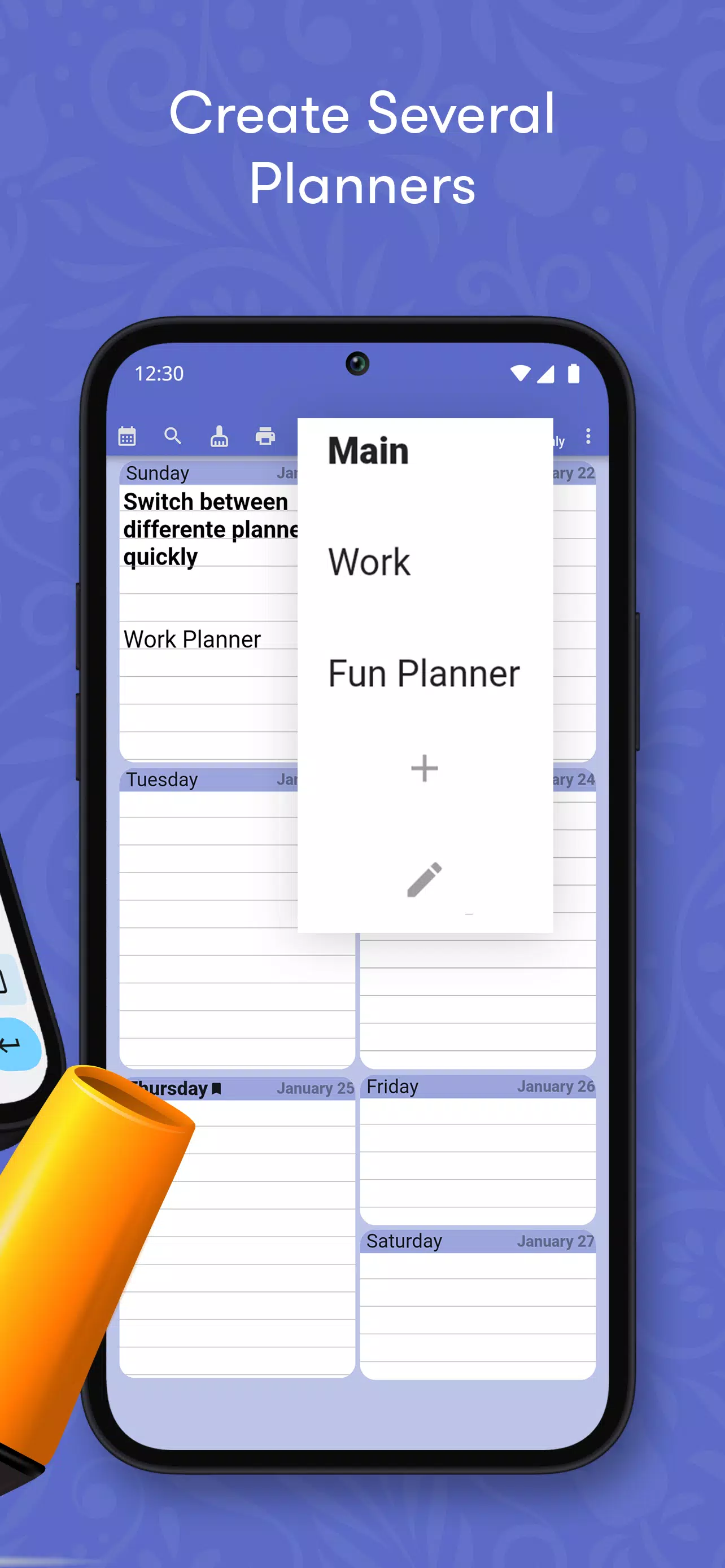
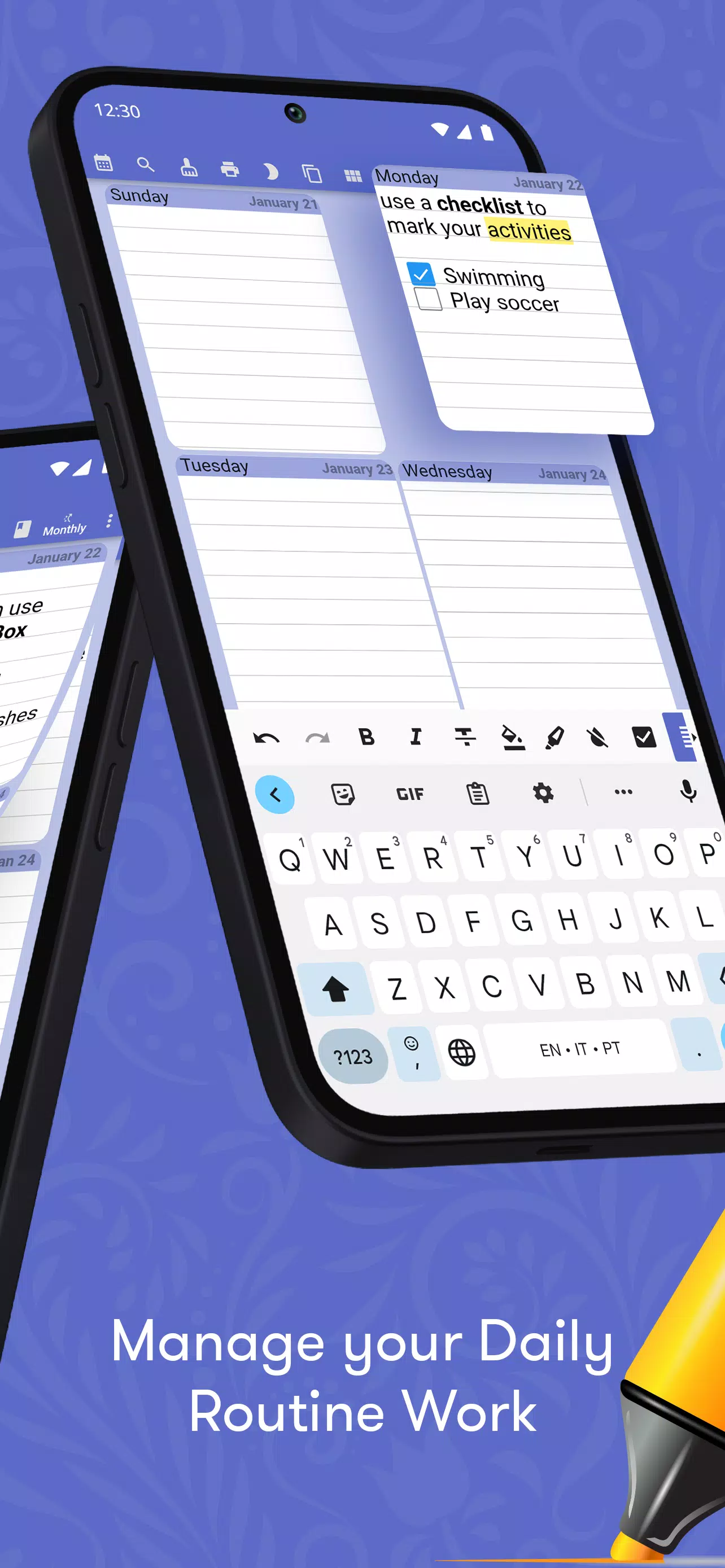
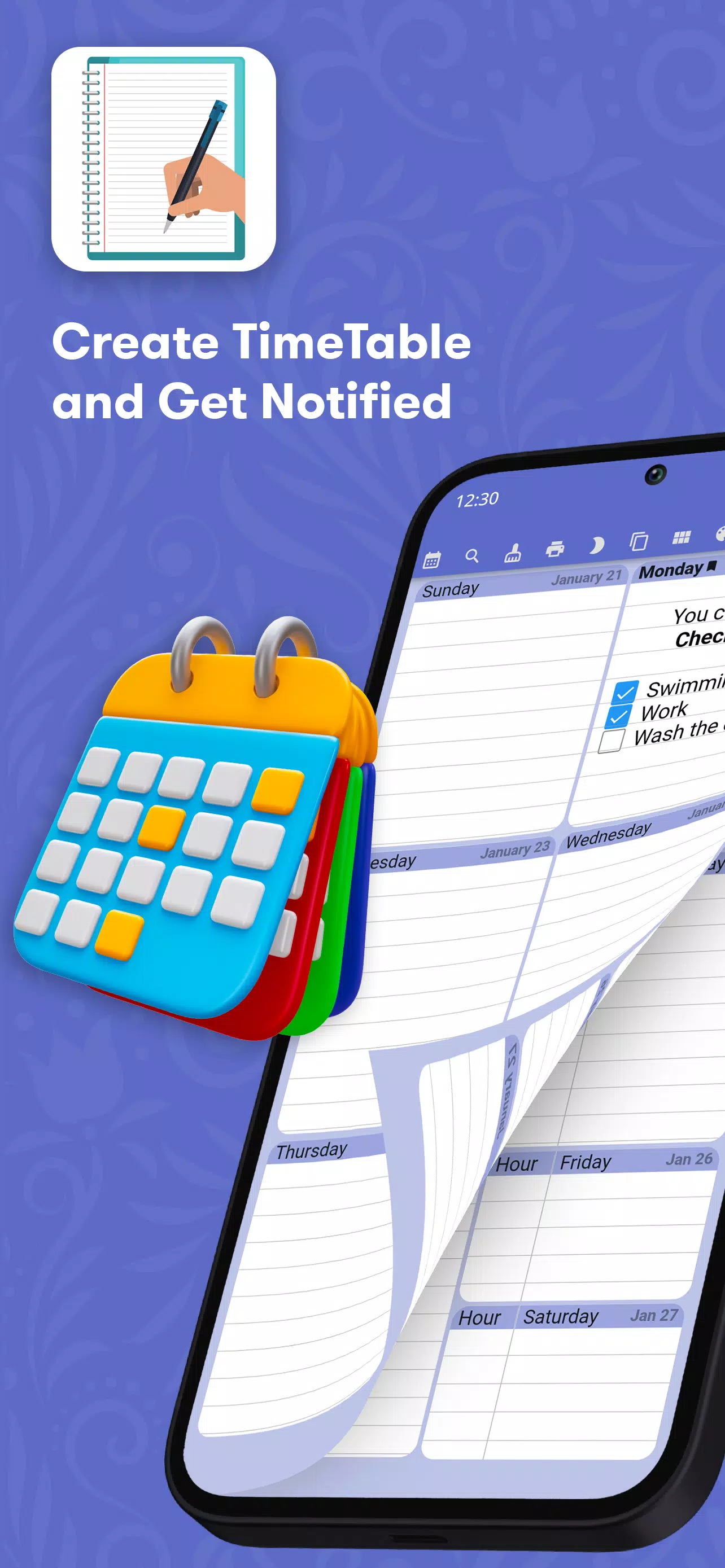
Simplify your life and keep track of your schedule with the user-friendly and efficient Weekly Planner app. This all-in-one digital organizer is perfect for managing appointments, to-do lists, and recurring events in a clear and straightforward manner. Say goodbye to flipping through multiple screens or carrying around a bulky paper planner – Weekly Planner allows you to plan your entire year, month, or week with ease. With customizable features such as color themes, font options, and password protection, you can tailor your digital diary to fit your personal style. Don't waste any more time or money on traditional planners – download Weekly Planner today and take control of your schedule effortlessly.
Features of Weekly Planner - notes, diary:
> Simple and user-friendly design: Weekly Planner offers a clean and easy-to-navigate interface, making it effortless to organize your schedule.
> Customizable options: You can personalize your digital diary by choosing from different color themes, font styles, and page designs to suit your preferences.
> Password protection: Keep your sensitive information secure with the optional password lock feature, ensuring your data remains private.
> Synchronization across devices: Seamlessly access your plans and events from multiple devices by syncing Weekly Planner, allowing for efficient planning on the go.
Playing tips:
> Set your preferred first day of the week: Customize your weekly view by selecting Sunday, Monday, or Saturday as the starting day to align with your calendar routine.
> Stay organized with recurring events: Save time by creating recurring tasks or appointments that happen daily, weekly, monthly, or annually, streamlining your planning process.
> Utilize search functionality: Easily locate specific events or entries by utilizing the search feature, allowing you to quickly find relevant information within your planner.
Conclusion:
Experience the convenience of a digital planner with Weekly Planner - notes, diary, a user-friendly app designed for efficient scheduling and task management. With customizable options, password protection, and synchronization capabilities, organizing your life has never been easier. Streamline your planning process and stay on top of your tasks with this minimalist and practical organizational tool. Download Weekly Planner - notes, diary today and enhance your productivity on the go.
Show More
Information
Screenshots
Latest Update







Hot Tags
Latest News
-
![Revealing the Launch Playlists and Cross-Progression for COD Warzone Mobile News]()
-
![March 2024 Free Redemption Codes for Honkai: Star Rail News]()
-
PUBG Mobile Teams Up with Bentley Motors: Luxury Cars, Exclusive Collectibles, and Beyond 2024-04-18
![PUBG Mobile Teams Up with Bentley Motors: Luxury Cars, Exclusive Collectibles, and Beyond News]()
-
![Monster Never Cry is now accessible on both Android and iOS mobile devices. News]()
-
V2.2 of the Farlight 84 update introduces an overhauled Season structure, fresh in-game currency, an 2024-04-16
![V2.2 of the Farlight 84 update introduces an overhauled Season structure, fresh in-game currency, an News]()
-
![Arrival of Genshin Impact 4.6 Update: 'Embers of Two Realms, Twilight of Crimson' News]()
-
April 2024 Clash of Clans Update: Unveiling a Fresh Companion, Enhanced Levels, Chat Tagging, and Be 2024-04-16
![April 2024 Clash of Clans Update: Unveiling a Fresh Companion, Enhanced Levels, Chat Tagging, and Be News]()







Comment
Greg Lewis
Great App. If only i can edit from widget screen. Also a reminder would be helpful. It needs a widget for home screen. Day, week, month.
Jan 29, 2025 08:20:10
Rachel Helmreich
Good. But can't upload a photo into it. No help button either
Jan 28, 2025 23:23:05
Kristy Hill
Exactly what I needed - able to create my week to a view task list, can scroll each day without losing the overview, can scroll weeks ahead and prior and has a check list square option for each task entered. Plenty of font and paragraph options. With the addition of a widget (so you can see the overview on the home screen) it would be perfect! Thanks for an app that does what I need
Jan 28, 2025 15:16:10
Suraiya Yeasmin
This app is very good. Providing a widget would be great. Providing a widget will be very helpful.
Jan 27, 2025 21:47:46
Rodney Banipal
Seems like it is a nice planner to have. However, I do not like subscriptions. I wish they add one time purchase also like some other apps. I am uninstalling it for now.
Jan 25, 2025 02:08:47
Sue de Lautour
This seemed so promising! Loved the layout of the week to view. The only thing annoying me was that the checkboxes didnt move to line up with the witing if my writing was a couple of lines long. I got the paid version then so that I sync with my Google calendar. Some days the times don't line up with the event so that's hopeless! Also the black lines separating time and event stand out more than the blue lines separating the days so it became hard to view. Would like my money back.
Jan 24, 2025 23:03:28