

Toolkit for Instagram - Gbox
Version:0.6.23
Published:2025-01-27
Introduction
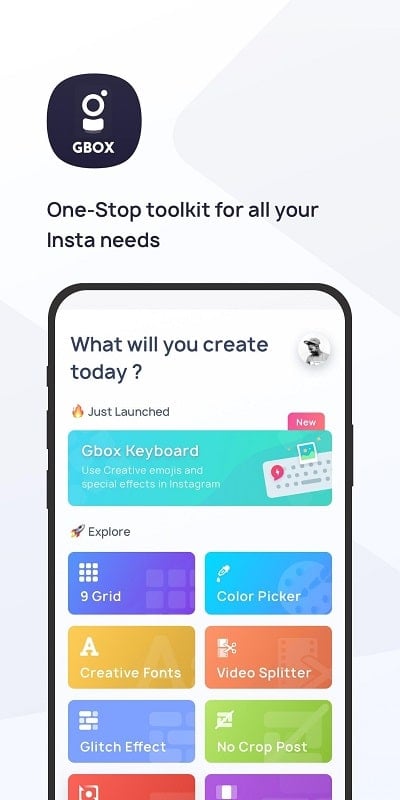
Elevate your Instagram presence with the ultimate Toolkit for Instagram - Gbox. From Swipeable Photos to No Crop Posting, Video Splitting, Reposting, Glitch Effects, Top 9 Collages, and more, this app is packed with features to take your Instagram game to the next level. Stand out with creative fonts, find the best hashtags, and create stunning visuals with ease. Say goodbye to clunky characters and hello to seamless posts with the Space Adder feature. Explore the endless possibilities of Instagram creativity with this innovative app.
Features of Toolkit for Instagram - Gbox:
* Swipeable Photo: Chop one photo into three for that swipe effect, creating a visually striking post for your followers.
* No Crop Post: Post full-sized pictures on Instagram without having to crop them, ensuring that your original content is fully showcased.
* Video Splitter: Easily chop your long videos into 15-second segments to fit into your IG stories, keeping your followers engaged with dynamic content.
* Repost: Share other creators' images or videos with credits, allowing you to curate and share content you love with your audience.
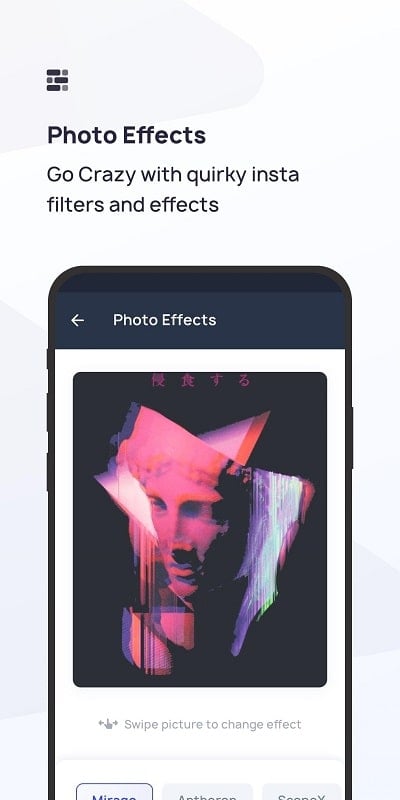
* Glitch: Add glitchy, vintage, and 10 more effects to your photos, giving them a unique and artistic touch.
* 9 Grid: Arrange your images in a cool stack that entices visitors to explore your profile further.
* Best Hashtags: Access the most used and followed hashtags to elevate your posts and increase your visibility on the platform.
* Space adder: Avoid using unsightly characters like dots or dashes by easily adding spaces to your captions and bios.
* Color picker: Upload a photo and discover the names of colors from the palette, enabling you to create cohesive and visually appealing content.
* Creative fonts: Enhance your captions and bios with a variety of font styles and text ideas, making your content stand out.
Tips for Users:
* Use the Swipeable Photo feature to create engaging carousel posts that tell a story or showcase multiple angles of a subject.
* Experiment with different Glitch effects to add a unique and edgy aesthetic to your photos, making them stand out on your feed.
* Utilize the Best Hashtags tool to discover popular hashtags in your niche and increase the reach and engagement of your posts.
* Try out the Color Picker when planning your feed to ensure a cohesive and visually pleasing color scheme across your Instagram profile.
* Get creative with fonts using the Creative Fonts feature to add personality and flair to your captions and bios.
Conclusion:
With a wide range of features designed to enhance your Instagram game, Toolkit for Instagram - Gbox is a must-have tool for any social media enthusiast. From creating captivating swipeable photos to discovering the best hashtags for your posts, this app provides everything you need to elevate your Instagram presence.
Show More
Information
Screenshots
Latest Update












Hot Tags
Latest News
-
![Revealing the Launch Playlists and Cross-Progression for COD Warzone Mobile News]()
-
![March 2024 Free Redemption Codes for Honkai: Star Rail News]()
-
PUBG Mobile Teams Up with Bentley Motors: Luxury Cars, Exclusive Collectibles, and Beyond 2024-04-18
![PUBG Mobile Teams Up with Bentley Motors: Luxury Cars, Exclusive Collectibles, and Beyond News]()
-
![Monster Never Cry is now accessible on both Android and iOS mobile devices. News]()
-
V2.2 of the Farlight 84 update introduces an overhauled Season structure, fresh in-game currency, an 2024-04-16
![V2.2 of the Farlight 84 update introduces an overhauled Season structure, fresh in-game currency, an News]()
-
![Arrival of Genshin Impact 4.6 Update: 'Embers of Two Realms, Twilight of Crimson' News]()
-
April 2024 Clash of Clans Update: Unveiling a Fresh Companion, Enhanced Levels, Chat Tagging, and Be 2024-04-16
![April 2024 Clash of Clans Update: Unveiling a Fresh Companion, Enhanced Levels, Chat Tagging, and Be News]()






