

Canvas Parent
Version:3.9.1
Published:2025-06-05
Introduction
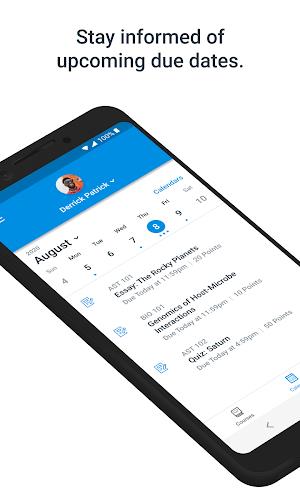
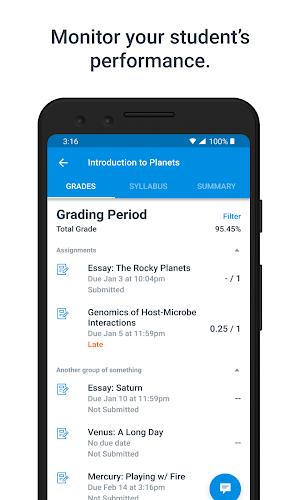
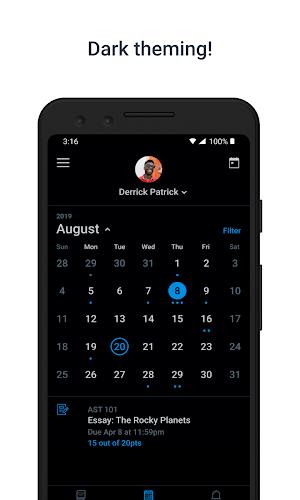
Canvas Parent revolutionizes the way parents stay connected with their child's education. Gone are the days of waiting for report cards or sifting through emails - now, all the information you need is right at your fingertips. With Canvas Parent, you can easily view assignment descriptions, due dates, grades, and course announcements, all in one convenient app. Set reminders, receive alerts, and track your child's progress effortlessly. This app is a game-changer for busy parents who want to stay informed and involved in their child's academic journey. Say goodbye to the guesswork and hello to Canvas Parent.
Features of Canvas Parent:
- Easy Access to Information: Canvas Parent allows parents to quickly access all important information about their child's education in one place, saving time and eliminating the need to constantly check multiple sources.
- Stay Organized: With the ability to view assignment descriptions, due dates, grades, and course announcements, parents can stay organized and help their child stay on track with their education.
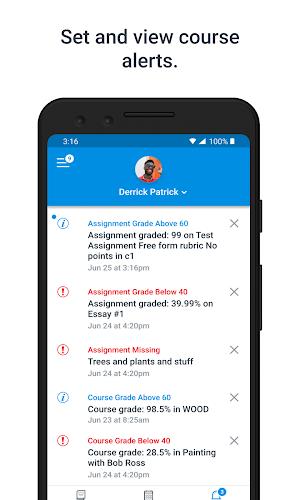
- Customizable Notifications: Set reminders for assignments and grade alerts to ensure that nothing falls through the cracks, keeping parents informed and proactive in their child's education.
Playing Tips:
- Regularly Check the App: Make it a habit to check Canvas Parent regularly to stay informed about upcoming assignments, grades, and announcements.
- Set Reminders: Utilize the reminder feature to set alerts for important assignments and deadlines, helping both you and your child stay on top of their schoolwork.
- Communicate with Teachers: Use the app to easily communicate with your child's teachers, ask questions, and stay involved in their education.
Conclusion:
Canvas Parent is a valuable tool for parents looking to stay informed and involved in their child's education. With easy access to important information, customizable notifications, and the ability to communicate with teachers, this app is a must-have for any parent with a child attending a school that uses Canvas Parent. Download the app today and take control of your child's educational journey.
Show More
Information
Screenshots

Latest Update








Hot Tags
Latest News
-
![Revealing the Launch Playlists and Cross-Progression for COD Warzone Mobile News]()
-
![March 2024 Free Redemption Codes for Honkai: Star Rail News]()
-
PUBG Mobile Teams Up with Bentley Motors: Luxury Cars, Exclusive Collectibles, and Beyond 2024-04-18
![PUBG Mobile Teams Up with Bentley Motors: Luxury Cars, Exclusive Collectibles, and Beyond News]()
-
![Monster Never Cry is now accessible on both Android and iOS mobile devices. News]()
-
V2.2 of the Farlight 84 update introduces an overhauled Season structure, fresh in-game currency, an 2024-04-16
![V2.2 of the Farlight 84 update introduces an overhauled Season structure, fresh in-game currency, an News]()
-
![Arrival of Genshin Impact 4.6 Update: 'Embers of Two Realms, Twilight of Crimson' News]()
-
April 2024 Clash of Clans Update: Unveiling a Fresh Companion, Enhanced Levels, Chat Tagging, and Be 2024-04-16
![April 2024 Clash of Clans Update: Unveiling a Fresh Companion, Enhanced Levels, Chat Tagging, and Be News]()







Comment
Antonio
Terrible App; UI is anything but intuitive, sloppy programming, no direction, seems to just link you to sites, so I'm not sure what is being hosted within the app itself, or if it's even needed in the first place. You would think that, especially in the current scenario most of us are in, Canvas would capitalize on this and bolster their technology to make it more manageable and attractive to schools and parents. Here's a quick example what to expect: Logging into the Parent Portal directs you to the Teacher and Student login. OK, no worries, just another link to get to the parent one. Not sure why I need to take the extra step when I clicked on the Parent Portal icon, but OK. Once there, enter your email, but never be able to enter your password. Can't paste into the field, can't type into that field, nothing. You'll never be able to log into the portal designed for you. Thank you for downloading our app. :-)~
Jun 09, 2025 14:34:04
Amanda Sumner
The email notifications are useless. You can tap on the link that is supposed to take you to a particular assignment, and it will just take you to the last page you had open. In my case, that could be one of my other two kids. I have to click to the right kid, then the subject, then scroll through, trying to remember the name of the assignment that was just graded. Also, I wish there were links to the teachers' home page to quickly check the weekly list of lessons, etc.
Jun 09, 2025 10:06:49
Eric Yu
Finally working! I had some frustrating issues setting things up initially much like other reviewers. However, after going online and using a web browser on a laptop to set up my kids on Canvas, I am able to login in the app and see content for each of my children without any issues. The app allows you to see content categorized by each child which the web browser version does not allow such view. Glad things are finally working as expected.
Jun 09, 2025 06:14:12
Ryan McLelland
Very finicky.. Hasn't loaded all classes in weeks. Shows an error message along with a contact support form. The form won't allow you to submit though.
Jun 08, 2025 17:53:01
A Google user
***Most recent update crashes and reboots my phone every single time I attempt to go into one any of the listed classes and try to access the grades tab. PLEASE fix ASAP, especially during the current national distance learning chaos.*** Most recent update does offer better structure with more options to see info, but does no good if keeps crashing. Still doesn't give certain key information that's seen on the Student Canvas portal.
Jun 08, 2025 16:56:12
Sheena Ghee
This app does NOT send notifications although notification triggers are set in settings. What's the point of having this if it can't notify me? To troubleshoot, I unlinked then relinked the student account, turned of then turn back on notifications, turned off power saving, and restarted my phone in case the notifications were being affected by any of this items and I've still not received any notifications during the time period it's been off. Please advise.
Jun 08, 2025 07:47:52