

Google Sheets
Version:1.23.452.03.90
Published:2025-06-23
Introduction
Google Sheets is the ultimate tool for creating, editing, and collaborating on spreadsheets right from your Android device. Whether you're working on a project with a team or simply need to update files on the go, Google Sheets has got you covered. With features like real-time collaboration, offline access, and automatic saving, you can stay productive no matter where you are. Plus, with additional features for Google Workspace subscribers, you can take your spreadsheet game to the next level. Say goodbye to endless email chains and missing files - download Google Sheets now and streamline your workflow.
Features of Google Sheets:
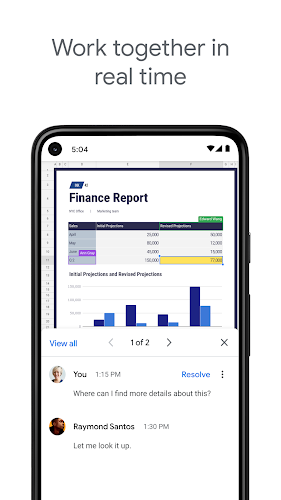
* Team Collaboration: With Google Sheets, you can easily share spreadsheets and collaborate in real-time with your team members. This feature allows for seamless communication and efficient workflow management.
* Cloud Sync: Your work is automatically saved to the cloud as you type, ensuring that you never lose any important data. This also allows for easy access to your files from any device, at any time.
* Smart Suggestions: Google Sheets offers smart suggestions for formatting, chart insertion, and formula usage. This feature helps to streamline the spreadsheet creation process and save you time.
* Cross-Platform Compatibility: You can easily open, edit, and save Excel files with Google Sheets. This compatibility ensures that you can work with a variety of file types without any hassle.
Playing Tips
* Collaborate Effectively: Take advantage of the real-time collaboration feature by adding collaborators to your projects and chatting with them in the same spreadsheet. This promotes teamwork and enhances productivity.
* Use Smart Suggestions: When formatting cells or inserting formulas, pay attention to the smart suggestions provided by Google Sheets. These suggestions can speed up the process and help you create professional-looking spreadsheets.
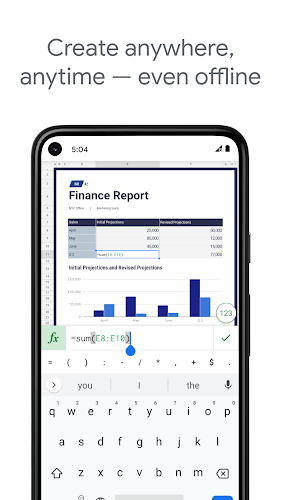
* Access Files Offline: Enable offline access to your files to create, view, and edit spreadsheets even without an internet connection. This feature ensures that you can work on your projects anytime, anywhere.
Conclusion
Google Sheets is a powerful and user-friendly app that offers a wide range of features for creating, editing, and collaborating on spreadsheets. With its team collaboration, cloud sync, smart suggestions, and cross-platform compatibility, it is an essential tool for productivity. By following the playing tips provided, users can maximize their experience with Google Sheets and streamline their workflow effectively. Download Google Sheets now to enhance your spreadsheet management capabilities and boost your productivity levels.
Show More
Information
Screenshots
Latest Update










Hot Tags
Latest News
-
![Revealing the Launch Playlists and Cross-Progression for COD Warzone Mobile News]()
-
![March 2024 Free Redemption Codes for Honkai: Star Rail News]()
-
PUBG Mobile Teams Up with Bentley Motors: Luxury Cars, Exclusive Collectibles, and Beyond 2024-04-18
![PUBG Mobile Teams Up with Bentley Motors: Luxury Cars, Exclusive Collectibles, and Beyond News]()
-
![Monster Never Cry is now accessible on both Android and iOS mobile devices. News]()
-
V2.2 of the Farlight 84 update introduces an overhauled Season structure, fresh in-game currency, an 2024-04-16
![V2.2 of the Farlight 84 update introduces an overhauled Season structure, fresh in-game currency, an News]()
-
![Arrival of Genshin Impact 4.6 Update: 'Embers of Two Realms, Twilight of Crimson' News]()
-
April 2024 Clash of Clans Update: Unveiling a Fresh Companion, Enhanced Levels, Chat Tagging, and Be 2024-04-16
![April 2024 Clash of Clans Update: Unveiling a Fresh Companion, Enhanced Levels, Chat Tagging, and Be News]()







Comment
Nesia C
All of sudden "a network error has occurred. Please make sure you are connected to the internet and have access to open this spreadsheet." I AM CONNECTED and have permission. I tried clear cache, clear data, uninstall, re install, digging through app permision and open file from other device with owner of the file's account to check if I still have permission (I STILL DO), but nothing works. This is frustrating I think I'm going Excel instead.
Jun 27, 2025 03:02:36
seth wakeman
It makes no sense that I cannot protect a range without using sheets on a computer. It's 2023 and I'm not a boomer; c'mon now Google
Jun 27, 2025 02:35:16
Sergé Noel
Not working. Please update. Screen just freezes after pressing "+" icon.
Jun 26, 2025 22:56:39
NOT A BIG DODO
So all of my excel files are read only when accessing it on my phone but they can still be edited when accessing it on laptop or pc. Please fix this.
Jun 25, 2025 20:46:40
Shailesh Yadav
I am not able to put the value of one cell in another cell by using " = " . But in laptop it is simply done... Please correct this function in app..
Jun 25, 2025 15:24:39
Søren Madsen
Some desktop features to include in the app as well would be 1) View full formula field, and 2) Access to existing Filters.
Jun 25, 2025 02:37:52