

Feem
Version:5.6.1
Published:2025-07-16
Introduction
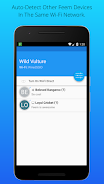
With Feem, sharing files with your WiFi buddies has never been easier. Say goodbye to the hassle of emailing, searching for cables, or waiting for iTunes to load. Simply download and run the app on both the sender and receiver devices, choose the files you want to share, select who you want to share them with, and click upload. It's that easy! Whether you're transferring files between phones, from phones to computers, or vice versa, Feem allows for quick and painless sharing without using up your precious wireless data. Just connect to the same WiFi network and let Feem work its magic. Goodbye USB sticks, hello Feem!
Features of Feem:
Simple and Convenient File Sharing: Feem app allows users to easily share files among WiFi buddies without the hassle of emailing, using cables, or waiting for iTunes to load.
No Internet Connection Required: Users can transfer files without needing an active Internet connection, as long as the devices are connected to the same WiFi network.
Cross-Platform Compatibility: Feem allows seamless file sharing between different devices, such as phones and computers, making it versatile and convenient for all users.
Save Bandwidth: By using Feem for file sharing, users can save precious wireless bandwidth, making it a cost-effective and efficient option for transferring data.
Playing Tips
Ensure Devices are Connected to the Same WiFi Network: Before starting the file transfer process, make sure that both the sending and receiving devices are connected to the same WiFi router or hotspot to enable successful sharing.
Select Files to Share: Choose the files you want to transfer and select the recipients within the app to ensure a smooth and efficient sharing process.
Utilize Chat Feature: Take advantage of Feem's chat feature to open a session with a buddy and quickly share files or have a conversation within the app.
Explore Different Sharing Options: Experiment with different file sharing options, such as transferring pictures between phones, phones to computers, or vice versa, to maximize the app's utility.
Conclusion
With its user-friendly interface, seamless file sharing capabilities, and compatibility across various devices, Feem is a must-have app for anyone looking for a convenient and efficient way to transfer files among WiFi buddies. Say goodbye to cumbersome cables and USB sticks, and embrace the simplicity and speed of sharing files with Feem. Download the app today and experience the magic of hassle-free file sharing at your fingertips!
Show More
Information
Screenshots

Latest Update












Hot Tags
Latest News
-
![Revealing the Launch Playlists and Cross-Progression for COD Warzone Mobile News]()
-
![March 2024 Free Redemption Codes for Honkai: Star Rail News]()
-
PUBG Mobile Teams Up with Bentley Motors: Luxury Cars, Exclusive Collectibles, and Beyond 2024-04-18
![PUBG Mobile Teams Up with Bentley Motors: Luxury Cars, Exclusive Collectibles, and Beyond News]()
-
![Monster Never Cry is now accessible on both Android and iOS mobile devices. News]()
-
V2.2 of the Farlight 84 update introduces an overhauled Season structure, fresh in-game currency, an 2024-04-16
![V2.2 of the Farlight 84 update introduces an overhauled Season structure, fresh in-game currency, an News]()
-
![Arrival of Genshin Impact 4.6 Update: 'Embers of Two Realms, Twilight of Crimson' News]()
-
April 2024 Clash of Clans Update: Unveiling a Fresh Companion, Enhanced Levels, Chat Tagging, and Be 2024-04-16
![April 2024 Clash of Clans Update: Unveiling a Fresh Companion, Enhanced Levels, Chat Tagging, and Be News]()







Comment
A Google user
I was stunned when I used for the first time in +ve way. Great app to transfer files between Android and PC. Great alternative to share it app which is causing so much issues in connection and other problems. Thanks for the developer
Jul 20, 2025 12:04:32
Kamyar Rasam
Thanks, guys this is more comfortable, easier, and faster than those apps that I used to use with no any extra questions.
Jul 20, 2025 03:26:22
Sahil Azad
This application is highly effective for transferring data without internet.
Jul 19, 2025 19:35:27
Rhyno
Amazing and unique app, a True gem
Jul 19, 2025 12:45:45
Omega Guyver
I have a Huawei P20 Pro, and transfering content to it is a pain. You have to use a cable AND the HSuite app which isn't very good. So, I looked at alternate ways to transfer files. It came down to AirDroid and Feem. Both worked well but AirDroid was way more expensive and had a bunch of functionality that I didn't need at this time. Feem is easy to use and the price is reasonable and when I had an issue, their support was quick and effective. Speed is very good too so no issues on that front.
Jul 19, 2025 07:39:16
KELVIN AMOABA
I was using this app to transfer files from my phone to my windows pc. Anytime the pc downloads a file, it automatically closes. I have to ne relaunching in order to downlpad every single file that is sent... Apart from that it works very good
Jul 18, 2025 05:07:35