

Samsung Smart Switch Mobile
Version:3.7.44.4
Published:2025-08-19
Introduction
Make the transition to your new Galaxy device seamless with Samsung Smart Switch Mobile. This innovative app allows you to easily transfer all your important data, including contacts, music, photos, and more from your old device to your new Galaxy. Smart Switch also helps you quickly find your favorite apps and suggests similar ones on Google Play. Whether you're an Android user or switching from a different brand, Smart Switch has you covered. With its user-friendly interface and wireless transfer capabilities, moving to your new Galaxy has never been easier. Download Smart Switch now and say goodbye to the hassle of transferring data manually.
Features of Samsung Smart Switch Mobile:
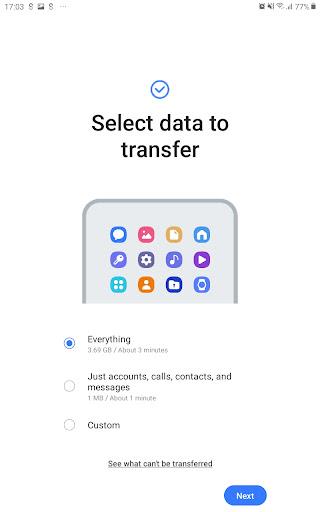
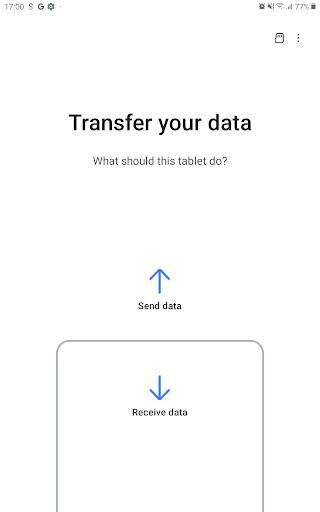
Seamlessly Transfer Data: Samsung Smart Switch Mobile allows users to effortlessly transfer contacts, music, photos, calendar, text messages, and more to a new Galaxy device. This eliminates the hassle of manually moving files and ensures a smooth transition between devices.
App Recommendations: The app not only transfers data but also helps users find their favorite apps or suggests similar ones on Google Play. This feature makes it convenient for users to explore new apps that align with their preferences.
Compatibility with Android Devices: Smart Switch is compatible with Android devices running on Android 0 or higher, making it accessible to a wide range of users. Whether you have a Samsung or non-Samsung Android device, you can easily transfer data to a Galaxy device.
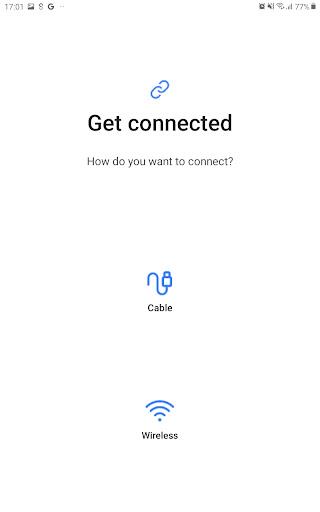
Easy Wireless Transfers: With wireless transfer capabilities, users can transfer data from a compatible Android device to a Galaxy device without the need for cables. This feature adds convenience and flexibility to the data transfer process.
Playing Tips:
Ensure Compatibility: Before using Smart Switch, make sure that both your old and new devices are compatible with the app. Check the Android versions and device models to avoid any connectivity issues during the data transfer process.
Disable Wi-Fi Settings: If your non-Samsung device experiences constant disconnections from the wireless network during transfer, try disabling the "Wi-Fi initialize" and "Disconnect low Wi-Fi signal" options in the Advanced Wi-Fi settings. This may help stabilize the connection and prevent interruptions.
Update Software: If your system software version is lower than Android update the software to configure app permissions properly. This ensures a smooth data transfer process and avoids any permission-related errors.
Conclusion:
Samsung Smart Switch Mobile is a versatile app that simplifies the process of transferring data between Android devices, particularly to Galaxy devices. With its seamless transfer capabilities, app recommendations, and wireless transfer features, users can easily migrate their data while discovering new apps. By following the playing tips provided, users can ensure a smooth and efficient data transfer experience. Download Smart Switch today to streamline your device upgrading process and enjoy a hassle-free transition.
Show More
Information
Screenshots
Latest Update










Hot Tags
Latest News
-
![Revealing the Launch Playlists and Cross-Progression for COD Warzone Mobile News]()
-
![March 2024 Free Redemption Codes for Honkai: Star Rail News]()
-
PUBG Mobile Teams Up with Bentley Motors: Luxury Cars, Exclusive Collectibles, and Beyond 2024-04-18
![PUBG Mobile Teams Up with Bentley Motors: Luxury Cars, Exclusive Collectibles, and Beyond News]()
-
![Monster Never Cry is now accessible on both Android and iOS mobile devices. News]()
-
V2.2 of the Farlight 84 update introduces an overhauled Season structure, fresh in-game currency, an 2024-04-16
![V2.2 of the Farlight 84 update introduces an overhauled Season structure, fresh in-game currency, an News]()
-
![Arrival of Genshin Impact 4.6 Update: 'Embers of Two Realms, Twilight of Crimson' News]()
-
April 2024 Clash of Clans Update: Unveiling a Fresh Companion, Enhanced Levels, Chat Tagging, and Be 2024-04-16
![April 2024 Clash of Clans Update: Unveiling a Fresh Companion, Enhanced Levels, Chat Tagging, and Be News]()







Comment
80RD3R Collie
Won't connect to pc for backup despite both devices saying they have latest software versions (although they both allegedly have different versions) and have backed up previously. Very disappointed!
Aug 23, 2025 19:00:26
Guy Penda
The reason I give 2 stars is that the app freezes at a certain percentage of data transfer, and there is no option to skip the remaining data and move forward. You get to restart the entire process with no guarantee it will complete 100%. I have tried twice today and still get stuck at 70% and now 93%. Very annoying as you get stuck in that cycle with no satisfaction.
Aug 23, 2025 04:38:23
Heather Bee
Update failed is message from windows 10 updated app 43220833, trying to connect to s22 ultra with latest per play store. Retry is prompt to update switch app on connected device. In short duke, stuck in a nogo loop. Thanks.
Aug 23, 2025 04:28:16
Viraj G
Pretty nice App. Everything goes perfectly smooth. Also if you transfer your data twice it will again then transfer only the data which wasn't transfer before. Good app.
Aug 23, 2025 03:16:55
Jason
FIX THE NOTIFICATION SOUND BUG ITS BEEN 3 YEARS. Whenever I reset a phone or transfer to a new one, all of the apps change from having custom notifications to reverting back to the default. The only way to fix this is to reinstall the apps!!
Aug 22, 2025 15:49:11
Jet
Pretty useful! Though, I wasn't able to transfer everything due to my older phone's terrible battery life and the unbelievably slow data transfer speeds (this has to be improved because I'm pretty sure no pre-2019 phone can handle transferring data for 8 HOURS). Furthermore, the app is a huge drain on battery in itself and causes both of my phones to heat up. This is a massive problem on my older device since it won't charge when it's too hot so there's nothing I can do about that poor battery.
Aug 21, 2025 10:49:58