

Notebook - Note-taking & To-do
Version:6.4
Published:2025-08-26
Introduction
Notebook - Note-taking & To-do is your ultimate companion for all things organization and productivity. From jotting down quick notes to creating detailed checklists and even recording voice memos, this app has it all. With the ability to sync across devices and securely lock your notes, you can access your work anywhere with ease. The app's notable gestures make navigating through your notes a breeze, while the customization options allow you to make your notebook truly your own. Whether you're a student looking to ace your classes or simply trying to stay on top of your daily tasks, Notebook has got you covered. And with exclusive features for Android users, like the Notebook Widget and Google Assistant Integration, taking notes on-the-go has never been easier.
Features of Notebook - Note-taking & To-do:
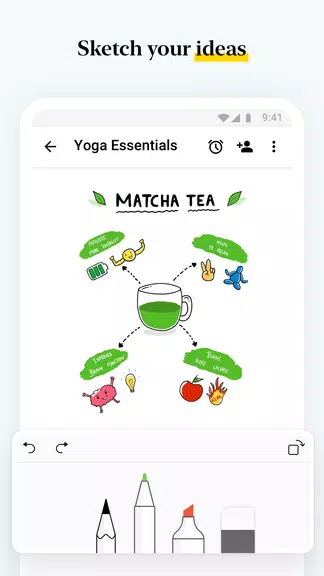
Versatile Note-taking Options: Notebook - Note-taking & To-do offers a variety of ways to capture your thoughts and ideas, including text notes, images, checklists, audio recordings, and photo notes. This provides flexibility for different types of note-taking needs.
Organizational Tools: The app allows users to organize their notes into notebooks, create notecard stacks, reorder notes, and move or copy notes between notebooks. This helps users stay organized and easily access their notes when needed.
Cross-device Syncing: Notebook allows for seamless syncing of notes across devices and to the cloud. This ensures that users can access their notes from anywhere, whether it's on their phone, tablet, computer, or browser.
Customization Options: Users can customize their notes by changing the color, choosing a notebook cover, and viewing notes in grid or landscape style views. This allows for a personalized note-taking experience.
Playing Tips of Notebook - Note-taking & To-do:
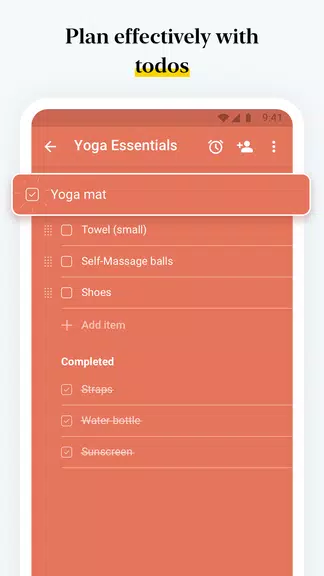
Use the Checklists: Take advantage of the dedicated checklist note to create to-do lists and stay on top of tasks and projects. This feature can help you organize your tasks and ensure nothing slips through the cracks.
Utilize Notebook Web Clipper: Save articles, web page links, and screenshots to Notebook using the Web Clipper feature. This can be helpful for research purposes, saving reference material, or creating smart cards for easy access to important information.
Stay Organized: Take advantage of the organizational tools in Notebook to keep your notes tidy and easy to find. Use notebooks, notecard stacks, and search functionalities to efficiently manage your notes.
Conclusion:
Notebook - Note-taking & To-do is a comprehensive and user-friendly app that offers a range of attractive features for taking notes and staying organized. With versatile note-taking options, organizational tools, cross-device syncing, customization options, and helpful features like checklists and Web Clipper, Notebook is a valuable tool for students, professionals, and anyone looking to streamline their note-taking process. Download Notebook today and experience the convenience of having all your notes in one place, accessible anytime, anywhere.
Show More
Information
Screenshots

Latest Update







Hot Tags
Latest News
-
![Revealing the Launch Playlists and Cross-Progression for COD Warzone Mobile News]()
-
![March 2024 Free Redemption Codes for Honkai: Star Rail News]()
-
PUBG Mobile Teams Up with Bentley Motors: Luxury Cars, Exclusive Collectibles, and Beyond 2024-04-18
![PUBG Mobile Teams Up with Bentley Motors: Luxury Cars, Exclusive Collectibles, and Beyond News]()
-
![Monster Never Cry is now accessible on both Android and iOS mobile devices. News]()
-
V2.2 of the Farlight 84 update introduces an overhauled Season structure, fresh in-game currency, an 2024-04-16
![V2.2 of the Farlight 84 update introduces an overhauled Season structure, fresh in-game currency, an News]()
-
![Arrival of Genshin Impact 4.6 Update: 'Embers of Two Realms, Twilight of Crimson' News]()
-
April 2024 Clash of Clans Update: Unveiling a Fresh Companion, Enhanced Levels, Chat Tagging, and Be 2024-04-16
![April 2024 Clash of Clans Update: Unveiling a Fresh Companion, Enhanced Levels, Chat Tagging, and Be News]()






