

CPU Monitor - temperature
Version:10.2.4
Published:2025-10-27
Introduction
CPU Monitor - temperature is the ultimate tool for monitoring your device's CPU performance in real-time. With the ability to track temperature, frequency, RAM, and battery information, this app provides detailed insights to help optimize your device's performance. The CPU Monitor feature allows you to analyze historical data and supports multicore monitoring. The app also includes a Device Information display, Temperature Over Heat Alarm, Floating Window for real-time monitoring, Widget support, and Multi-Theme options for a customized experience. Stay on top of your device's performance with CPU Monitor - temperature.
Features of CPU Monitor - temperature:
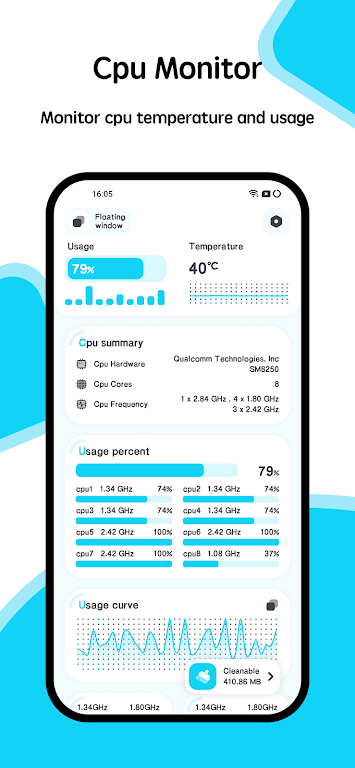
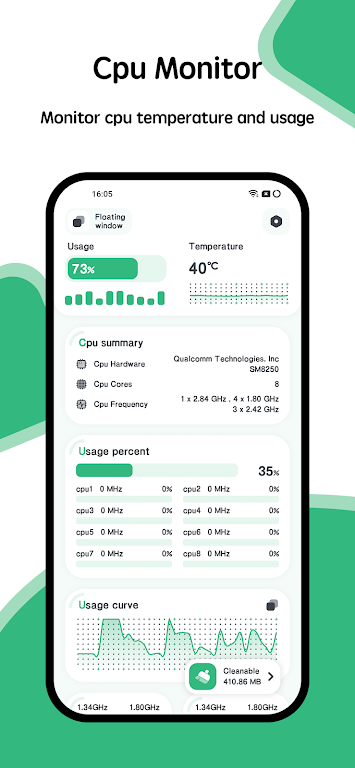
Real-time CPU monitoring: Monitor CPU temperature and frequency in real time, allowing you to keep track of your device's performance.
Device information: View detailed information about your device, including CPU details, system specs, hardware information, and screen details.
Overheat alarm: Receive an alert when the CPU or battery temperature exceeds safe levels, helping you prevent overheating issues.
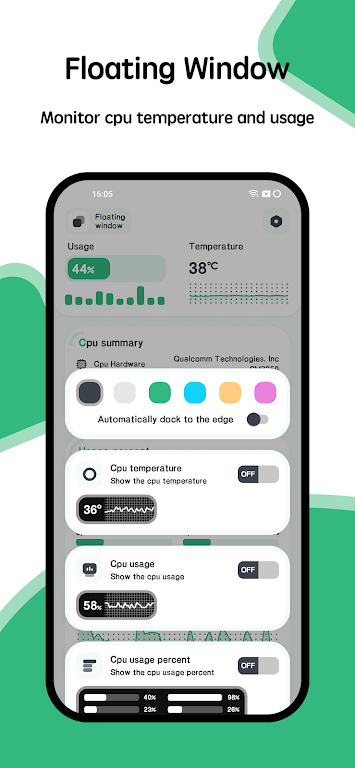
Floating window: Access CPU temperature, battery temperature, and RAM usage in a floating window for quick and easy monitoring.
Widgets: Customize your home screen with RAM, CPU, and battery widgets for at-a-glance performance monitoring.
Multi-theme support: Choose from a variety of themes to customize the look of your CPU monitor and match your device's style.
Playing tips for CPU Monitor - temperature:
Utilize the real-time CPU monitoring feature to keep an eye on your device's performance during intensive tasks or gaming sessions.
Set up the overheat alarm to receive notifications when your device is at risk of overheating, allowing you to take necessary precautions.
Use the floating window to monitor CPU temperature, battery temperature, and RAM usage without interrupting your current tasks.
Add widgets to your home screen for quick access to key performance metrics, such as RAM usage, CPU temperature, and battery level.
Explore different themes to customize the appearance of the CPU monitor and find a design that suits your personal preferences.
Conclusion:
With its real-time monitoring, overheat alarm, floating window, widgets, and multi-theme support, CPU Monitor is a versatile and visually appealing tool for Android users looking to optimize their device's performance. Whether you're a gamer, power user, or simply want to keep tabs on your device's temperature and performance, CPU Monitor offers a range of features to help you stay informed and in control. Download CPU Monitor today to take your device monitoring to the next level.
Show More
Information
Screenshots
Latest Update











Hot Tags
Latest News
-
![Revealing the Launch Playlists and Cross-Progression for COD Warzone Mobile News]()
-
![March 2024 Free Redemption Codes for Honkai: Star Rail News]()
-
PUBG Mobile Teams Up with Bentley Motors: Luxury Cars, Exclusive Collectibles, and Beyond 2024-04-18
![PUBG Mobile Teams Up with Bentley Motors: Luxury Cars, Exclusive Collectibles, and Beyond News]()
-
![Monster Never Cry is now accessible on both Android and iOS mobile devices. News]()
-
V2.2 of the Farlight 84 update introduces an overhauled Season structure, fresh in-game currency, an 2024-04-16
![V2.2 of the Farlight 84 update introduces an overhauled Season structure, fresh in-game currency, an News]()
-
![Arrival of Genshin Impact 4.6 Update: 'Embers of Two Realms, Twilight of Crimson' News]()
-
April 2024 Clash of Clans Update: Unveiling a Fresh Companion, Enhanced Levels, Chat Tagging, and Be 2024-04-16
![April 2024 Clash of Clans Update: Unveiling a Fresh Companion, Enhanced Levels, Chat Tagging, and Be News]()






