
Widgets OS 17 - Color Widgets
Version:1.11.9
Published:2025-10-29
Introduction
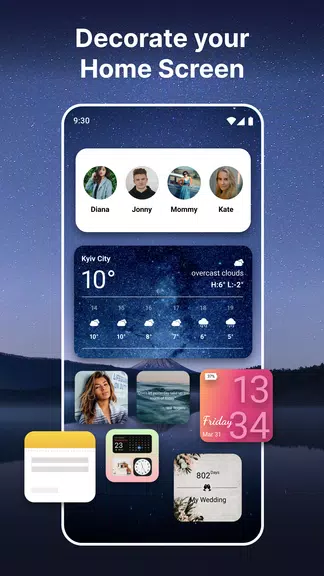
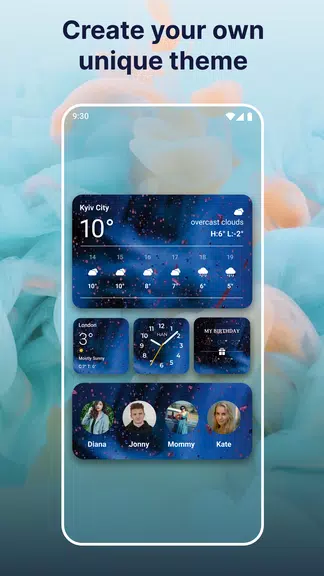
Revamp your home screen with the Widget OS 17 - Color Widgets app! This powerful tool allows you to easily customize and personalize your phone with a variety of widgets and themes. From elegant default options to creating your own unique themes, the possibilities are endless. Add your favorite photos as Photo Widgets, customize fonts, colors, and more. With updates constantly adding new widgets, you can truly make your home screen your own. Choose from a range of useful widgets like step counters, calendar, daily quotes, weather, and more. Upgrade to premium for full customization and additional features like weather widgets and color clocks. Don't settle for a boring home screen - unleash your creativity with Widget OS 17 - Color Widgets today!
Features of Widgets OS 17 - Color Widgets:
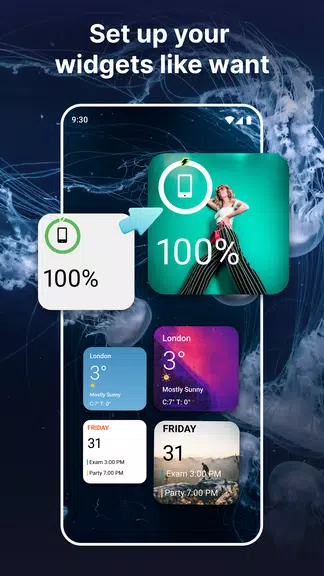
- Customization Options: With Widget OS 17 - Color Widgets, you can easily customize your home screen with a variety of widgets, themes, fonts, and colors.
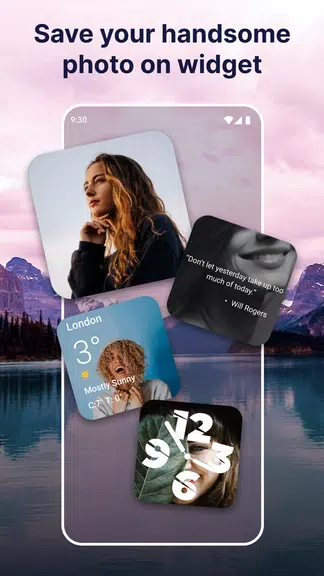
- Photo Widgets: The app allows you to create photo widgets, making it easy to personalize your home screen with your favorite photos.
- Useful Widgets: From step and calories counter to weather and world clock, Widget OS 17 - Color Widgets offers a wide range of useful widgets to enhance your phone's functionality.
- Premium Options: Unlock premium features like fully customizable widgets, weather widget, and color clock with weather info to take your home screen customization to the next level.
FAQs of Widgets OS 17 - Color Widgets:
- How do I add widgets to my home screen using Widget OS 17 - Color Widgets?
Simply open the app, choose the widget you want to add, customize it to your liking, and then place it on your home screen.
- Are there any additional widgets available in the app?
Yes, Widget OS 17 - Color Widgets offers a variety of widgets including daily motivational quotes, notes, and more. New widgets are frequently added with updates.
- Can I set personalized photos as widgets on my home screen?
Absolutely! With the Photo/Album feature, you can easily create photo widgets using your favorite images.
Conclusion:
Transform your dull home screen into a stunning display of creativity and functionality with Widgets OS 17 - Color Widgets. With endless customization options, useful widgets, and premium features, this app is the perfect tool to personalize your device and make it truly your own. Download Widget OS 17 - Color Widgets now and unleash your creativity to design beautiful custom widgets for your phone!
Show More
Information
Screenshots
Latest Update












Hot Tags
Latest News
-
![Revealing the Launch Playlists and Cross-Progression for COD Warzone Mobile News]()
-
![March 2024 Free Redemption Codes for Honkai: Star Rail News]()
-
PUBG Mobile Teams Up with Bentley Motors: Luxury Cars, Exclusive Collectibles, and Beyond 2024-04-18
![PUBG Mobile Teams Up with Bentley Motors: Luxury Cars, Exclusive Collectibles, and Beyond News]()
-
![Monster Never Cry is now accessible on both Android and iOS mobile devices. News]()
-
V2.2 of the Farlight 84 update introduces an overhauled Season structure, fresh in-game currency, an 2024-04-16
![V2.2 of the Farlight 84 update introduces an overhauled Season structure, fresh in-game currency, an News]()
-
![Arrival of Genshin Impact 4.6 Update: 'Embers of Two Realms, Twilight of Crimson' News]()
-
April 2024 Clash of Clans Update: Unveiling a Fresh Companion, Enhanced Levels, Chat Tagging, and Be 2024-04-16
![April 2024 Clash of Clans Update: Unveiling a Fresh Companion, Enhanced Levels, Chat Tagging, and Be News]()






