

Deckboard PRO
Version:1.9.80
Published:2026-03-21
Introduction
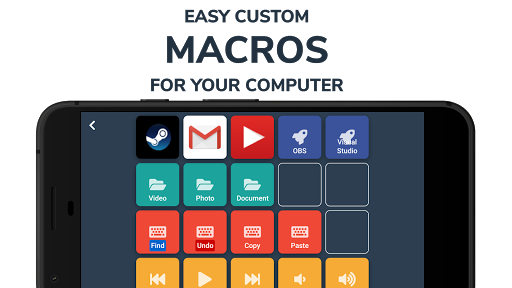
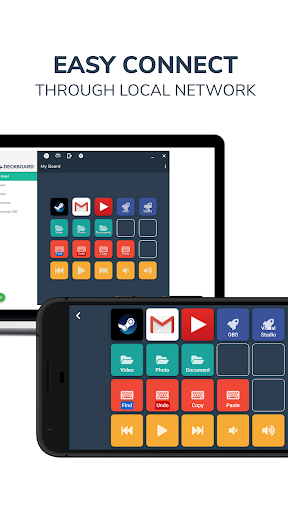
Deckboard PRO is an Android app for creating programmable buttons that control applications and media on a computer. Deckboard PRO connects to a companion desktop application on your computer to send keystrokes, media commands and other remote actions over a local network, and it supports customizable layouts so you can arrange buttons and pages for different tasks.
Key features
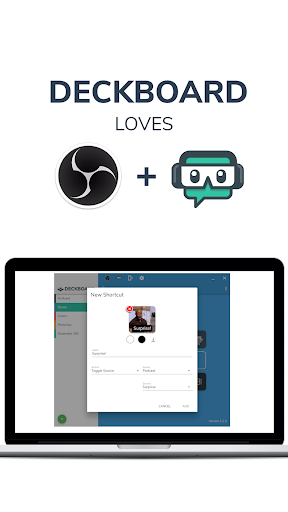
Deckboard PRO offers customizable buttons and multiple pages where you can set icons, labels and colors to match your workflow. You can assign keyboard shortcuts and multimedia keys to control software and media players. When a compatible desktop server is running, integration with streaming and production tools is available through supported APIs. Profiles and layouts make it easy to switch configurations quickly, and pairing and connection options keep communication local and controlled.
Setup and usage
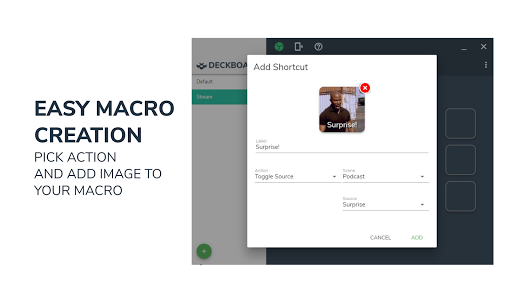
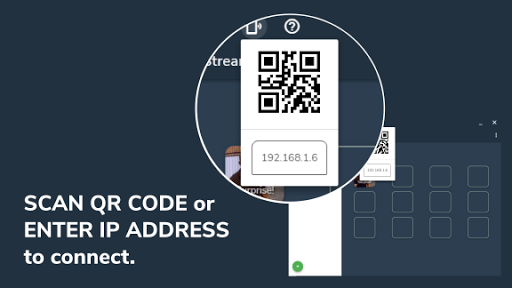
Install the Deckboard PRO app on your Android device and the companion desktop application on your computer, make sure both devices are on the same network or a supported connection, then pair them. After pairing, create buttons, assign actions and organize pages to match your workflow.
Notes
Certain integrations require enabling APIs or plugins in the target desktop application. Check permissions and compatibility on your computer before enabling remote control features. Refer to the in-app help or the desktop server documentation for troubleshooting and advanced configuration.
Show More
Information
Screenshots
Latest Update












Hot Tags
Latest News
-
![Revealing the Launch Playlists and Cross-Progression for COD Warzone Mobile News]()
-
![March 2024 Free Redemption Codes for Honkai: Star Rail News]()
-
PUBG Mobile Teams Up with Bentley Motors: Luxury Cars, Exclusive Collectibles, and Beyond 2024-04-18
![PUBG Mobile Teams Up with Bentley Motors: Luxury Cars, Exclusive Collectibles, and Beyond News]()
-
![Monster Never Cry is now accessible on both Android and iOS mobile devices. News]()
-
V2.2 of the Farlight 84 update introduces an overhauled Season structure, fresh in-game currency, an 2024-04-16
![V2.2 of the Farlight 84 update introduces an overhauled Season structure, fresh in-game currency, an News]()
-
![Arrival of Genshin Impact 4.6 Update: 'Embers of Two Realms, Twilight of Crimson' News]()
-
April 2024 Clash of Clans Update: Unveiling a Fresh Companion, Enhanced Levels, Chat Tagging, and Be 2024-04-16
![April 2024 Clash of Clans Update: Unveiling a Fresh Companion, Enhanced Levels, Chat Tagging, and Be News]()






