

Samsung Voice Recorder
Version:21.5.10.13
Published:2026-04-05
Introduction
Samsung Voice Recorder is a reliable app for capturing high-quality audio from meetings, lectures, interviews and personal notes. It provides straightforward recording controls, easy file naming, and an organized list of saved recordings for quick access.
Key features of Samsung Voice Recorder
- High-quality recording — start, pause and stop recordings with clear audio output.
- Trim and manage — edit recordings to remove unwanted sections and rename files for easy identification.
- Markers and bookmarks — add markers during long recordings to mark important moments for later review.
- Playback controls — review recordings with standard playback options and quick navigation.
- Share and export — send recordings through email or other apps using common sharing options.
- Organize and search — keep recordings sorted and find files quickly using the app's list and search features.
How to use
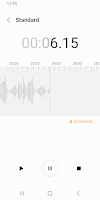
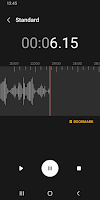
Open the app and tap the record button to begin. Use pause to stop temporarily and resume when ready, then stop to save the file. After saving you can play back, trim, add markers, or share the file. Samsung Voice Recorder keeps recordings in an easy-to-browse list where you can rename, sort and delete entries.
Designed for everyday use, Samsung Voice Recorder focuses on clear recording, simple management and reliable playback to help you capture and organize audio efficiently.
Show More
Information
Screenshots


Latest Update






Hot Tags
Latest News
-
![Revealing the Launch Playlists and Cross-Progression for COD Warzone Mobile News]()
-
![March 2024 Free Redemption Codes for Honkai: Star Rail News]()
-
PUBG Mobile Teams Up with Bentley Motors: Luxury Cars, Exclusive Collectibles, and Beyond 2024-04-18
![PUBG Mobile Teams Up with Bentley Motors: Luxury Cars, Exclusive Collectibles, and Beyond News]()
-
![Monster Never Cry is now accessible on both Android and iOS mobile devices. News]()
-
V2.2 of the Farlight 84 update introduces an overhauled Season structure, fresh in-game currency, an 2024-04-16
![V2.2 of the Farlight 84 update introduces an overhauled Season structure, fresh in-game currency, an News]()
-
![Arrival of Genshin Impact 4.6 Update: 'Embers of Two Realms, Twilight of Crimson' News]()
-
April 2024 Clash of Clans Update: Unveiling a Fresh Companion, Enhanced Levels, Chat Tagging, and Be 2024-04-16
![April 2024 Clash of Clans Update: Unveiling a Fresh Companion, Enhanced Levels, Chat Tagging, and Be News]()






