

Color Design
Version:1.0
Published:2026-04-28
Introduction
Color Design is a compact photo-coloring app that lets you add color to your own photographs or to images provided within the app, making it easy to experiment with tones and hues on still pictures. The interface is focused and straightforward so users can bring life to black-and-white photos or preview new color schemes on snapshots without a steep learning curve.
Key Features
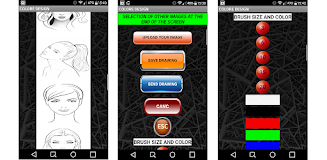
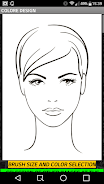
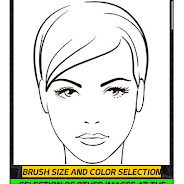
Color Design lets you color user-supplied photographs directly and also apply color to images chosen from the built-in collection; tools emphasize simple brushes and color controls for still images. The workflow guides you to select an image, choose hues, and apply shading with minimal steps, keeping the process approachable for casual editing.
Advantages
With Color Design you can experiment freely without needing complex editing software, making it easy to personalize memories and try creative ideas quickly. The app appeals to hobbyists and casual users seeking fast, focused coloring results rather than a full professional suite.
Disadvantages
Because the app specializes in coloring tasks, Color Design may not replace a full-featured photo editor and may be less suitable for users who require advanced retouching or professional-level controls.
Show More
Information
Screenshots
Latest Update






Hot Tags
Latest News
-
![Revealing the Launch Playlists and Cross-Progression for COD Warzone Mobile News]()
-
![March 2024 Free Redemption Codes for Honkai: Star Rail News]()
-
PUBG Mobile Teams Up with Bentley Motors: Luxury Cars, Exclusive Collectibles, and Beyond 2024-04-18
![PUBG Mobile Teams Up with Bentley Motors: Luxury Cars, Exclusive Collectibles, and Beyond News]()
-
![Monster Never Cry is now accessible on both Android and iOS mobile devices. News]()
-
V2.2 of the Farlight 84 update introduces an overhauled Season structure, fresh in-game currency, an 2024-04-16
![V2.2 of the Farlight 84 update introduces an overhauled Season structure, fresh in-game currency, an News]()
-
![Arrival of Genshin Impact 4.6 Update: 'Embers of Two Realms, Twilight of Crimson' News]()
-
April 2024 Clash of Clans Update: Unveiling a Fresh Companion, Enhanced Levels, Chat Tagging, and Be 2024-04-16
![April 2024 Clash of Clans Update: Unveiling a Fresh Companion, Enhanced Levels, Chat Tagging, and Be News]()






