

Bad Clown Coloring Book
Version:1.6
Published:2026-05-13
Introduction
Bad Clown Coloring Book is a focused digital coloring app that combines atmospheric line art with short educational notes about clown history and the psychology behind unsettling characters, offering hobby artists and horror fans a low-friction creative experience. The app guides you through detailed, high-contrast illustrations with intuitive touch controls, encourages experimentation with palettes that heighten mood and contrast, and adds context with concise captions so each page functions as both an art exercise and a small reading moment.
What you’ll find inside
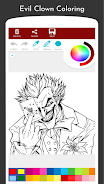
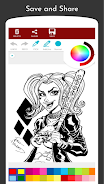
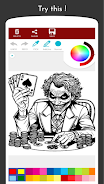
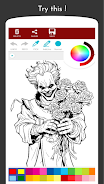
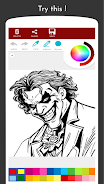
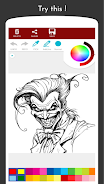
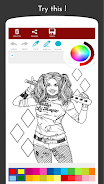
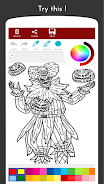
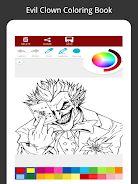
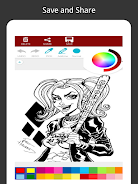
The core of Bad Clown Coloring Book is a curated gallery of drawings and scene compositions designed for careful shading and deliberate palette choices. Artwork varies from tight character studies that reward detailed brushwork to wider staged scenes that invite attention to lighting and atmosphere. Each image includes an accompanying note or short mini-essay that explains historical or psychological background for the iconography you’re coloring, turning a simple fill-and-shade task into a learning opportunity about how visual elements create emotional effect.
Controls and interaction
The interface emphasizes direct, touch-first interaction: choose a color from a palette, apply it with a brush or a faster fill tool, pinch to zoom for precision, and use undo to correct mistakes quickly. Brush size, edge softness and opacity controls let you simulate pencil shading or layered paint effects, while a built-in color picker helps you sample and reuse shades from the image. Tools are designed to be forgiving for beginners but precise enough for users who enjoy micro-adjustments, and a clean UI keeps attention on the artwork rather than complex menus.
Progression and replay value
Instead of a linear level progression, the app organizes artwork into themed packs so you can work through a coherent set of images on a topic, or jump between pages for variety. A modest activity history and a favorites marker let you return to pieces you want to refine. Optional practice prompts and difficulty labels are available for users who prefer structure: they suggest sequences that build technique, such as moving from simple two-tone studies to more complex shading pieces, and encourage exploring the same composition with different palettes to study mood shifts.
Visual style and customization
The visual design favors bold linework and negative space that respond well to both vivid and subtle palettes. Customization prioritizes creative tools rather than altering original line art: adjustable brushes, pressure-like opacity control, a selection of preset palettes and the ability to create and save custom color sets let you work toward a range of looks from saturated horror to muted vintage. You can mark images as favorites and assemble a personal collection to revisit and refine over multiple sessions.
Challenge systems and creative prompts
For players seeking guided practice, the app includes optional timed exercises and themed prompts that focus on practical color theory—complementary contrast, limited-palette approaches, and temperature-based mood decisions. These prompts are self-paced and modular, designed to nudge practice without enforcing strict goals, so users can learn how different techniques change the emotional tone of an image without pressure.
Accessibility and user experience
The app aims to be accessible to a wide range of users: interface elements can be scaled for larger text and buttons, and a colorblind-friendly palette mode provides labeled swatches and high-contrast options for easier selection. Controls remain simple to reduce friction for newcomers while still offering fine-tuning for experienced artists. Performance is optimized across device classes to ensure smooth touch response and efficient memory use so detailed illustrations load and respond without lag.
Offline use and compatibility
Bad Clown Coloring Book is fully usable offline once installed, with included artwork and editorial notes available without a network connection, making it convenient for travel or places with limited connectivity. The app is designed to run well on a broad set of Android devices, balancing visual fidelity with resource efficiency to support longer creative sessions without frequent battery drain or slowdowns.
Audience and content considerations
The app deliberately leans into atmospheric and unsettling themes and is best suited to teens and adults or to younger users who are supervised and comfortable with horror imagery. Editorial notes are informational and concise rather than sensational, providing historical and psychological context without graphic detail. The basic app is free to download and try, allowing you to see whether the tone and features suit your creative interests before committing to additional packs.
Summary
Whether you want to practice palette choices, explore mood-driven composition, or collect a set of themed pieces to revisit, Bad Clown Coloring Book delivers a straightforward, educational coloring experience with tools and prompts that support gradual skill building and creative replay. It balances clean controls, accessible options and offline convenience so you can focus on the art and the small lessons embedded in each page.
Show More
Information
Screenshots
Latest Update





Latest News
-
![Revealing the Launch Playlists and Cross-Progression for COD Warzone Mobile News]()
-
![March 2024 Free Redemption Codes for Honkai: Star Rail News]()
-
PUBG Mobile Teams Up with Bentley Motors: Luxury Cars, Exclusive Collectibles, and Beyond 2024-04-18
![PUBG Mobile Teams Up with Bentley Motors: Luxury Cars, Exclusive Collectibles, and Beyond News]()
-
![Monster Never Cry is now accessible on both Android and iOS mobile devices. News]()
-
V2.2 of the Farlight 84 update introduces an overhauled Season structure, fresh in-game currency, an 2024-04-16
![V2.2 of the Farlight 84 update introduces an overhauled Season structure, fresh in-game currency, an News]()
-
![Arrival of Genshin Impact 4.6 Update: 'Embers of Two Realms, Twilight of Crimson' News]()
-
April 2024 Clash of Clans Update: Unveiling a Fresh Companion, Enhanced Levels, Chat Tagging, and Be 2024-04-16
![April 2024 Clash of Clans Update: Unveiling a Fresh Companion, Enhanced Levels, Chat Tagging, and Be News]()






