

PDFEssence
Version:1.0.1
Published:2026-05-17
Introduction
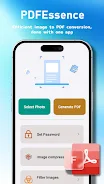
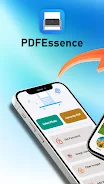
PDFEssence is a compact mobile utility that converts photos and saved images into clean PDF files directly on your device. PDFEssence puts a focused document workflow on your phone, letting you capture pages with the camera or pick pictures from storage, make straightforward per-page adjustments, and export a single multi-page PDF for sharing or local archiving. The app is designed to be approachable for one-off tasks while remaining efficient for repeated use by students, small businesses, or anyone who frequently needs shareable, portable documents.
Key features
PDFEssence supports multi-image selection to create multi-page PDFs in one operation, preserves image fidelity and offers basic compression presets to manage file size. Built-in editing tools include crop, rotate, and simple exposure adjustments such as brightness and contrast that apply to individual pages before export. Output settings cover common page sizes and orientations, grayscale or color options, and choices to scale images to fit or keep native resolution. All conversion happens on-device so you can work offline and keep sensitive material local to your phone.
Workflow and stages
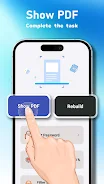
The app follows a clear three-stage workflow that helps you turn disparate photos into a finished document: capture or select images, reorder and refine pages, then export the compiled PDF. During selection you can reorder pages with drag and drop, remove unwanted images, or add new shots from the camera. The edit stage shows a preview of each page so you can crop, rotate, or tweak appearance before finalizing. Preset export configurations let you save commonly used settings so routine jobs take fewer taps on subsequent runs.
Interaction mechanics and controls
Controls are optimized for handheld use and designed to be discoverable. Long press to enable multi-select, drag to reorder pages, pinch to zoom for a detailed preview, and single-tap actions for export and sharing. Buttons and gestures are sized and positioned to minimize accidental input on smaller screens. The interaction approach emphasizes consistency across the app, so selecting, editing, and exporting follow the same familiar patterns and reduce the time required to complete common tasks.
Visual style and accessibility
PDFEssence uses a restrained visual design with high contrast, readable typography, and large touch targets to keep the interface clear on a variety of devices. Accessibility features include compatibility with TalkBack and other screen readers, logical element ordering for predictable navigation, scalable text, and a high-contrast theme option for users with reduced vision. These considerations make the app usable across different abilities and environments, from bright outdoor light to low-vision settings.
Customization and file handling
Export customization allows selection of page size, orientation, color mode, and image quality presets that balance fidelity against file size. You can apply per-page settings or apply a preset across the entire document, and file naming follows an editable default pattern so exported PDFs slot into your existing filing system. Because all exports are stored locally, resulting PDFs are immediately available in the device file manager and can be attached to email, messaging apps, or saved to offline folders without relying on cloud services.
Performance, repeated tasks and large jobs
PDFEssence is engineered to handle batches of images efficiently, including dozens of photos in a single conversion. Progress indicators provide real-time feedback during longer jobs, and background processing lets conversions continue while you use other apps. For high-resolution image sets the app manages memory to reduce the chance of stalls and reports completion status so you can resume work when a large export finishes. Over time the combination of presets and a predictable workflow reduces the effort required for repetitive scanning tasks.
Practical use cases and limitations
Typical uses include compiling lecture notes, scanning receipts and invoices, digitizing forms or photo archives, and creating shareable PDFs from screenshots. PDFEssence focuses on image-to-PDF conversion and basic per-page edits; it does not offer OCR, extensive annotation, form filling, or advanced document collaboration tools. If your needs include text recognition or heavy document markup, a dedicated document management suite may be more appropriate. For fast, offline creation of tidy, portable PDFs from photos, PDFEssence delivers a straightforward, reliable toolset.
Show More
Information
Screenshots


Latest Update





Latest News
-
![Revealing the Launch Playlists and Cross-Progression for COD Warzone Mobile News]()
-
![March 2024 Free Redemption Codes for Honkai: Star Rail News]()
-
PUBG Mobile Teams Up with Bentley Motors: Luxury Cars, Exclusive Collectibles, and Beyond 2024-04-18
![PUBG Mobile Teams Up with Bentley Motors: Luxury Cars, Exclusive Collectibles, and Beyond News]()
-
![Monster Never Cry is now accessible on both Android and iOS mobile devices. News]()
-
V2.2 of the Farlight 84 update introduces an overhauled Season structure, fresh in-game currency, an 2024-04-16
![V2.2 of the Farlight 84 update introduces an overhauled Season structure, fresh in-game currency, an News]()
-
![Arrival of Genshin Impact 4.6 Update: 'Embers of Two Realms, Twilight of Crimson' News]()
-
April 2024 Clash of Clans Update: Unveiling a Fresh Companion, Enhanced Levels, Chat Tagging, and Be 2024-04-16
![April 2024 Clash of Clans Update: Unveiling a Fresh Companion, Enhanced Levels, Chat Tagging, and Be News]()






