

Infinitus App
Version:2.0.3
Published:2026-05-17
Introduction
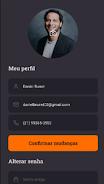
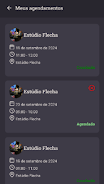
Infinitus App is a streamlined meeting room and event reservation tool that puts room availability, bookings, and calendar sync into a single, easy-to-use interface. With Infinitus App you can quickly check who has reserved which space, make a fast reservation from a list or calendar view, and keep team schedules aligned through real-time synchronization with external calendar services. The app is built for employees and administrators who need reliable, predictable room management without a steep learning curve.
Core experience and workflow
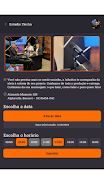
The core experience of Infinitus App centers on a simple workflow: discover, reserve, and manage. Users discover available rooms through search and filter controls that let you narrow results by capacity, equipment, location, or time. A calendar-first layout presents daily and weekly availability at a glance, while quick reservation controls allow one-tap booking or a short form to set title, duration, attendees, and optional notes. Managing an existing reservation is equally straightforward: edit time, add resources, or cancel with a few taps. The emphasis is on minimizing steps between intent and confirmation so staff spend less time coordinating space and more time working.
Controls and interface
Infinitus App favors familiar, touch-friendly controls optimized for phones and tablets. Date and time pickers follow platform conventions, the search bar supports typed and voice queries, and room cards present capacity, amenities, and the next booked slot. Color-coded time blocks indicate free, tentative, or busy periods to reduce visual scanning. For keyboard users or assisted input, the interface exposes clear focus targets and labeled form fields so reservations can be made quickly whether you’re at a desk or on the move.
Progression, roles, and permissions
Progression in Infinitus App is organizational rather than game-like: permission and approval flows evolve with your company’s setup. Administrators assign room calendars, set booking rules (such as maximum duration or lead time), and control who can create or approve reservations. Typical patterns include open booking for general-purpose rooms and an approval workflow for large event spaces, allowing teams to scale from ad-hoc booking to scheduled programs without changing tools. Reservation history and audit logs provide a transparent trail of changes for administrators and compliance needs.
Room structure and customization
Rooms in Infinitus App are organized into logical groups — floors, departments, or resource types — and each room has its own calendar that syncs in real time. Administrators can add metadata such as capacity, equipment lists, layout images, and custom tags to make filtering and selection faster. Templates for common meeting setups and recurring events allow users to reapply preferred configurations in seconds, which is particularly useful for teams that run frequent standups, demos, or client sessions.
Synchronization and reliability
Infinitus App integrates with external calendar providers so bookings appear across the tools teams already use. Real-time synchronization reduces double bookings and keeps schedules current across devices, while local caching of recently viewed items speeds up basic navigation. The app is designed to surface synchronization status clearly so users understand when a booking has been confirmed externally and when manual reconciliation might be needed.
Visual design and accessibility
The visual design prioritizes clarity and rapid decision-making: high-contrast calendar grids, readable typography, and consistent iconography help users scan availability and confirm bookings quickly. Accessibility features include scalable text, clear focus outlines, and descriptive labels for screen readers to support diverse workforces. Touch targets follow platform guidelines to reduce input errors and support users with different motor abilities.
Common use cases and value
Infinitus App suits a wide range of workplace scenarios, from small offices coordinating meeting rooms to larger facilities managing event spaces. Typical use cases include quick ad-hoc meetings, reserving rooms with specialized equipment, scheduling multi-room events, and applying recurring templates for regular team sessions. By simplifying discovery, streamlining reservation actions, and centralizing room calendars, Infinitus App helps reduce scheduling conflicts, minimize administrative overhead, and improve how teams use shared spaces.
Setup and administration
Initial configuration requires administrative setup to link room calendars, assign permissions, and define booking policies. Once configured, day-to-day management is lightweight: administrators can adjust rules, add new rooms, and monitor utilization through the built-in room views. Clear guidance inside the app helps teams adopt policies consistently without extensive training, so organizations can roll out the tool incrementally and refine settings over time.
Show More
Information
Screenshots





Latest Update



Latest News
-
![Revealing the Launch Playlists and Cross-Progression for COD Warzone Mobile News]()
-
![March 2024 Free Redemption Codes for Honkai: Star Rail News]()
-
PUBG Mobile Teams Up with Bentley Motors: Luxury Cars, Exclusive Collectibles, and Beyond 2024-04-18
![PUBG Mobile Teams Up with Bentley Motors: Luxury Cars, Exclusive Collectibles, and Beyond News]()
-
![Monster Never Cry is now accessible on both Android and iOS mobile devices. News]()
-
V2.2 of the Farlight 84 update introduces an overhauled Season structure, fresh in-game currency, an 2024-04-16
![V2.2 of the Farlight 84 update introduces an overhauled Season structure, fresh in-game currency, an News]()
-
![Arrival of Genshin Impact 4.6 Update: 'Embers of Two Realms, Twilight of Crimson' News]()
-
April 2024 Clash of Clans Update: Unveiling a Fresh Companion, Enhanced Levels, Chat Tagging, and Be 2024-04-16
![April 2024 Clash of Clans Update: Unveiling a Fresh Companion, Enhanced Levels, Chat Tagging, and Be News]()






