

VEC Radio
Version:1
Published:2026-05-19
Introduction
VEC Radio delivers continuous live radio broadcasts to mobile devices, bringing scheduled shows and uninterrupted streaming into a compact, easy-to-use app. VEC Radio is designed for listeners who prefer the immediacy of live programming over on-demand playlists, with a focus on reliable audio performance and straightforward controls that keep you connected while commuting, working, or relaxing at home.
What the app offers
The core experience centers on steady, 24/7 live streams provided by a range of broadcasters. You can tune into shows as they air, follow regular program schedules, and switch between stations without complex setup. Audio quality is tuned for clarity, and the app manages buffering to reduce dropouts when the network fluctuates. VEC Radio does not try to be a library of downloads; instead it emphasizes live content, quick tuning between frequencies, and consistent playback behavior that mirrors the feel of traditional radio in a mobile format.
Controls and user interaction
Controls are intentionally simple and familiar: basic play and pause, station switching, and volume adjustments that integrate with your device’s hardware keys. The interface supports background playback so live streams continue while you use other apps, and intuitive touch areas make it easy to hop between shows without needing a long learning curve. Play state and station name remain visible on the main screen, and the app handles reconnection automatically when a stream is temporarily interrupted by network conditions.
Station discovery and navigation
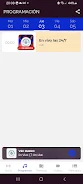
Discovering content is organized around categories and schedules rather than a long flat list. Stations and shows are grouped by genre or region to help you find live programming that matches your interests. Program information and on-air details appear with each stream when broadcasters supply metadata, making it simpler to identify current segments and upcoming shows. Navigation is geared toward quick tuning: search, recent stations, and a visible list of available live streams reduce the friction of finding something to listen to immediately.
Customization and personalization
Personalization focuses on making repeated listening convenient without inventing complex progression systems. You can mark favorite stations for instant access, and recently played streams populate a simple history for quick return visits. Over time, the app adapts to your habits by keeping frequently used stations at hand, and the interface highlights what you listened to most recently so returning to a preferred show requires just a tap. These small conveniences support a sense of progression in your listening routine without adding unnecessary complexity.
Visual style and accessibility
The visual design emphasizes readability and low distraction: clear typography, contrast-optimized elements, and a compact layout that surfaces the most relevant information first. Accessibility considerations include readable labels and straightforward controls that work well with screen readers and standard accessibility tools on Android. The layout scales across phone sizes, maintaining a stable listening experience whether you are on a small handset or a larger screen device.
Listening experience and limitations
The value of VEC Radio is in live content variety and uninterrupted playback, but that experience depends on network quality. A stable Internet connection improves stream reliability; in low-bandwidth situations the app attempts to maintain playback with adaptive buffering but may pause until the connection stabilizes. The app does not provide offline playback of live shows or cached full episodes, because its model centers on real-time broadcast access rather than stored content. Regional availability of particular stations can vary according to broadcaster rights and local restrictions.
Replay value and ongoing use
Replay value arises from constantly changing live programming rather than repeatable levels or stages. New segments, guest appearances, and live interactions mean the listening experience can be different each day, encouraging frequent tuning. VEC Radio supports habitual use by keeping your favorites handy and surfacing new live shows in relevant categories, so the app remains engaging for regular listeners who prefer the spontaneity of live radio over fixed playlists.
Practical tips and recommendations
For best results use VEC Radio on a reliable Wi‑Fi or mobile data connection, close other bandwidth-intensive apps when streaming, and enable background playback if you need to multitask. If you discover a new favorite show, add its station to your favorites list to make future access effortless. Because the service emphasizes live broadcasts, checking program schedules or broadcaster pages can help you catch special segments or limited-time events.
Show More
Information
Screenshots







Latest Update




Hot Tags
Latest News
-
![Revealing the Launch Playlists and Cross-Progression for COD Warzone Mobile News]()
-
![March 2024 Free Redemption Codes for Honkai: Star Rail News]()
-
PUBG Mobile Teams Up with Bentley Motors: Luxury Cars, Exclusive Collectibles, and Beyond 2024-04-18
![PUBG Mobile Teams Up with Bentley Motors: Luxury Cars, Exclusive Collectibles, and Beyond News]()
-
![Monster Never Cry is now accessible on both Android and iOS mobile devices. News]()
-
V2.2 of the Farlight 84 update introduces an overhauled Season structure, fresh in-game currency, an 2024-04-16
![V2.2 of the Farlight 84 update introduces an overhauled Season structure, fresh in-game currency, an News]()
-
![Arrival of Genshin Impact 4.6 Update: 'Embers of Two Realms, Twilight of Crimson' News]()
-
April 2024 Clash of Clans Update: Unveiling a Fresh Companion, Enhanced Levels, Chat Tagging, and Be 2024-04-16
![April 2024 Clash of Clans Update: Unveiling a Fresh Companion, Enhanced Levels, Chat Tagging, and Be News]()






