

PhotoRescue Plus
Version:1.30
Published:2026-05-20
Introduction
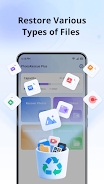
PhotoRescue Plus is a recovery utility designed to help you restore deleted photos, videos and other files from Android internal storage or an SD card. PhotoRescue Plus begins with a simple scanning workflow so non-technical users can quickly attempt recovery after an accidental deletion, while also offering a deeper scan option for tougher cases. The app prioritizes keeping recovered data local to your device and presents previews so you can choose exactly what to restore.
Key features and scan modes
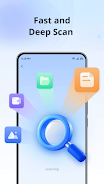
The app provides two primary scan modes: a quick scan that reads the device file table for recently deleted entries, and a deep scan that searches raw storage blocks to reconstruct lost files. PhotoRescue Plus supports a wide range of common media and document formats such as JPG, PNG, MP4, MP3, PDF, DOCX, TXT and ZIP. Previews are generated for images and many video formats so you can confirm content before restoring. You can limit scans by storage location—camera folder, downloads, messaging attachments or the whole internal/SD volume—so scans finish faster when you have an idea where the deleted items were stored.
Controls, workflow and progression
Recovery follows a clear progression: choose scan scope, run a quick or deep scan, review recoverable items, select what to restore and tap restore. The interface uses familiar touch controls: tap to select, long-press for details, and simple toggles to filter by file type or date range. A visible progress bar and estimated time help you track long scans. The one-tap restore action applies only to the items you have selected, and the app shows a summary of restored files when the operation completes.
User interface and visual style
The visual design is clean and functional, with readable type, clear icons and high-contrast elements to make navigation easy on a variety of screen sizes. Thumbnails and lists present recovered items with file names, sizes and deletion dates where available. Settings are grouped logically so you can adjust scan depth, select which file types to include, and choose a destination folder for restored data. PhotoRescue Plus offers straightforward controls rather than cluttered options, aiming for predictable behavior and quick access to core tasks.
Customization, storage and replay value
Customization options let you prioritize speed or thoroughness: a shallow, faster scan works for recently deleted files while the deep, slower scan attempts to recover older or fragmented data. You can save scan filters for repeated use, export reports of recovered items and choose whether restored files are placed in their original paths or a user-selected folder. Regular use of the app can increase its practical value: running scans soon after accidental deletion and saving recovery sessions makes reattempts faster and improves chances of finding valuable files.
Accessibility and offline operation
PhotoRescue Plus operates entirely on the device and does not require an internet connection for its core recovery functions, preserving privacy and allowing offline use in situations without network access. The app includes accessibility-friendly elements such as scalable text sizes, clear button labels, and support for Android screen readers, helping users with different needs navigate the recovery workflow.
Limitations, privacy and troubleshooting
No data recovery tool can guarantee results: files that have been overwritten by new data or are heavily corrupted or encrypted may be unrecoverable. Deep scans may take significantly longer on devices with large storage or slow media. To improve recovery chances, stop using the device or unmount the card as soon as you notice a deletion and run a scan promptly. PhotoRescue Plus requests only the storage permissions needed to locate and restore files and keeps recovered data on your device rather than uploading it to external servers, reinforcing local privacy.
Who should use this app
This utility is useful for photographers, students, professionals and anyone who needs a practical, guided way to attempt recovery of accidentally deleted photos, videos and documents without rooting their device. Its step-by-step interface, previews and selective restore options make it suitable for casual users, while the deep scan mode provides a more thorough approach for those facing more difficult recovery scenarios with damaged or fragmented storage.
Show More
Information
Screenshots



Latest Update










Hot Tags
Latest News
-
![Revealing the Launch Playlists and Cross-Progression for COD Warzone Mobile News]()
-
![March 2024 Free Redemption Codes for Honkai: Star Rail News]()
-
PUBG Mobile Teams Up with Bentley Motors: Luxury Cars, Exclusive Collectibles, and Beyond 2024-04-18
![PUBG Mobile Teams Up with Bentley Motors: Luxury Cars, Exclusive Collectibles, and Beyond News]()
-
![Monster Never Cry is now accessible on both Android and iOS mobile devices. News]()
-
V2.2 of the Farlight 84 update introduces an overhauled Season structure, fresh in-game currency, an 2024-04-16
![V2.2 of the Farlight 84 update introduces an overhauled Season structure, fresh in-game currency, an News]()
-
![Arrival of Genshin Impact 4.6 Update: 'Embers of Two Realms, Twilight of Crimson' News]()
-
April 2024 Clash of Clans Update: Unveiling a Fresh Companion, Enhanced Levels, Chat Tagging, and Be 2024-04-16
![April 2024 Clash of Clans Update: Unveiling a Fresh Companion, Enhanced Levels, Chat Tagging, and Be News]()






