BFF146- Blackboard Art Cat
Version:1.1
Published:2026-05-25
Introduction
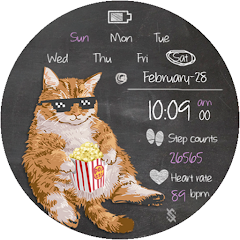
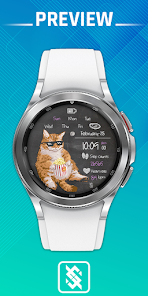
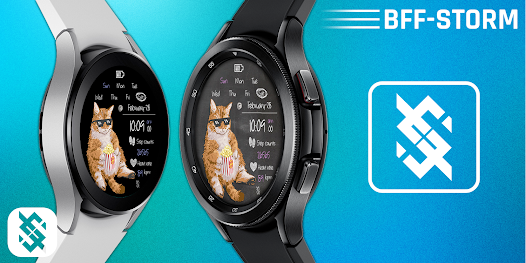
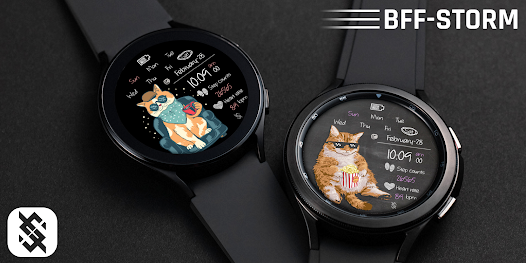
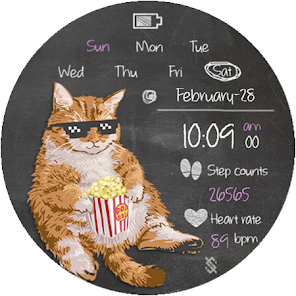
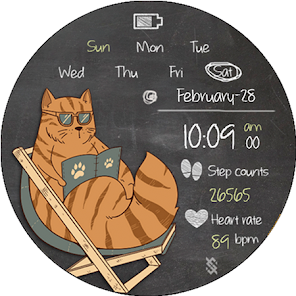
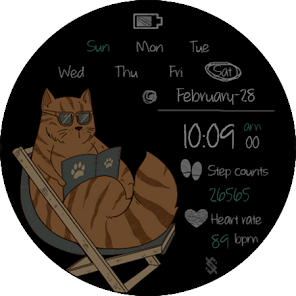
BFF146- Blackboard Art Cat is a thoughtfully crafted watch face that combines a playful, hand-drawn chalkboard cat motif with clear, glanceable information so you can read time and basic health data at a moment’s notice. BFF146- Blackboard Art Cat supports both 12 and 24 hour formats and follows your phone’s locale settings for date and time; it also displays day and month, shows battery level, and presents simple health metrics such as step count and current heart rate when those sensors are available. The design balances personality and practicality: the artwork adds charm without obscuring numbers, and the overall layout emphasizes readability and battery-friendly operation on compatible devices.
Key features
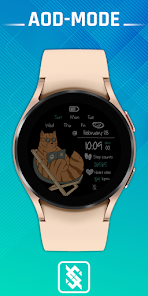
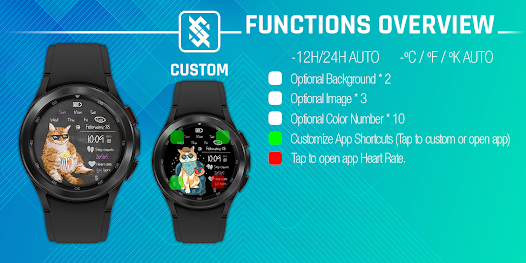
The face offers essential readouts in a compact arrangement that avoids clutter. Time is available in both 12 and 24 hour modes with adjustable numeral sizing; date elements include day-of-week and month; battery percentage is visible so you can manage charging at a glance. Health metrics are drawn from standard device sensors and provide step count and live heart rate when permitted by the watch, making short checks of activity simple and unobtrusive. There are three on-face app shortcuts that can be assigned to commonly used apps, and an energy-aware always-on display mode reduces detail and switches to a mostly black background to preserve battery life. Settings are kept lightweight and rely on standard system permissions rather than introducing extra network dependencies.
Customization and visual style
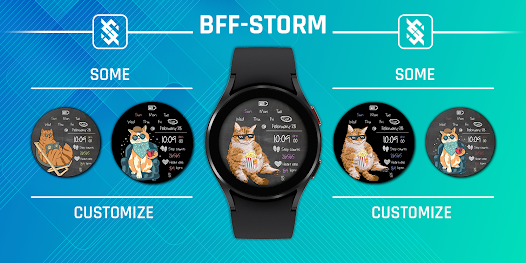
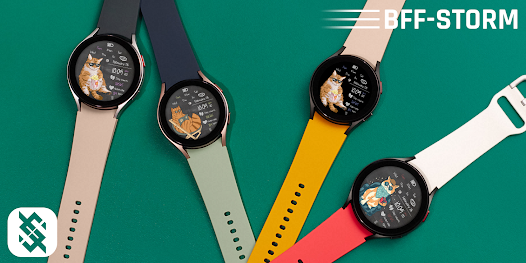
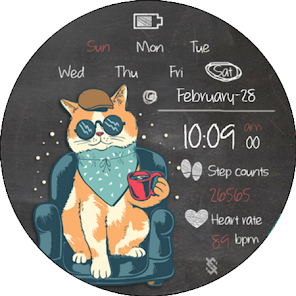
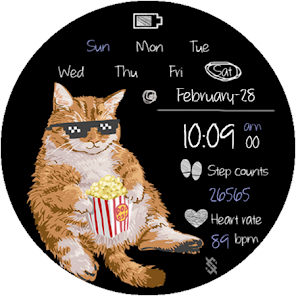
The visual approach centers on a chalkboard aesthetic with a whimsical cat illustration that remains subtle so information stays primary. Multiple optional backgrounds can be toggled on or off, and users may choose from ten curated color presets for numerals and accents to match watch bands or personal taste. Selectable images sit behind the main time display and can be cycled or hidden for a simpler look; contrast and color combinations are chosen for legibility in bright daylight and dim conditions. High-contrast options and larger numeral scaling are included for accessibility, and background toggles let you prioritize maximum readability or a more decorative appearance depending on the situation.
Interaction and controls
Controls are designed around familiar on-watch gestures so customization is immediate and intuitive without a companion phone app. A long press on the dial opens an edit screen where you can change backgrounds, swap accent colors, and assign the three app shortcuts. Tap zones on the face launch assigned shortcuts directly, and horizontal swipes move through available background images or hide them entirely for a cleaner view. These gestures mirror standard smartwatch behavior so there is no steep learning curve; configuration is quick and reversible, and changes take effect instantly so you can preview combinations in real time.
User experience, accessibility and offline use
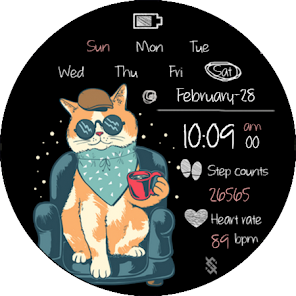
The watch face is built to work fully offline after installation, reading local device sensors for steps and heart rate while requiring network access only for standard system updates pushed by the watch platform. The interface respects device settings including 12/24 hour preferences and language, and it minimizes interruptions by avoiding unnecessary notifications. Accessibility considerations include adjustable text sizing, bold numeral options, and distinct color palettes for users who need higher contrast. The always-on display provides a simplified, low-power presentation that still communicates essentials like time and battery without consuming excessive energy.
Progression, replay value and challenge systems
Progress with this watch face is personal and aesthetic rather than game-like: users develop a preferred mix of background art, accent colors, and shortcut assignments over time. Visible health metrics can serve as lightweight motivators; seeing step counts and heart rate prompts many users to set informal daily goals or mini-challenges for themselves, and swapping palettes or backgrounds gives the face a fresh look from day to day. The combination of subtle animation choices and frequent customization opportunities creates ongoing replay value without complexity or levels, encouraging small, repeatable interactions that keep the face feeling new.
Compatibility and known limitations
The face is optimized for circular displays and energy efficiency, so some advanced visual details may be reduced on older watches or square screens. Feature availability depends on firmware and sensor access; heart rate and step reporting require that the host watch exposes those sensors and that permissions are granted. If your device uses a square display the layout may require minor adjustments and a few visual elements could be positioned differently than on circular models. These limitations are tied to hardware variation rather than functionality of the face itself.
Development team and updates
BFF-Storm develops and maintains BFF146- Blackboard Art Cat with periodic updates that improve device compatibility, add subtle refinements, and respond to user feedback. Release notes accompany updates so users can see what changed, and the team aims to keep permissions minimal while maintaining a reliable, offline-friendly experience. If you enjoy a watch face that blends personality with utility, BFF146- Blackboard Art Cat offers a low-friction, customizable option that emphasizes clarity, battery life, and accessible design.
Show More
Information
Screenshots
Latest Update











Latest News
-
![Revealing the Launch Playlists and Cross-Progression for COD Warzone Mobile News]()
-
![March 2024 Free Redemption Codes for Honkai: Star Rail News]()
-
PUBG Mobile Teams Up with Bentley Motors: Luxury Cars, Exclusive Collectibles, and Beyond 2024-04-18
![PUBG Mobile Teams Up with Bentley Motors: Luxury Cars, Exclusive Collectibles, and Beyond News]()
-
![Monster Never Cry is now accessible on both Android and iOS mobile devices. News]()
-
V2.2 of the Farlight 84 update introduces an overhauled Season structure, fresh in-game currency, an 2024-04-16
![V2.2 of the Farlight 84 update introduces an overhauled Season structure, fresh in-game currency, an News]()
-
![Arrival of Genshin Impact 4.6 Update: 'Embers of Two Realms, Twilight of Crimson' News]()
-
April 2024 Clash of Clans Update: Unveiling a Fresh Companion, Enhanced Levels, Chat Tagging, and Be 2024-04-16
![April 2024 Clash of Clans Update: Unveiling a Fresh Companion, Enhanced Levels, Chat Tagging, and Be News]()