Video To GIf Maker
Version:1.2
Published:2026-05-27
Introduction
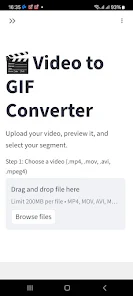
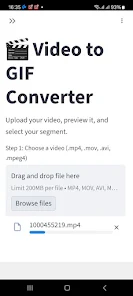
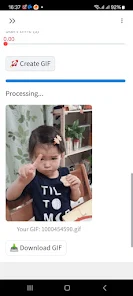
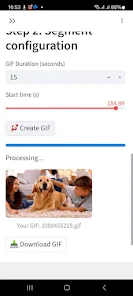
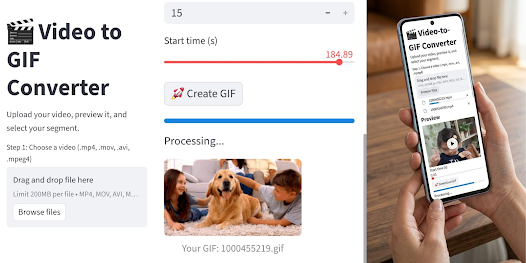
Video To GIf Maker is a compact Android utility that converts local video clips into animated GIFs quickly and with minimal fuss. Video To GIf Maker walks you through a straightforward workflow: pick a clip from your device, trim to the frames you need, preview the loop and adjust speed and frame rate, then export an optimized GIF ready for sharing. The app processes files on your device for privacy, supports widely used formats such as MP4, 3GP, AVI, MOV and MKV, and aims to produce high-resolution output while keeping resulting file sizes suitable for social and messaging apps.
Controls and editing workflow
The editor centers on an intuitive trimming timeline that makes precise frame selection easy even on small screens. Use the start/end handles to isolate the exact moment you want, scrub the timeline to check frame-by-frame motion, and preview the clip before export. Basic playback controls let you loop the selection while you experiment with timing, and a live preview shows how speed and frame rate adjustments affect the final animation.
Customization and output settings
Video To GIf Maker provides simple but useful customization to shape your GIFs. Adjust the frame rate to trade smoothness for smaller file sizes, change playback speed to create slow-motion or rapid-loop effects, and choose output resolution to balance clarity with upload performance. These controls let casual users and creators produce everything from short reaction GIFs to polished tutorial snippets without needing advanced software.
Performance and file management
The conversion engine is optimized for fast, local processing so you can generate GIFs without uploading content to external servers. That local workflow preserves privacy but also means exported GIFs are stored on your device, so large or multiple exports will use available storage. The app’s lightweight design keeps conversions efficient to limit battery draw and temporary storage use while maintaining desktop-quality output options.
Sharing and reuse
Exported GIFs are saved directly to your gallery and can be shared with a single tap through the apps installed on your device — messaging, social networks, or cloud services you already use. With Video To GIf Maker you can quickly create a reaction clip for a chat, a looping demo for social media, or a compact tutorial GIF to embed in messages or posts, then share it without extra steps.
Accessibility and user experience
The interface emphasizes clarity: labeled controls, a visible timeline and a preview area keep the learning curve shallow for first-time editors. Because the app works offline and processes media locally, it remains useful when you’re on the go or without a reliable connection. These aspects make it suitable for a wide range of users, from casual sharers to content creators looking for a fast mobile workflow.
Limitations and monetization
The core editor is free to use, supported by non-intrusive ads. Converting and storing GIFs happens locally, so be mindful of device storage when exporting high-resolution or lengthy animations. The app intentionally avoids cloud upload to protect user privacy, so if you need remote backups you should save copies to your preferred cloud service after export.
Practical use cases and tips
Video To GIf Maker is handy for creating social media reactions, short how-to snippets, looping stickers, and bite-sized highlights from longer footage. For smaller file sizes, lower the frame rate or reduce resolution; for smoother motion, increase frames per second. Keep the original video file if you plan to re-edit later, and preview exports before sharing to ensure timing and loop behavior match your intent.
Show More
Information
Screenshots


Latest Update











Hot Tags
Latest News
-
![Revealing the Launch Playlists and Cross-Progression for COD Warzone Mobile News]()
-
![March 2024 Free Redemption Codes for Honkai: Star Rail News]()
-
PUBG Mobile Teams Up with Bentley Motors: Luxury Cars, Exclusive Collectibles, and Beyond 2024-04-18
![PUBG Mobile Teams Up with Bentley Motors: Luxury Cars, Exclusive Collectibles, and Beyond News]()
-
![Monster Never Cry is now accessible on both Android and iOS mobile devices. News]()
-
V2.2 of the Farlight 84 update introduces an overhauled Season structure, fresh in-game currency, an 2024-04-16
![V2.2 of the Farlight 84 update introduces an overhauled Season structure, fresh in-game currency, an News]()
-
![Arrival of Genshin Impact 4.6 Update: 'Embers of Two Realms, Twilight of Crimson' News]()
-
April 2024 Clash of Clans Update: Unveiling a Fresh Companion, Enhanced Levels, Chat Tagging, and Be 2024-04-16
![April 2024 Clash of Clans Update: Unveiling a Fresh Companion, Enhanced Levels, Chat Tagging, and Be News]()