

UPX
Version:98.0.4758.101
Published:2026-09-28
Introduction
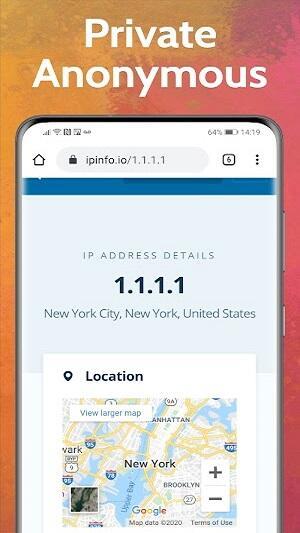
UPX is a lightweight VPN for Android that encrypts your internet traffic, hides your IP address and helps you browse privately and access blocked sites. UPX creates a secure tunnel between your device and remote servers so government agencies, advertisers and other snoopers can't see your activity, and it includes a built-in incognito browser so you can quickly unblock content without technical setup. The app focuses on straightforward privacy tools, a small footprint on device resources and unlimited bandwidth for everyday browsing and streaming needs.
Key features and how they work
The app combines a no-logs policy with strong encryption to protect traffic from ISPs and third‑party observers while you are connected. UPX provides servers in several regions — including the USA, Singapore, Germany, the UK and France — so you can switch locations to reach region‑restricted services. Instead of complex configuration menus, the core functionality centers on secure tunneling, fast server switching and an integrated incognito browser that opens pages without using your regular browser history or cookies. Performance is optimized for low latency and light CPU usage so the app remains suitable for older devices and routine mobile use.
User interface and controls
The interface is built for visible, simple controls: a prominent connect button, an organized server list and direct access to the incognito browser from the main screen. Connecting is generally a single tap action and swapping servers is handled from the same panel, minimizing steps for nontechnical users. Settings focus on essential options so newcomers can protect their privacy with minimal setup while still seeing connection status, server location and data usage. The clean layout helps keep interactions fast and predictable for daily use.
Privacy, security and transparency
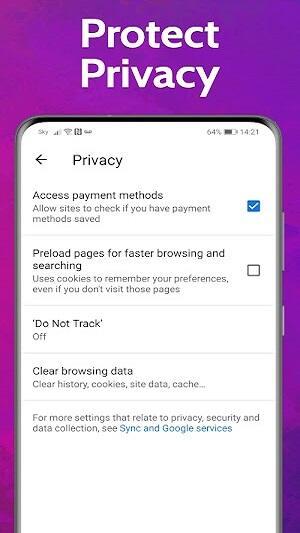
UPX follows a no-logs stance that aims to avoid storing browsing records, and it uses standard encryption techniques to protect the tunnel between your device and remote endpoints. While the app description states the no-logs policy, it does not include public details about independent audits or verification; users who require audit-backed assurances should evaluate that factor alongside other criteria. In daily practice, the app reduces exposure to common network threats such as passive ISP monitoring and opportunistic tracking on public Wi‑Fi.
Server network and performance considerations
With multiple global server locations, UPX is suitable for accessing services that are region-locked or restricted in certain countries. The unlimited bandwidth claim supports sustained browsing and media streaming without hard caps, but actual speed and latency depend on your device, local network conditions and the chosen server. Server switching is designed to be seamless so you can change virtual locations quickly when testing access to content from different regions.
Customization, advanced options and limitations
The app intentionally limits advanced configuration to maintain simplicity, which is an advantage for beginners but may disappoint power users who want fine-grained controls such as protocol selection, custom DNS or detailed connection rules. The description is upfront that public information about logging audits or third‑party verification is not available, and that transparency gap is worth considering if you depend on audited privacy guarantees. UPX aims to trade complexity for straightforward day‑to‑day protection rather than deep custom tuning.
Accessibility, device compatibility and offline behavior
UPX is designed with readable fonts and a compact layout that works on a wide range of Android devices; it is lightweight to minimize battery and memory impact. Accessibility features provided by Android, such as screen readers or larger text settings, can be used in combination with the app’s simple UI. Note that VPN protection and the incognito browser both require an active internet connection — they cannot provide privacy benefits while the device is offline, other than keeping local app history separate from your main browser.
Practical use cases and ongoing value
Typical use scenarios for UPX include securing traffic on public Wi‑Fi, avoiding simple tracking by advertisers, and bypassing local censorship or regional restrictions for streaming and news sites. The built-in browser makes short browsing sessions convenient without adjusting system settings, and the lightweight design encourages keeping the VPN available on the device for routine protection. Regular use provides ongoing value for users who prioritize a low-friction privacy tool rather than an enterprise-level solution.
Support, known drawbacks and final notes
Documentation in the app description is limited on independent verification, so users concerned about audit trails should compare UPX with services that publish third‑party reports. Minimal advanced controls and the absence of public audit details are the main tradeoffs for the app’s simplicity and performance. If you want an easy-to-use Android VPN with a built-in incognito browser, UPX is a practical option for basic privacy and access needs; for higher assurance or specialized setups, review the available transparency information before relying on any single tool.
Show More
Information
Screenshots

Latest Update












Latest News
-
![Revealing the Launch Playlists and Cross-Progression for COD Warzone Mobile News]()
-
![March 2024 Free Redemption Codes for Honkai: Star Rail News]()
-
PUBG Mobile Teams Up with Bentley Motors: Luxury Cars, Exclusive Collectibles, and Beyond 2024-04-18
![PUBG Mobile Teams Up with Bentley Motors: Luxury Cars, Exclusive Collectibles, and Beyond News]()
-
![Monster Never Cry is now accessible on both Android and iOS mobile devices. News]()
-
V2.2 of the Farlight 84 update introduces an overhauled Season structure, fresh in-game currency, an 2024-04-16
![V2.2 of the Farlight 84 update introduces an overhauled Season structure, fresh in-game currency, an News]()
-
![Arrival of Genshin Impact 4.6 Update: 'Embers of Two Realms, Twilight of Crimson' News]()
-
April 2024 Clash of Clans Update: Unveiling a Fresh Companion, Enhanced Levels, Chat Tagging, and Be 2024-04-16
![April 2024 Clash of Clans Update: Unveiling a Fresh Companion, Enhanced Levels, Chat Tagging, and Be News]()






