

3CX
Version:20.3.0
Published:2026-10-12
Introduction
3CX delivers a modern business phone system that blends VoIP calling, video conferencing, and chat in a single Android app. Designed for mobile professionals, it provides intuitive call controls, presence management, and secure SIP connections to keep teams connected while on the move, without sacrificing enterprise features.
What the app is built to do
At its core, 3CX converts your Android device into a full-featured extension of a corporate PBX. Users can make and receive calls over Wi-Fi or mobile data, join web meetings, access company directories, and transfer calls seamlessly. The goal is to replace desk phones and separate conferencing tools with one consolidated client.
Primary capabilities
- SIP-based calling: High-quality VoIP calls with support for standard SIP provisioning and secure transport (TLS/SRTP).
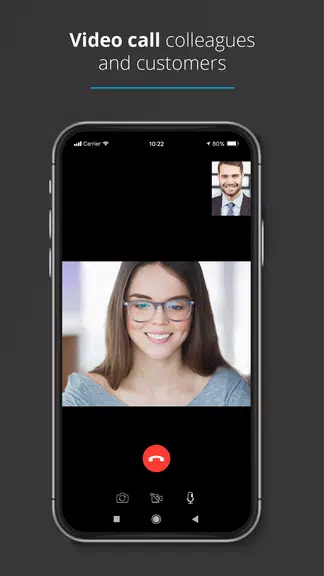
- Video meetings: One-tap join for video conferences and screen sharing when needed.
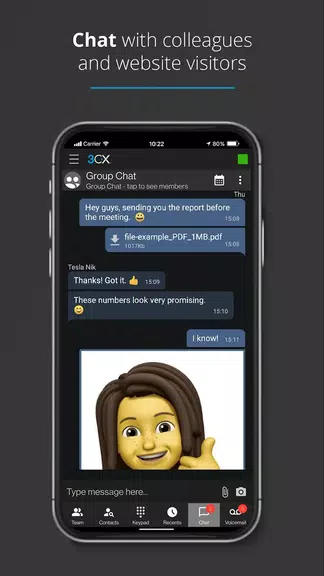
- Instant messaging: Team chat with file sharing and conversation history synced across devices.
- Presence & status: Set availability and see colleagues’ status in real time.
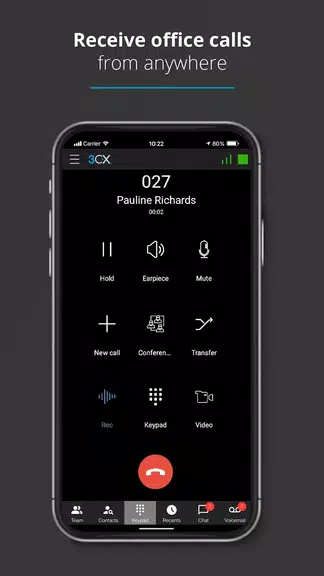
- Call handling: Transfer, park, hold, and manage queues from a mobile interface.
User interface and performance
The interface is arranged to prioritize common tasks: a dialer, recent calls, contacts, and meetings are accessible with minimum taps. 3CX uses native Android UI patterns so navigation feels familiar, even for nontechnical staff. Performance is generally smooth; calls remain stable under typical network conditions and the app adapts codecs to preserve call quality on limited bandwidth.
Visual and interaction design
Visual elements focus on clarity—large buttons for in-call controls, readable contact lists, and clear notifications for missed calls and messages. The responsive layout supports both phones and tablets, and battery-friendly optimizations reduce background resource use while maintaining connection to the PBX.
How it integrates into business workflows
Administrators can provision accounts centrally and push settings to users, removing manual setup steps. The app integrates with CRM systems and corporate directories, enabling click-to-call from customer records and logging call activity back to business tools. For remote teams, presence and chat replace many follow-up emails and reduce friction in quick decision-making.
Security and enterprise features
Security is a priority: 3CX supports encrypted signaling and media, strong authentication mechanisms, and compatibility with company VPNs. Call recording, call queues, and role-based permissions are available for admin control. These features help compliance with internal policies and industry regulations when configured by IT.
Tips for admins and power users
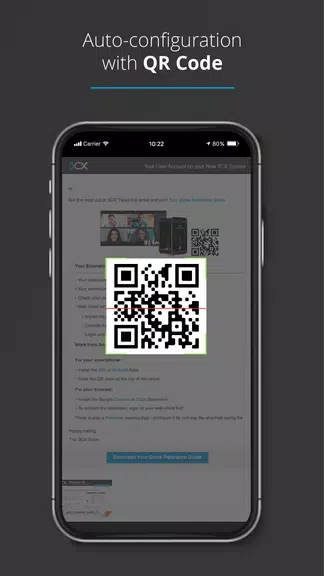
- Provisioning: Use QR provisioning to speed deployment across large teams.
- Network: Prioritize VoIP traffic or enable QoS on Wi-Fi to minimize jitter and packet loss.
- Profiles: Encourage users to set presence and custom voicemail greetings for predictable availability.
- Updates: Keep the app and server components updated to receive security patches and feature improvements.
Getting started and installation
Installing 3CX is straightforward: download the client, enter your extension credentials or scan a provisioning QR code, and allow the required permissions for microphone and camera. New users will typically be ready to call within a few minutes once credentials are supplied by their IT team.
Who benefits most
Small-to-medium businesses and distributed teams gain the most immediate value, as the app reduces hardware costs and centralizes communication. IT administrators appreciate centralized management, while employees benefit from unified access to voice, video, and chat from one app.
For organizations seeking to unify their telephony and collaboration stack, 3CX presents a practical, mobile-first client that balances enterprise controls with an approachable user experience. Its combination of provisioning, security, and integration capabilities makes it a strong choice for companies moving toward flexible, remote-enabled communications.
Show More
Information
Screenshots
Latest Update












Latest News
-
![Revealing the Launch Playlists and Cross-Progression for COD Warzone Mobile News]()
-
![March 2024 Free Redemption Codes for Honkai: Star Rail News]()
-
PUBG Mobile Teams Up with Bentley Motors: Luxury Cars, Exclusive Collectibles, and Beyond 2024-04-18
![PUBG Mobile Teams Up with Bentley Motors: Luxury Cars, Exclusive Collectibles, and Beyond News]()
-
![Monster Never Cry is now accessible on both Android and iOS mobile devices. News]()
-
V2.2 of the Farlight 84 update introduces an overhauled Season structure, fresh in-game currency, an 2024-04-16
![V2.2 of the Farlight 84 update introduces an overhauled Season structure, fresh in-game currency, an News]()
-
![Arrival of Genshin Impact 4.6 Update: 'Embers of Two Realms, Twilight of Crimson' News]()
-
April 2024 Clash of Clans Update: Unveiling a Fresh Companion, Enhanced Levels, Chat Tagging, and Be 2024-04-16
![April 2024 Clash of Clans Update: Unveiling a Fresh Companion, Enhanced Levels, Chat Tagging, and Be News]()






