

Samsung Signage Mobile
Version:1011.05
Published:2026-10-12
Introduction
Samsung Signage Mobile is a companion application designed to manage digital displays, schedule content, and monitor multiple signage devices remotely. It provides quick access to playback controls, real-time status updates, and content distribution tools so administrators can maintain professional visual communications from Android devices.
Overview: what the app delivers
Samsung Signage Mobile brings core signage management features into a handheld interface. The app targets facility managers, marketing teams, and IT staff who need to update playlists, confirm screen health, and push emergency messages without a desktop. It prioritizes fast actions and situational awareness over deep content creation.
Primary tools and workflow
At its core, the app focuses on a few practical functions: remote playback control, device grouping, content scheduling, and status monitoring. Users can browse available media, trigger a file or playlist, and verify whether a screen is online. Group operations allow simultaneous updates across many displays, which is useful for retail chains or campuses.
Key features explained
The feature set emphasizes operational efficiency. Highlights include:
- Remote control and playback: Start, stop, and switch content on individual screens without being physically present.
- Device monitoring: See device health indicators such as connection status, uptime, and current playback to detect issues early.
- Scheduling: Build time-based playlists and deploy them to one display or entire groups on a predetermined schedule.
- Content distribution: Upload media to a central library and distribute it selectively across zones.
- Alerts and notifications: Receive instant notices for offline devices or playback errors so you can respond quickly.
User interface and performance
Samsung Signage Mobile uses a stripped-down interface that surfaces essential controls. Menus are organized by device and content libraries, reducing the number of taps required to perform routine tasks. Performance is generally responsive on modern Android hardware, though initial media uploads depend on network bandwidth. Caching behavior helps with repeated actions, and the app keeps logs to support troubleshooting.
How it works in practice
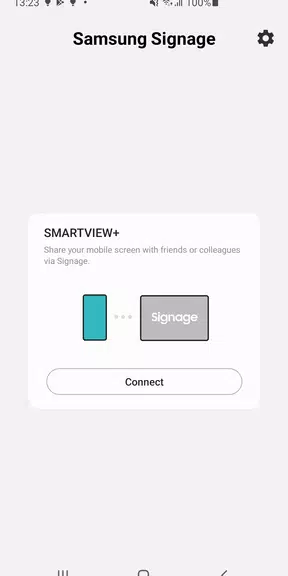
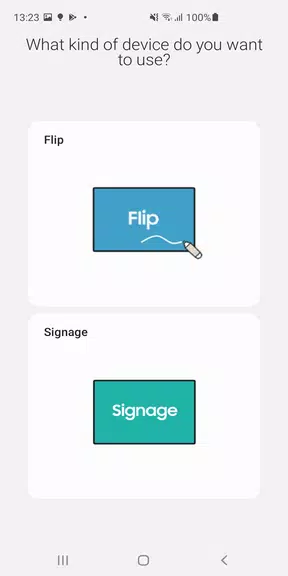
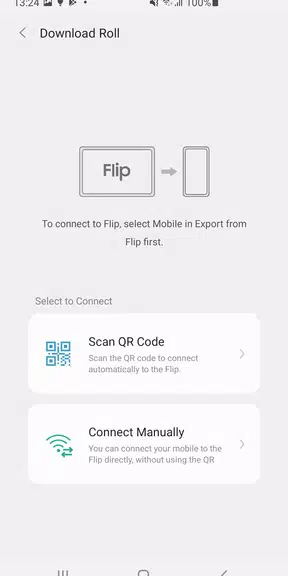
Typical usage begins with pairing the app to a signage network. After authentication, administrators view a dashboard listing screens and groups. From there they can inspect individual device details, upload a new image or video, and apply a schedule. For sites with dozens of screens, bulk operations and group-based scheduling save substantial time compared with manual updates.
Integration and compatibility
The application is designed to integrate seamlessly with Samsung’s commercial display ecosystem. It respects existing content hierarchies and can coexist with server-side signage platforms. For organizations using cloud-based media repositories, the app supports linking to those services for streamlined content access. Compatibility is best with recent Samsung displays and firmware versions.
Tips for first-time users
- Verify device firmware and network settings before attempting remote control to minimize connection errors.
- Create descriptive group names that reflect physical locations or departments to simplify bulk deployments.
- Test a short playlist on a single screen before pushing to multiple devices to confirm formatting and aspect ratio.
- Use the app’s notification settings to get proactive alerts about offline units or playback failures.
Administrators who routinely manage displays will appreciate how Samsung Signage Mobile reduces the time spent on routine maintenance tasks. The combination of straightforward controls, group operations, and status reporting turns what was once a hands-on chore into a mostly mobile workflow.
Common use cases
Common deployments include retail windows updating promotions, corporate lobbies displaying schedules and announcements, and educational campuses distributing event information. Because the app allows immediate changes from the field, teams can react to last-minute updates or broadcast time-sensitive messages quickly.
Final notes on adoption
Samsung Signage Mobile is not a content authoring studio; it is a management and distribution tool that fits into a broader digital signage strategy. When paired with a content management system or a creative workflow, it becomes a powerful way to maintain consistent, timely displays across many locations. For organizations that need reliable, on-the-go control of their screens, the app offers a practical, mobile-first solution.
Show More
Information
Screenshots
Latest Update












Latest News
-
![Revealing the Launch Playlists and Cross-Progression for COD Warzone Mobile News]()
-
![March 2024 Free Redemption Codes for Honkai: Star Rail News]()
-
PUBG Mobile Teams Up with Bentley Motors: Luxury Cars, Exclusive Collectibles, and Beyond 2024-04-18
![PUBG Mobile Teams Up with Bentley Motors: Luxury Cars, Exclusive Collectibles, and Beyond News]()
-
![Monster Never Cry is now accessible on both Android and iOS mobile devices. News]()
-
V2.2 of the Farlight 84 update introduces an overhauled Season structure, fresh in-game currency, an 2024-04-16
![V2.2 of the Farlight 84 update introduces an overhauled Season structure, fresh in-game currency, an News]()
-
![Arrival of Genshin Impact 4.6 Update: 'Embers of Two Realms, Twilight of Crimson' News]()
-
April 2024 Clash of Clans Update: Unveiling a Fresh Companion, Enhanced Levels, Chat Tagging, and Be 2024-04-16
![April 2024 Clash of Clans Update: Unveiling a Fresh Companion, Enhanced Levels, Chat Tagging, and Be News]()






