

disan-store
Version:1.0.7
Published:2026-10-12
Introduction
disan-store is a lightweight Android marketplace app that lets users browse, download, and manage apps and digital content securely. Designed for speed and simplicity, disan-store organizes categories, delivers curated recommendations, and keeps installed apps updated while minimizing data usage and storage footprint.
Key features and tools
At its core, disan-store provides a focused set of tools for everyday device management. The app catalog is organized with quick filters, search suggestions, and topical collections so you can discover new utilities, games, and media without noise. Built-in download controls allow pausing, resuming, and scheduling of transfers to fit limited bandwidth conditions.
- Curated storefront: Editor-selected collections and trending lists tailored to regional preferences.
- Smart updates: Batch update options and differential downloads that reduce data consumption.
- Storage manager: Integrated view of app sizes, cached data, and recommendations for clearing space.
- Offline mode: Queued downloads and metadata caching for low-connectivity situations.
Interface and navigation
disan-store keeps the interface uncluttered so essential actions are easy to reach. Tabs separate featured content, categories, installed apps, and account settings. Icons and typography stay consistent across screens to minimize learning time. Search is fast and forgiving, with typo tolerance and predictive keywords to locate apps quickly.
Workflow and app management
Managing applications is straightforward. From the installed apps view you can update, uninstall, or view permissions in a few taps. The update flow highlights important security patches and offers an option to auto-install updates during charging hours. Users can also create a list of favorites to maintain a personalized set of go-to tools and games.
Download and update controls
Control over downloads is a priority for disan-store. You can restrict downloads to Wi-Fi, limit background activity, and set maximum concurrent transfers. For large updates, the app provides differential downloads that fetch only changed files, reducing both bandwidth use and installation time.
Performance and device compatibility
Performance is optimized for a wide range of Android devices. disan-store has a small memory footprint and starts quickly even on older hardware. The app adapts its visual load depending on device capability, reducing animation intensity and image resolution where necessary to keep interactions smooth.
Security, privacy, and trust
Security is implemented with multiple checks. Applications listed in disan-store are scanned for common malware signatures and suspicious behaviors before appearing in search results. Privacy controls let you review requested permissions and see a clear explanation of why those permissions are needed. The app also supports verified developer accounts so you can verify publisher identities.
Customization and personalization
Personalization features help disan-store learn your tastes without overwhelming you. A compact recommendation engine uses your download history and category preferences to surface relevant apps. You can opt out of personalized suggestions at any time. Visual themes and compact layout options allow you to change presentation to match your usage habits.
Installation and setup
Getting started with disan-store is quick. After a short setup that verifies basic preferences and network settings, the app scans installed applications and prepares a recommended update list. The onboarding flow explains key privacy settings and how to enable automatic updates or restrict them to charging periods.
Support and maintenance
Support is accessible from within the app through a help center with FAQs and troubleshooting guides. A simple feedback mechanism allows users to report issues or suggest features. Frequent maintenance releases address compatibility with new Android versions and refine background behaviors to extend battery life.
Who should consider disan-store
disan-store fits users who want a lightweight, dependable alternative for discovering and maintaining apps. Its low resource usage, clear permission displays, and adjustable update policies make it well suited for users who value control over background data and storage. For organizations managing multiple devices, the app’s straightforward update workflows and batch controls streamline routine maintenance.
Whether you prioritize efficiency, security, or a tidy user experience, disan-store provides a focused toolkit to keep apps current and devices running smoothly. Regular updates and sensible defaults ensure a balanced mix of automation and manual control for everyday Android maintenance.
Show More
Information
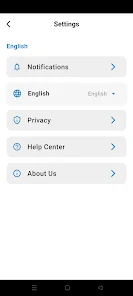
Screenshots







Latest Update












Latest News
-
![Revealing the Launch Playlists and Cross-Progression for COD Warzone Mobile News]()
-
![March 2024 Free Redemption Codes for Honkai: Star Rail News]()
-
PUBG Mobile Teams Up with Bentley Motors: Luxury Cars, Exclusive Collectibles, and Beyond 2024-04-18
![PUBG Mobile Teams Up with Bentley Motors: Luxury Cars, Exclusive Collectibles, and Beyond News]()
-
![Monster Never Cry is now accessible on both Android and iOS mobile devices. News]()
-
V2.2 of the Farlight 84 update introduces an overhauled Season structure, fresh in-game currency, an 2024-04-16
![V2.2 of the Farlight 84 update introduces an overhauled Season structure, fresh in-game currency, an News]()
-
![Arrival of Genshin Impact 4.6 Update: 'Embers of Two Realms, Twilight of Crimson' News]()
-
April 2024 Clash of Clans Update: Unveiling a Fresh Companion, Enhanced Levels, Chat Tagging, and Be 2024-04-16
![April 2024 Clash of Clans Update: Unveiling a Fresh Companion, Enhanced Levels, Chat Tagging, and Be News]()






