

HTC Net
Version:2.0.35
Published:2026-10-12
Introduction
HTC Net is a compact network utility designed for Android devices that lets users monitor, optimize, and troubleshoot mobile and Wi‑Fi connections quickly. It provides real‑time statistics, diagnostic tools, and simplified controls to help both casual users and technicians identify connectivity issues and improve network performance.
What HTC Net Does
HTC Net centralizes common networking tasks into a single, approachable interface. The app gathers live data about signal strength, bandwidth usage, latency, and data transfer history. It also offers automated tests and manual diagnostics so you can pinpoint weak links in home Wi‑Fi, public hotspots, or cellular connections without opening multiple tools.
Key Features and Tools
The feature set focuses on utility and clarity. Below are the main elements that set HTC Net apart for day‑to‑day network maintenance and quick troubleshooting:
- Real‑time Metrics: Ongoing readouts of upload/download speeds, packet loss, and ping times with graphical history.
- Signal Mapping: Visual representation of network quality across available Wi‑Fi networks and cellular bands.
- Diagnostic Suite: Ping, traceroute, DNS lookup, and port scanner tools packaged into a guided workflow.
- Data Monitoring: Alerts and reports for heavy usage, background data drains, and per‑app consumption.
- Connection Profiles: Save custom settings for home, work, or travel to apply optimized parameters quickly.
User Interface and Navigation
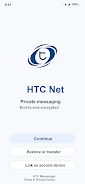
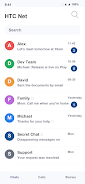
HTC Net uses a clear dashboard layout so important metrics are visible at a glance. The main screen presents a concise summary, while tabs let you drill down into detailed logs or individual tests. Controls are touch‑friendly and labeled with plain language, reducing the learning curve for people who are less technical.
How Diagnostics Work
The diagnostic workflow walks you through a sequence of checks from basic to advanced. Start with an automated health check that runs quick speed and latency tests, then follow recommended steps if performance drops below thresholds. For advanced users, the app exposes raw traceroute data, DNS resolution timing, and socket-level response times so you can analyze root causes.
Practical Uses and Workflows
Whether you need to verify an internet outage, identify a crowded Wi‑Fi channel, or confirm VPN stability, HTC Net supports multiple practical scenarios:
- Detecting intermittent drops by running background tests and exporting logs for ISP support.
- Optimizing a home network by comparing channel interference and recommending band shifts.
- Monitoring data consumption for specific apps to avoid overage charges on limited plans.
- Checking server reachability and response times before critical remote work meetings.
Performance and Compatibility
HTC Net is engineered to run efficiently on a broad range of Android devices. Background monitoring uses minimal CPU and battery thanks to adaptive sampling intervals that reduce frequency when conditions are stable. The app supports Android 8.0 and later, common Wi‑Fi chipsets, and integrates with standard VPN and tethering setups without requiring root access.
Privacy and Security Considerations
Network tools require permissions for connectivity data and location to accurately map Wi‑Fi environments. HTC Net clearly lists required permissions and provides explanations for each one so users can make informed choices. Collected diagnostics can be exported locally or shared directly with service providers; no diagnostic data is transmitted to third parties without explicit consent.
Customization and Advanced Settings
Advanced options let users tune sampling rates, set alert thresholds, and configure custom DNS or proxy entries. Power users can enable extended logging for prolonged diagnostics or choose compact logs for routine checks. Saved connection profiles speed up transitions between environments like home, office, or public Wi‑Fi.
Getting Started with HTC Net
Installation and setup are straightforward: grant the necessary permissions, run an initial health check, and review the dashboard recommendations. For first‑time users the app includes brief tooltips and a help section that explains common tests and when to use them. Regular use builds a local history so trends become visible over time.
Tips for Best Results
To get the most from HTC Net, place your device near the router for baseline testing, enable background checks when troubleshooting intermittent issues, and export logs before contacting support. Periodically review the saved profiles to keep them aligned with current network configurations.
HTC Net is a practical companion for anyone who needs reliable, actionable insight into mobile and Wi‑Fi connectivity. It blends simple visual summaries with deeper diagnostic tools, making it useful for everyday troubleshooting and technical investigation alike.
Show More
Information
Screenshots

Latest Update












Latest News
-
![Revealing the Launch Playlists and Cross-Progression for COD Warzone Mobile News]()
-
![March 2024 Free Redemption Codes for Honkai: Star Rail News]()
-
PUBG Mobile Teams Up with Bentley Motors: Luxury Cars, Exclusive Collectibles, and Beyond 2024-04-18
![PUBG Mobile Teams Up with Bentley Motors: Luxury Cars, Exclusive Collectibles, and Beyond News]()
-
![Monster Never Cry is now accessible on both Android and iOS mobile devices. News]()
-
V2.2 of the Farlight 84 update introduces an overhauled Season structure, fresh in-game currency, an 2024-04-16
![V2.2 of the Farlight 84 update introduces an overhauled Season structure, fresh in-game currency, an News]()
-
![Arrival of Genshin Impact 4.6 Update: 'Embers of Two Realms, Twilight of Crimson' News]()
-
April 2024 Clash of Clans Update: Unveiling a Fresh Companion, Enhanced Levels, Chat Tagging, and Be 2024-04-16
![April 2024 Clash of Clans Update: Unveiling a Fresh Companion, Enhanced Levels, Chat Tagging, and Be News]()






