
Egg NS
Version:5.1.0
Published:2026-10-13
Introduction
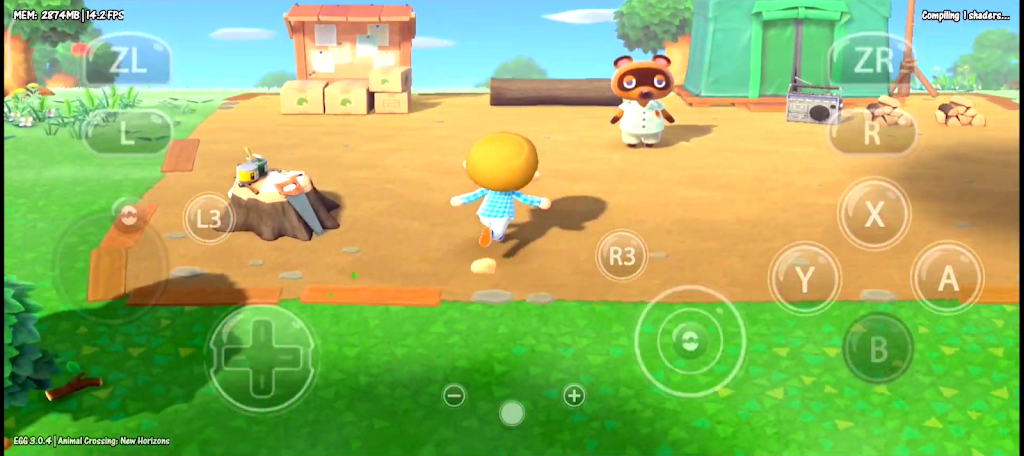
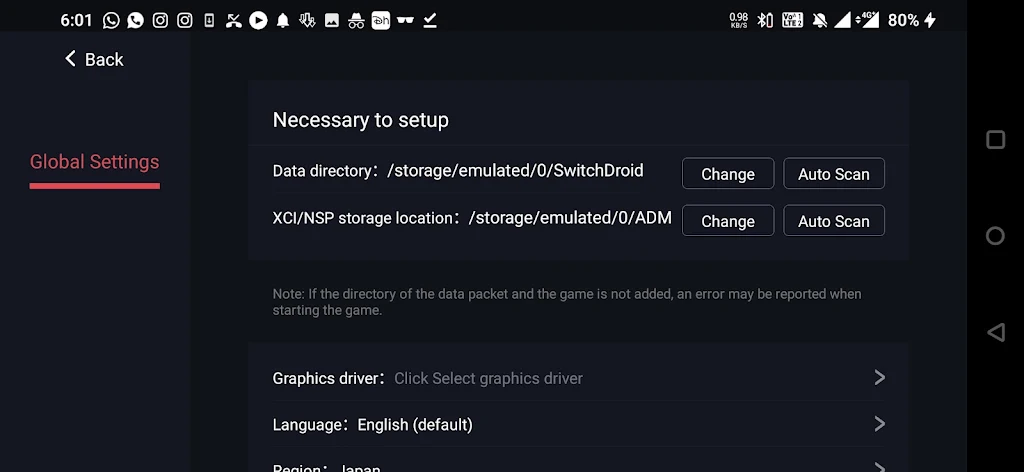
Egg NS is an Android Nintendo Switch emulator that lets you run NSP and XCI game files locally on compatible phones, offering a straightforward way to play many Switch titles without the original console. Egg NS automatically scans and indexes ROM folders, recognizes zipped archives, and presents a library view with quick-launch options so you can find and start games with minimal setup. The app includes touch controls designed for mobile play alongside support for Bluetooth controllers and external gamepads; it also provides quick save and load slots to pause and resume progress instantly.
Key features and controls
The application centers on flexible input and a mobile-first control scheme. On-screen buttons can be repositioned and resized to fit different phone screens and play styles, and tilt-to-stick functionality is available for compatible devices that benefit from motion input. Egg NS detects most Bluetooth controllers automatically, maps common button layouts, and offers fine-grain adjustments such as axis deadzone and stick sensitivity so you can tune responsiveness for racing, platforming, or precision shooters. File handling is robust: the built-in scanner indexes folders, recognizes NSP and XCI formats, and preserves folder structures so existing game libraries remain organized. Zipped ROM support speeds up transfers and reduces storage clutter while still making titles available directly from compressed archives.
Performance and visual options
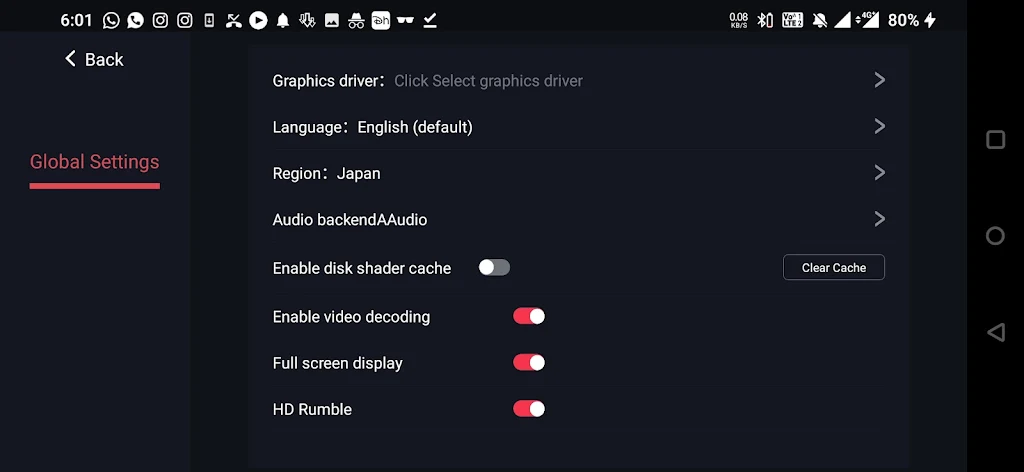
Performance is heavily dependent on device hardware, with Snapdragon 855-class processors and above delivering the best results for many titles. Egg NS exposes performance-related settings you can adjust per game, including internal resolution scaling and frame pacing options that help match visual fidelity to your device capabilities. The app's display simulation options recreate LCD or CRT looks using shader effects that add scanlines, curvature, and chromatic adjustments; these settings are configurable so you can dial in nostalgia or prioritize a clean, modern image. Audio latency and output options are included to reduce lag on certain devices, and basic frame-smoothing features are provided to improve perceived motion without inventing unsupported rendering tricks.
Progression, saves and replay value
Save state functionality is designed for convenience and experimentation. Multiple quick save slots allow you to snapshot a session at critical moments and return instantly, which is useful for difficult encounters or testing different strategies. Conventional game saves that rely on the emulated cartridge or internal battery are preserved where supported, so in-game progression remains intact between sessions. Because this is local emulation, replay value comes from revisiting classic titles with custom control layouts, display presets, and per-game performance tuning rather than through added online features; many players use quick saves to explore alternate paths, challenge themselves with self-imposed restrictions, or speed through sections for practice.
Customization and accessibility
Egg NS aims to be usable across a wide range of hand sizes and abilities by providing adjustable UI scaling and control remapping. Button layouts can be saved as profiles and applied to specific games, which simplifies switching between titles that favor different schemes. The interface emphasizes readable text and clear icons, and contrast settings and HUD scaling help improve visibility on smaller screens. Haptic feedback and vibration mapping are available for supported controllers, offering another layer of tactile response that can aid accessibility and immersion without changing the underlying gameplay.
Compatibility, setup and troubleshooting
Compatibility varies by title: while many Switch games are playable, some require additional runtime files or manual configuration to run correctly, and performance will differ across chipsets and thermal conditions. The app provides per-game settings so users can experiment with options that improve stability or speed. For troubleshooting, Egg NS exposes logs and basic diagnostic information to help identify issues, and users are encouraged to consult community compatibility lists when a title requires special steps. A brief legal reminder: users should only run game files they legally own, as the app does not provide copyrighted content.
User experience and offline usage
Everything in Egg NS runs locally on the device, which means you can use the emulator offline without network access once games and any required files are stored on your phone. The library view is designed for quick browsing and launching, with optional cover art and metadata if those files are present. Battery and thermal management are important for longer sessions; the app includes advice and a few power-related settings to help balance performance and device temperature. Overall, Egg NS focuses on delivering a polished local emulation experience through configurable controls, display options, and save systems while making clear that compatibility and performance depend on hardware and proper setup.
Show More
Information
Screenshots
Latest Update












Latest News
-
![Revealing the Launch Playlists and Cross-Progression for COD Warzone Mobile News]()
-
![March 2024 Free Redemption Codes for Honkai: Star Rail News]()
-
PUBG Mobile Teams Up with Bentley Motors: Luxury Cars, Exclusive Collectibles, and Beyond 2024-04-18
![PUBG Mobile Teams Up with Bentley Motors: Luxury Cars, Exclusive Collectibles, and Beyond News]()
-
![Monster Never Cry is now accessible on both Android and iOS mobile devices. News]()
-
V2.2 of the Farlight 84 update introduces an overhauled Season structure, fresh in-game currency, an 2024-04-16
![V2.2 of the Farlight 84 update introduces an overhauled Season structure, fresh in-game currency, an News]()
-
![Arrival of Genshin Impact 4.6 Update: 'Embers of Two Realms, Twilight of Crimson' News]()
-
April 2024 Clash of Clans Update: Unveiling a Fresh Companion, Enhanced Levels, Chat Tagging, and Be 2024-04-16
![April 2024 Clash of Clans Update: Unveiling a Fresh Companion, Enhanced Levels, Chat Tagging, and Be News]()






