
Xbox Cloud Gaming
Version:2409.1.6
Published:2026-10-13
Introduction
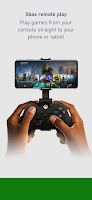
Xbox Cloud Gaming brings console and PC-class titles to phones and tablets by streaming games over the internet, so you can play without dedicated hardware. The app provides access to a large, regularly updated library, lets you join friends for co-op sessions with voice chat, queue and remotely install games to a console, and manage purchases and rewards in one place. Personalized recommendations help surface new games based on play history, while clips, screenshots and cross-device notifications keep achievements and messages in sync. It’s a practical choice for players who want instant access to high-quality gaming on mobile devices.
Key Features
⭐ Stay connected with friends, parties, and supported gaming devices from your phone or tablet.
⭐ Share game clips and screenshots to social networks and view achievements and messages across devices.
⭐ Friends and parties follow you with voice and text chat for seamless teamwork across console, PC, and mobile.
⭐ Queue games to play, send remote install commands to your console, and receive game invite notifications.
⭐ Explore subscription options, get customized recommendations, buy games without leaving the app, and track reward points through Xbox Cloud Gaming.
Advantages
✅ Play high-quality titles on devices you already own without buying dedicated console hardware.
✅ Large, evolving library with frequent additions keeps the catalog fresh and varied.
✅ Built-in social tools — voice chat, parties, clips and achievements — keep multiplayer sessions and sharing simple.
✅ Centralized purchase, queue, and rewards management streamlines game discovery and account activity.
Disadvantages
❎ Smooth streaming depends heavily on network quality; a stable 5 GHz Wi‑Fi connection and sufficient bandwidth are recommended.
❎ Many titles require an active subscription and availability can vary by region.
❎ A compatible controller is often needed for the best experience; only select games support touch controls.
❎ Device performance, background apps, and heat can affect streaming responsiveness during long sessions.
Version Information
Xbox Cloud Gaming is regularly updated with performance improvements and new popular titles; keeping the app and device firmware up to date helps maintain streaming efficiency and compatibility with the latest releases.
Show More
Information
Screenshots
Latest Update












Hot Tags
Latest News
-
![Revealing the Launch Playlists and Cross-Progression for COD Warzone Mobile News]()
-
![March 2024 Free Redemption Codes for Honkai: Star Rail News]()
-
PUBG Mobile Teams Up with Bentley Motors: Luxury Cars, Exclusive Collectibles, and Beyond 2024-04-18
![PUBG Mobile Teams Up with Bentley Motors: Luxury Cars, Exclusive Collectibles, and Beyond News]()
-
![Monster Never Cry is now accessible on both Android and iOS mobile devices. News]()
-
V2.2 of the Farlight 84 update introduces an overhauled Season structure, fresh in-game currency, an 2024-04-16
![V2.2 of the Farlight 84 update introduces an overhauled Season structure, fresh in-game currency, an News]()
-
![Arrival of Genshin Impact 4.6 Update: 'Embers of Two Realms, Twilight of Crimson' News]()
-
April 2024 Clash of Clans Update: Unveiling a Fresh Companion, Enhanced Levels, Chat Tagging, and Be 2024-04-16
![April 2024 Clash of Clans Update: Unveiling a Fresh Companion, Enhanced Levels, Chat Tagging, and Be News]()






