
Fuzz TV
Version:1.0.0
Published:2026-10-13
Introduction
Fuzz TV is a lightweight streaming utility that centralizes live channels, curated shows, and on-demand clips into a single app. It focuses on fast navigation, minimal buffering, and a clear layout for browsing content. Ideal for casual viewers who want quick access to free and subscription channels on mobile devices.
What Fuzz TV does
Fuzz TV acts as a hub for televised content and short-form media, bringing disparate sources together with a consistent interface. The app emphasizes reliability and speedy playback, while keeping data usage reasonable. It supports both live streams and a library of recorded material, with simple discovery tools to help you find something to watch quickly.
Core tools and navigation
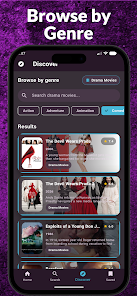
- Channel grid: An at-a-glance view of available live feeds that you can scroll horizontally or filter by genre.
- Search and recommendations: Quick keyword search plus personalized suggestions based on recent viewing patterns.
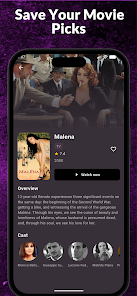
- Watchlist and favorites: Save channels or shows to pick up where you left off.
- Quality controls: Manual and automatic bitrate options to balance clarity and data consumption.
User interface and performance
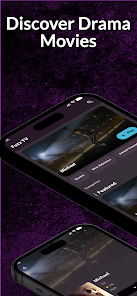
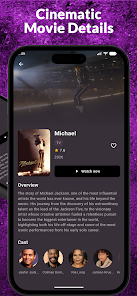
The interface is built for clarity: large thumbnails, readable fonts, and accessible controls make browsing painless on small screens. Fuzz TV uses adaptive streaming to reduce stutter on slower connections and minimize startup delay. Transitions are snappy and menus remain responsive even with large content libraries.
Customization and settings
Fuzz TV allows you to tailor playback and presentation. Options include a dark theme for night viewing, subtitle toggles, and a parental control PIN to restrict mature channels. You can set default video quality per network type—Wi-Fi or mobile—so the app adapts to your usage preferences without constant manual changes.
How it integrates into your day
Whether you use Fuzz TV for background music channels while working or for catching a nightly news broadcast, the app is designed to fit into different routines. Background play keeps audio running when the app is minimized, and a compact mini-player lets you browse other content without stopping playback.
Installing and getting started
Installation is straightforward: download the APK, grant the usual permissions for storage and network access, and follow the setup prompts. The onboarding sequence highlights key features and offers an optional sign-in for syncing favorites across devices. New users can be up and watching within minutes thanks to clear prompts and an uncluttered home screen.
Working with accounts and subscriptions
Fuzz TV supports both free access and premium subscriptions where available. Account holders get cloud-synced watchlists and access to locked channels associated with paid services. The app clearly separates free and paid content so you can preview material before deciding to subscribe.
Tips for new users
- Start with the curated lists: Browse editor picks to quickly find quality content without digging through categories.
- Adjust buffering: If playback stutters, try lowering the default bitrate for mobile connections.
- Use the watchlist: Save programs to resume later and reduce time spent re-finding shows.
- Enable subtitles: Helpful for noisy environments or when audio clarity is limited.
Why people choose Fuzz TV
Users appreciate the balance of simplicity and control. Fuzz TV makes it easy to jump into live content while offering enough settings to optimize playback for different networks. Its small footprint and efficient performance are strong points for people who watch on older devices or on limited data plans.
Developer support and updates
The development team maintains frequent updates that focus on stability, security, and new channel additions. Release notes typically highlight performance improvements and user-requested features, making the app evolve in response to real-world usage.
Final considerations before installing
Before installing Fuzz TV, check permissions and whether any premium channels require separate subscriptions. The app strikes a good balance between a friendly interface and practical controls, so if you value fast discovery and reliable playback, it’s worth trying. Regular updates and smart defaults help keep the experience smooth across different devices and connection qualities.
Show More
Information
Screenshots

Latest Update












Hot Tags
Latest News
-
![Revealing the Launch Playlists and Cross-Progression for COD Warzone Mobile News]()
-
![March 2024 Free Redemption Codes for Honkai: Star Rail News]()
-
PUBG Mobile Teams Up with Bentley Motors: Luxury Cars, Exclusive Collectibles, and Beyond 2024-04-18
![PUBG Mobile Teams Up with Bentley Motors: Luxury Cars, Exclusive Collectibles, and Beyond News]()
-
![Monster Never Cry is now accessible on both Android and iOS mobile devices. News]()
-
V2.2 of the Farlight 84 update introduces an overhauled Season structure, fresh in-game currency, an 2024-04-16
![V2.2 of the Farlight 84 update introduces an overhauled Season structure, fresh in-game currency, an News]()
-
![Arrival of Genshin Impact 4.6 Update: 'Embers of Two Realms, Twilight of Crimson' News]()
-
April 2024 Clash of Clans Update: Unveiling a Fresh Companion, Enhanced Levels, Chat Tagging, and Be 2024-04-16
![April 2024 Clash of Clans Update: Unveiling a Fresh Companion, Enhanced Levels, Chat Tagging, and Be News]()






