
SercretQR
Version:0.5.0
Published:2026-10-13
Introduction
SercretQR is a compact QR code utility that combines scanning, secure storage, and quick sharing in one lightweight package. Designed for everyday users and professionals alike, SercretQR streamlines creating, reading, and managing codes while prioritizing privacy, speed, and a clutter-free interface for fast on-the-go operations.
Overview of the app
SercretQR focuses on core QR workflows without overwhelming users with unnecessary bells and whistles. The app reads a wide range of barcode formats, generates customizable codes, and stores recent scans in an encrypted history. It aims to be the single point of access for both casual barcode tasks and light business use.
What you can do right away
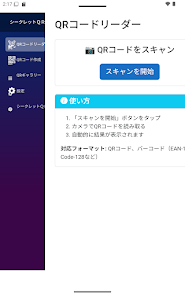
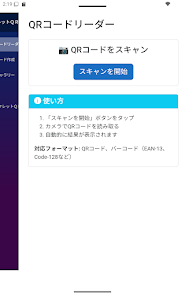
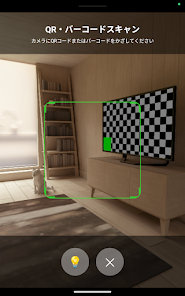
- Scan printed or on-screen codes instantly with a responsive camera module.
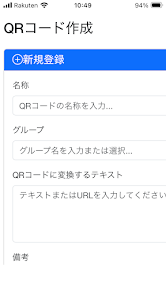
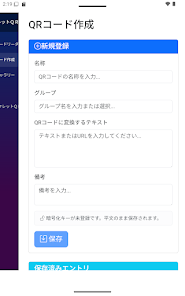
- Create QR codes for URLs, vCards, Wi-Fi credentials, and plain text.
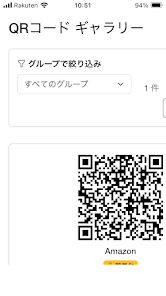
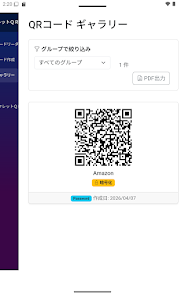
- Save and organize codes in folders for quick retrieval.
- Share codes as images or links via messaging apps and email.
Key features explained
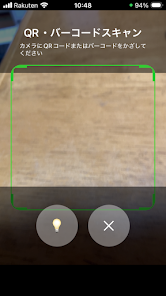
The feature set balances simplicity and functionality. Automated detection lets the app recognize codes as soon as the camera points at them. Built-in validation flags suspicious or malformed links before you open them. A batch mode handles multiple codes in succession, which is useful for inventory or event check-ins.
Privacy and security tools
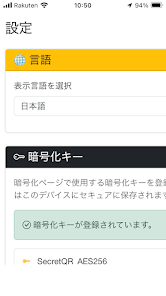
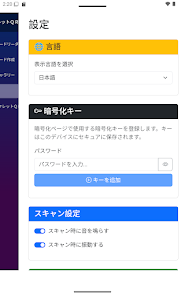
Privacy-conscious users will appreciate SercretQR’s optional encryption for saved entries and a PIN or biometric lock to prevent unauthorized access. The app keeps local copies of important codes without sending them to external servers unless the user explicitly chooses to share.
User interface and performance
Design is minimal but practical. Buttons and controls are large enough for one-handed use, and the camera view adapts to different lighting conditions. The app loads quickly and rarely stutters, even on mid-range devices. Animations are subtle to avoid distraction during rapid scanning sessions.
Customization and export options
When generating codes, you can select size, error correction level, and color schemes. For business users, SercretQR supports exporting code batches as PNG or SVG files for printing and marketing materials. Saved codes can be tagged, renamed, or grouped into collections for organized storage.
Workflow: how it fits into daily tasks
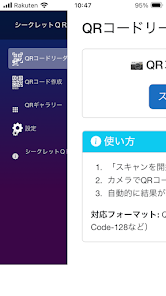
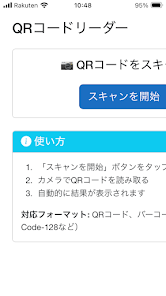
Use SercretQR to speed common routines: instant check-ins at events, quick Wi-Fi sharing with guests, or adding contact details without manual typing. The app integrates with the Android share sheet so scanned data can be forwarded into other apps without copying and pasting.
Tips for new users
- Allow camera permission and test scanning with a clear printed code first.
- Enable biometric locking if you plan to store sensitive credentials.
- Use tags and folders to keep large histories manageable.
- Export important codes to SVG if you need high-quality prints.
Compatibility and system requirements
SercretQR runs well on a wide range of Android devices and keeps the app size small to conserve storage. It supports both rear and front cameras and adapts resolution settings to improve scan reliability on older phones.
Support and updates
Frequent updates address scanner accuracy and broaden format support. The in-app help section walks users through advanced features like batch exports and color customization. Community feedback drives small iterative improvements rather than disruptive redesigns.
Why people pick this app
Users praise SercretQR for its speed, intuitive layout, and privacy controls. The balance of utility and simplicity makes it suitable for tech-savvy users who need reliable performance and for newcomers who want something that just works. Practical export features also make it useful for small businesses and event organizers.
If you need a focused QR utility without clutter, SercretQR offers a polished package for scanning, creating, and managing codes with sensible privacy defaults and efficient tools for daily use.
Show More
Information
Screenshots
Latest Update












Latest News
-
![Revealing the Launch Playlists and Cross-Progression for COD Warzone Mobile News]()
-
![March 2024 Free Redemption Codes for Honkai: Star Rail News]()
-
PUBG Mobile Teams Up with Bentley Motors: Luxury Cars, Exclusive Collectibles, and Beyond 2024-04-18
![PUBG Mobile Teams Up with Bentley Motors: Luxury Cars, Exclusive Collectibles, and Beyond News]()
-
![Monster Never Cry is now accessible on both Android and iOS mobile devices. News]()
-
V2.2 of the Farlight 84 update introduces an overhauled Season structure, fresh in-game currency, an 2024-04-16
![V2.2 of the Farlight 84 update introduces an overhauled Season structure, fresh in-game currency, an News]()
-
![Arrival of Genshin Impact 4.6 Update: 'Embers of Two Realms, Twilight of Crimson' News]()
-
April 2024 Clash of Clans Update: Unveiling a Fresh Companion, Enhanced Levels, Chat Tagging, and Be 2024-04-16
![April 2024 Clash of Clans Update: Unveiling a Fresh Companion, Enhanced Levels, Chat Tagging, and Be News]()






