

Pars IPTV
Version:1.0.5
Published:2026-10-14
Introduction
Pars IPTV is a lightweight Android app designed for streaming live television and on-demand content through standard IPTV playlists. It provides channel management, EPG support, and flexible playback options, allowing users to organize and watch broadcasts from multiple sources with a simple interface and responsive performance.
Core features and tools
At its core, Pars IPTV focuses on delivering a straightforward set of tools for handling IPTV playlists and streams. You can import M3U playlists, manage groups and favorites, and use program guides to see upcoming shows. The app supports multiple stream formats and offers basic transcoding settings that help with compatibility across devices and networks.
Interface and navigation
The interface emphasizes clarity and speed. Channel lists are presented with thumbnails and categories, while the Electronic Program Guide (EPG) displays program names and times in a readable grid. Navigation uses a combination of swipes and taps so finding channels, switching lists, or jumping to live TV feels natural on phones and tablets alike.
Playback and streaming quality
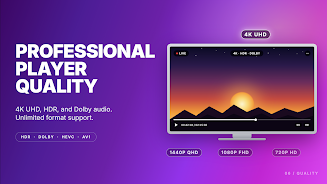
Pars IPTV gives you control over playback behavior, including buffer size adjustments and preferred player choices. Built-in players handle most streams, and the app also integrates with external players if you prefer alternative decoders or hardware acceleration. Adaptive buffering and low-latency modes aim to reduce stutter on slower connections while maintaining video clarity whenever bandwidth allows.
Playlist management
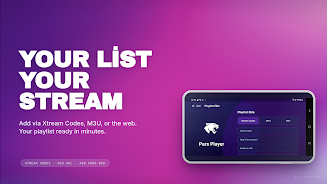
Organizing subscriptions is simple with playlist import and export options. You can rename, reorder, and categorize channels or create custom lists such as news, sports, or kids. The app supports both local and remote playlist URLs, so whether your content is stored on a device or hosted remotely, you can keep everything in one place.
Customization and settings
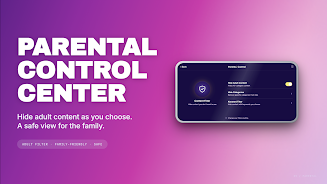
Advanced settings let users tailor Pars IPTV to their needs. Choose default audio tracks, subtitle behavior, and preferred aspect ratios. Parental controls and PIN protection are available to restrict access to specific channels or lists. Appearance options include light and dark themes, and font sizes can be adjusted for better readability on different screens.
EPG and scheduling
The integrated Electronic Program Guide is useful for planning viewing. EPG synchronization works with many common guide formats, and you can search the schedule by title or channel. Recording schedules and reminders allow you to set notifications for upcoming programs, though actual recording functionality may depend on device capabilities and available storage.
Performance and compatibility
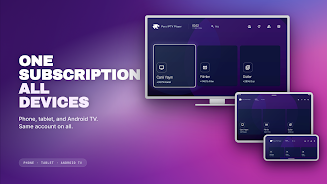
Designed to run on a wide range of Android devices, Pars IPTV balances functionality with performance. The app is optimized to limit background resource use and to resume playback quickly after interruptions. Compatibility with Android TV boxes and larger screens makes it a practical choice for living-room setups as well as mobile viewing.
Security and privacy
Pars IPTV does not host content itself; it serves as a player and manager for playlists you provide. That means privacy practices depend in part on the playlist sources you choose. The app includes options to clear history and cache, and it requests only essential permissions needed for network access and media playback.
Tips for best results
- Use stable Wi-Fi or a strong mobile connection for high-bitrate channels to avoid buffering.
- Keep playlists organized by grouping channels and creating favorites for quick access.
- Test different player options if a particular stream buffers frequently; hardware-accelerated players often improve performance.
- Update EPG links regularly to ensure program schedules remain accurate.
Getting started
To begin, install Pars IPTV and import an M3U file or add a remote playlist URL. Explore the settings to set your preferred player and adjust buffer size for your network. Create favorite lists and test a few channels to confirm playback quality. With minimal setup you can personalize the app for daily viewing and preserve bandwidth while maintaining a reliable TV experience.
Show More
Information
Screenshots

Latest Update












Hot Tags
Latest News
-
![Revealing the Launch Playlists and Cross-Progression for COD Warzone Mobile News]()
-
![March 2024 Free Redemption Codes for Honkai: Star Rail News]()
-
PUBG Mobile Teams Up with Bentley Motors: Luxury Cars, Exclusive Collectibles, and Beyond 2024-04-18
![PUBG Mobile Teams Up with Bentley Motors: Luxury Cars, Exclusive Collectibles, and Beyond News]()
-
![Monster Never Cry is now accessible on both Android and iOS mobile devices. News]()
-
V2.2 of the Farlight 84 update introduces an overhauled Season structure, fresh in-game currency, an 2024-04-16
![V2.2 of the Farlight 84 update introduces an overhauled Season structure, fresh in-game currency, an News]()
-
![Arrival of Genshin Impact 4.6 Update: 'Embers of Two Realms, Twilight of Crimson' News]()
-
April 2024 Clash of Clans Update: Unveiling a Fresh Companion, Enhanced Levels, Chat Tagging, and Be 2024-04-16
![April 2024 Clash of Clans Update: Unveiling a Fresh Companion, Enhanced Levels, Chat Tagging, and Be News]()






