

FinSwift
Version:9.8
Published:2026-10-14
Introduction
FinSwift streamlines personal finance with fast bill tracking, budgeting tools, and instant transaction categorization. It combines automated syncing, clear visual reports, and one-tap actions to help users manage accounts, set goals, and monitor spending in real time without clutter or complex menus.
What FinSwift Does
Designed for people who want clear control over their money, FinSwift centralizes bank accounts, cards, and bills into a single dashboard. The app automatically labels incoming transactions, highlights recurring charges, and produces weekly and monthly snapshots that make trends obvious. Alerts for upcoming payments and overspending help avoid surprises and late fees.
Core Features You’ll Use Daily
The feature set focuses on fast decisions and low friction. Key tools include automated account sync, smart categorization that learns over time, and flexible budget creators. Reports are exportable and shareable, making it easy to send data to accountants or partners. Security measures such as encrypted storage and biometric locks protect sensitive information without slowing workflows.
How the Workflow Functions
FinSwift’s workflow breaks financial chores into simple steps: connect, categorize, and act. Once accounts are connected, the engine groups transactions and suggests categories. From there, users adjust budgets or schedule payments directly inside the app. The process emphasizes minimal input and maximum clarity so routine maintenance takes seconds instead of minutes.
Interface and Performance Notes
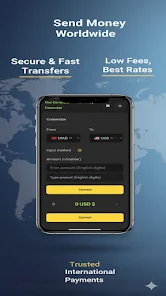
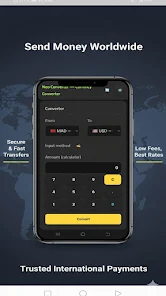
The interface prioritizes readability: bold balances, color-coded budgets, and concise charts. Navigation is straightforward with a bottom bar for Dashboard, Transactions, Budgets, and Settings. Performance is optimized for low data usage, and the app remains responsive on both modern and older devices due to selective background syncing and compact graphical assets.
Customization and Control
Customization options let you tailor alerts, reporting frequency, and category names. Advanced users can create sub-categories and set conditional rules for automatic sorting. For example, a commute rule can route Uber and transit expenses into a single transport bucket. This level of control benefits households tracking shared expenses or freelancers managing client billings.
Security and Privacy Considerations
Security is a core focus: encrypted credentials, optional two-factor authentication, and local passcode support. FinSwift stores minimal personal information and offers clear settings to control cloud backups and data sharing. Privacy-conscious users will appreciate the transparent permission prompts and the ability to purge synced data without deleting the app.
Tips for New Users
- Start with one account: Connect a single bank or card, then review auto-categorization before adding more sources.
- Set a realistic budget: Use last three months of spending as a baseline to create achievable limits.
- Enable key alerts: Turn on payment reminders and overspend notifications to avoid surprises.
- Use rules sparingly: Create a few strong rules for common merchants to improve accuracy quickly.
These small steps speed up familiarity and reduce the need for manual fixes later.
Why People Choose This App
Users praise the app’s clarity, speed, and smart automation. Many report that tossing receipts and Excel sheets feels unnecessary once they rely on the app’s visual reports and recurring payment detection. The combination of lightweight performance and thoughtful features makes it appealing to busy professionals and families alike.
Getting Started and Installation
Installation is straightforward: download, grant read-only access to selected accounts, and review suggested categories. FinSwift walks new users through initial setup with a short interactive tutorial that explains the Dashboard and essential alerts. Customer support is available through in-app chat and a searchable knowledge base for common setup questions.
For anyone who wants to cut down time spent on routine finance tasks, reduce surprises, and build healthier money habits, FinSwift offers a focused, practical toolset without unnecessary complexity. Regular updates add small but useful refinements that keep the app aligned with everyday financial life.
Show More
Information
Screenshots

Latest Update












Latest News
-
![Revealing the Launch Playlists and Cross-Progression for COD Warzone Mobile News]()
-
![March 2024 Free Redemption Codes for Honkai: Star Rail News]()
-
PUBG Mobile Teams Up with Bentley Motors: Luxury Cars, Exclusive Collectibles, and Beyond 2024-04-18
![PUBG Mobile Teams Up with Bentley Motors: Luxury Cars, Exclusive Collectibles, and Beyond News]()
-
![Monster Never Cry is now accessible on both Android and iOS mobile devices. News]()
-
V2.2 of the Farlight 84 update introduces an overhauled Season structure, fresh in-game currency, an 2024-04-16
![V2.2 of the Farlight 84 update introduces an overhauled Season structure, fresh in-game currency, an News]()
-
![Arrival of Genshin Impact 4.6 Update: 'Embers of Two Realms, Twilight of Crimson' News]()
-
April 2024 Clash of Clans Update: Unveiling a Fresh Companion, Enhanced Levels, Chat Tagging, and Be 2024-04-16
![April 2024 Clash of Clans Update: Unveiling a Fresh Companion, Enhanced Levels, Chat Tagging, and Be News]()






