

The SoLux Group
Version:1.0.0
Published:2026-10-14
Introduction
The SoLux Group is a mobile productivity app that centralizes team communication, project tracking and resource management for small to mid-size businesses. Designed to replace scattered tools, it combines messaging, task boards, and reporting into a single Android app for on-the-go coordination and administrative control.
What the app does
The SoLux Group focuses on day-to-day operational needs while keeping a lightweight footprint. It brings together chat, file sharing, schedules, and analytics so teams can track progress without switching between multiple services. Notifications and role-aware permissions help keep sensitive items organized and visible to the right people at the right time.
Key capabilities at a glance
- Team messaging: threaded conversations, direct messages, and group channels with searchable histories.
- Task management: assignable tasks, deadlines, priorities, and visual boards for sprint and kanban workflows.
- Document handling: attach, preview, and comment on files stored locally or synced to cloud connectors.
- Scheduling: shared calendars, reminders, and time-blocking tools for resource allocation.
- Reporting: exportable progress reports, simple charts, and activity logs.
How it fits into daily work
Instead of forcing a single workflow, The SoLux Group adapts to how teams already work. Project managers can create a board to mirror sprint cycles, while operations staff use shared calendars to coordinate shifts. Notifications are tuned to reduce noise: only essential updates reach the inbox, while less urgent items go to digest summaries.
User interface and performance
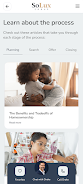
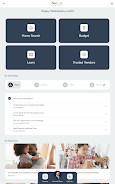
The interface favors clarity. Primary actions sit in large, tappable areas and menus keep deeper actions hidden until needed. The SoLux Group performs well on modern mid-range Android devices and remains responsive when switching between chat threads and task boards. Data caching minimizes load times, and offline access keeps core content available when connectivity is intermittent.
Customization and control
Administrators can tailor the app to company needs without coding. Create custom fields for tasks, set role-based permissions, and configure notification rules per team. Branding options allow logo, color palette, and default landing pages to be adjusted, making the app feel integrated with existing corporate tools.
Security and integrations
Security focuses on access control and data portability. The SoLux Group supports encrypted synchronization and standard authentication methods. Built-in connectors streamline integration with calendar services, email platforms, and popular cloud storage providers so files and events remain synchronized across systems.
Practical tips for new users
- Start small: onboard one team or project to refine workflows before rolling the app out company-wide.
- Set notification rules: customize alerts by channel and priority to avoid notification fatigue.
- Use templates: reuse boards and task templates for recurring projects to save setup time.
- Enable analytics: track a few KPIs first, such as task completion rate or overdue items, to measure impact.
Why teams adopt it
Teams choose The SoLux Group because it reduces app switching and centralizes essential project data. Managers value the clear activity audit trail. Individual contributors appreciate fewer meetings thanks to more reliable status updates. The cumulative effect is faster decisions and fewer missed deadlines.
Getting started on Android
Installation is straightforward from the Android package. After granting the necessary permissions, administrators can import users or connect directory services for single sign-on. A short onboarding checklist helps configure the first project, invite collaborators, and establish notification preferences.
Final considerations
The SoLux Group is geared toward teams seeking practical consolidation of communication and tasks rather than a single monolithic enterprise platform. It works best for organizations that need a balance of simplicity and configurability. Regular updates refine performance and introduce connectors as common workflows evolve.
If your team juggles multiple apps for messaging, files, and schedules, The SoLux Group provides a compact alternative that keeps essential operations accessible from a single Android experience.
Show More
Information
Screenshots
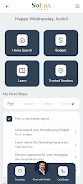
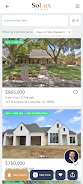
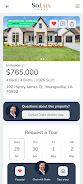
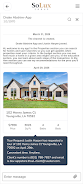
Latest Update












Latest News
-
![Revealing the Launch Playlists and Cross-Progression for COD Warzone Mobile News]()
-
![March 2024 Free Redemption Codes for Honkai: Star Rail News]()
-
PUBG Mobile Teams Up with Bentley Motors: Luxury Cars, Exclusive Collectibles, and Beyond 2024-04-18
![PUBG Mobile Teams Up with Bentley Motors: Luxury Cars, Exclusive Collectibles, and Beyond News]()
-
![Monster Never Cry is now accessible on both Android and iOS mobile devices. News]()
-
V2.2 of the Farlight 84 update introduces an overhauled Season structure, fresh in-game currency, an 2024-04-16
![V2.2 of the Farlight 84 update introduces an overhauled Season structure, fresh in-game currency, an News]()
-
![Arrival of Genshin Impact 4.6 Update: 'Embers of Two Realms, Twilight of Crimson' News]()
-
April 2024 Clash of Clans Update: Unveiling a Fresh Companion, Enhanced Levels, Chat Tagging, and Be 2024-04-16
![April 2024 Clash of Clans Update: Unveiling a Fresh Companion, Enhanced Levels, Chat Tagging, and Be News]()






