

TenPass
Version:1.0
Published:2026-10-14
Introduction
TenPass is a compact and practical password generator that helps you create strong, unique passwords for every online account. TenPass puts flexible complexity controls and quick one-click generation at the center of a simple interface, so you can replace reused or weak credentials without a long setup. Designed for people who want clear protection without unnecessary bells and whistles, TenPass produces alphanumeric passwords with optional symbols, adjustable length, and an optional secure storage area so you decide whether to save any credentials.
Key features
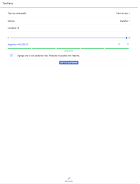
TenPass provides a customizable generator that supports a wide range of character sets and lengths, letting you tune each output to match site or service requirements. The app includes a visible strength meter that estimates password resilience and displays entropy information so you can see how changes to length or character selection affect security. A one-touch generate button creates unpredictable strings instantly and places them on the clipboard for immediate use in browsers, apps, or sign-up forms.
For users who prefer to keep some passwords on hand, TenPass offers an optional secure storage mode that keeps saved credentials locally on the device with standard protections and access controls. Saved entries are accessible through the same streamlined interface, and TenPass keeps the workflow lightweight so the app remains fast even with frequent generation and occasional saving. You control what is stored and what remains ephemeral.
How it works
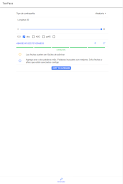
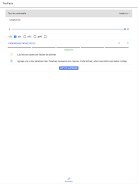
The app workflow is straightforward: choose the desired length, enable or disable symbols and numbers, and tap Generate. TenPass then produces a password that you can copy, paste, or optionally save. Controls are intentionally small in number to reduce confusion; toggles and sliders let you refine complexity without navigating nested menus. Common use cases such as creating a password for social accounts, e-commerce logins, or banking are supported simply by adjusting the same settings to match the required policies.
User experience and customization
TenPass focuses on a clean visual style that keeps the main actions visible and easy to reach. The interface supports larger text sizes and contrast adjustments to help accessibility, and buttons are sized for one-handed operation on phones. Personalization includes saving preferred presets so you can quickly recreate the right format for different account types, and an optional theme toggle helps the app blend with light or dark system settings.
Offline functionality and compatibility
One advantage of TenPass is full offline operation: the generator and optional local storage work without network access, so you can create secure passwords anywhere. Generated strings use common ASCII characters and are compatible with most websites, web applications, and e-commerce forms. Because TenPass does not require an online account to run, there is no mandatory cloud sync; you remain in control of where and how passwords are copied or exported.
Security and limitations
TenPass is intended to reduce the risk of credential reuse and improve overall account security by encouraging unique, high-entropy passwords. It is not a replacement for a full-featured password manager with automatic autofill, cross-device synchronization, or enterprise policy enforcement. If you rely on the optional secure storage, maintain your own backups and device protections, since TenPass emphasizes user choice over enforced workflows.
Replay value and ongoing support
Using TenPass becomes part of a healthier digital routine: quick generation for new accounts, occasional review of saved credentials, and simple regeneration when you need a fresh secret. The development team publishes regular updates to address bugs and keep the app aligned with platform changes, and support channels are available for questions about using features or configuring presets. TenPass remains focused on doing one job well: making strong, usable passwords accessible to everyday users.
Show More
Information
Screenshots



Latest Update












Latest News
-
![Revealing the Launch Playlists and Cross-Progression for COD Warzone Mobile News]()
-
![March 2024 Free Redemption Codes for Honkai: Star Rail News]()
-
PUBG Mobile Teams Up with Bentley Motors: Luxury Cars, Exclusive Collectibles, and Beyond 2024-04-18
![PUBG Mobile Teams Up with Bentley Motors: Luxury Cars, Exclusive Collectibles, and Beyond News]()
-
![Monster Never Cry is now accessible on both Android and iOS mobile devices. News]()
-
V2.2 of the Farlight 84 update introduces an overhauled Season structure, fresh in-game currency, an 2024-04-16
![V2.2 of the Farlight 84 update introduces an overhauled Season structure, fresh in-game currency, an News]()
-
![Arrival of Genshin Impact 4.6 Update: 'Embers of Two Realms, Twilight of Crimson' News]()
-
April 2024 Clash of Clans Update: Unveiling a Fresh Companion, Enhanced Levels, Chat Tagging, and Be 2024-04-16
![April 2024 Clash of Clans Update: Unveiling a Fresh Companion, Enhanced Levels, Chat Tagging, and Be News]()






