

MyClassSync
Version:1.5
Published:2026-10-14
Introduction
MyClassSync is a classroom coordination app designed to simplify lesson planning, assignment distribution, and student communication in one unified platform. It centralizes schedules, materials, and real-time updates so teachers and students stay aligned across devices and classrooms without juggling multiple tools or email threads.
Key Features
MyClassSync offers a compact set of tools built for everyday academic workflows. The app includes synchronized calendars, assignment creation and grading, resource sharing, and push notifications. Teachers can post materials, collect submissions, and give feedback directly inside the app, while students receive reminders and access coursework from any device.
- Unified calendar with color-coded classes and deadlines.
- Assignment manager to create, distribute, and grade tasks.
- Resource library for PDFs, links, and multimedia files.
- Real-time announcements and targeted notifications.
How the System Works
The workflow in MyClassSync centers on a simple publish-and-consume model. Educators create classes and schedule items using either a quick creation wizard or an advanced editor. When a lesson or assignment is published, enrolled students are automatically notified and can access the content immediately. Submissions are timestamped and stored in an organized queue for efficient review.
Integrations with common cloud storage providers let teachers attach files with a single tap. Built-in version tracking and comment threads keep communication contextual, reducing the need for separate messaging apps.
User Interface and Daily Workflow
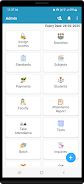
The interface prioritizes clarity: a left navigation pane lists classes, while the main view surfaces current tasks and recent activity. MyClassSync uses progressive disclosure to avoid clutter—advanced controls appear only when needed, making the app approachable for users of varying technical skill.
- Dashboard that highlights upcoming deadlines and recent feedback.
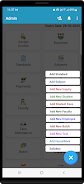
- Quick-create buttons for assignments, announcements, and resources.
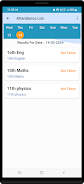
- Filters to sort by class, due date, or submission status.
Teachers can grade inline, annotate submissions, and batch-release feedback. Students can upload documents, record short video responses, or comment on materials without switching contexts.
Performance and Compatibility
MyClassSync is optimized to run smoothly on a wide range of Android devices and supports offline access for core features. Cached course content and drafts enable continued work when connectivity is intermittent; changes sync automatically when the device reconnects.
Background synchronization is efficient and respects battery life, using adaptive sync intervals that scale based on activity. The app is compatible with popular classroom tools and supports single sign-on options to simplify account management for institutions.
Security, Privacy, and Data Handling
Security is a priority: MyClassSync uses encrypted connections for data transfer and offers role-based access controls so only authorized users can view sensitive information. Administrative settings allow schools to set retention policies, disable external sharing, and require multi-factor authentication for staff accounts.
Student privacy is supported through granular permission settings. Teachers decide when grades or comments are visible, and export controls restrict data downloads to authorized roles only.
Customization and Scalability
The app supports customizable class templates, reusable rubrics, and configurable notification rules. Administrators can onboard entire departments with bulk import tools and apply shared settings across groups. As an institution grows, MyClassSync can scale by grouping classes into semesters, departments, or campuses while maintaining consistent workflows.
Getting Started
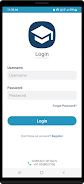
Begin by creating an account and setting up your first class: add students manually or import from a roster file. Use the guided tour to learn how to post an assignment and configure grading. MyClassSync provides sample templates and a help center accessible from the app to shorten the learning curve.
Regular updates add new integrations and small usability improvements based on user feedback. For educators and administrators seeking a straightforward platform to manage coursework, MyClassSync delivers a practical, organized approach to classroom coordination across devices.
Show More
Information
Screenshots
Latest Update












Latest News
-
![Revealing the Launch Playlists and Cross-Progression for COD Warzone Mobile News]()
-
![March 2024 Free Redemption Codes for Honkai: Star Rail News]()
-
PUBG Mobile Teams Up with Bentley Motors: Luxury Cars, Exclusive Collectibles, and Beyond 2024-04-18
![PUBG Mobile Teams Up with Bentley Motors: Luxury Cars, Exclusive Collectibles, and Beyond News]()
-
![Monster Never Cry is now accessible on both Android and iOS mobile devices. News]()
-
V2.2 of the Farlight 84 update introduces an overhauled Season structure, fresh in-game currency, an 2024-04-16
![V2.2 of the Farlight 84 update introduces an overhauled Season structure, fresh in-game currency, an News]()
-
![Arrival of Genshin Impact 4.6 Update: 'Embers of Two Realms, Twilight of Crimson' News]()
-
April 2024 Clash of Clans Update: Unveiling a Fresh Companion, Enhanced Levels, Chat Tagging, and Be 2024-04-16
![April 2024 Clash of Clans Update: Unveiling a Fresh Companion, Enhanced Levels, Chat Tagging, and Be News]()






