

Scan Match
Version:1.0.0
Published:2026-10-15
Introduction
Scan Match is a mobile utility that turns camera scans into organized, searchable items quickly and accurately. In one streamlined workflow it captures documents, extracts key data, and pairs results with existing records to reduce manual entry and speed up everyday tasks for professionals and students alike.
Overview
Scan Match focuses on improving document capture and matching processes with a minimal learning curve. The interface emphasizes clarity: a camera viewfinder, suggested crop boxes, and immediate processing feedback. It supports multiple file types and aims to replace slow, manual record checks with an automated pipeline that recognizes and links information.
Core features at a glance
- High-quality scanning — Auto-frame, perspective correction, and contrast enhancement produce readable captures in various lighting conditions.
- Data extraction — OCR extracts text from images and converts it into editable fields for quick verification.
- Smart matching — The app compares extracted data against local or cloud databases to find duplicates or related records.
- Export & share — Save results as PDFs, CSVs, or sync with cloud storage services and third-party apps.
How it works
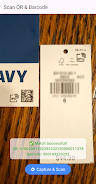
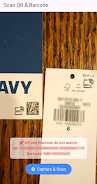
Using Scan Match is straightforward. Point your device camera at the document, let the app detect edges and capture the image, then confirm or adjust the crop. The app runs OCR and presents recognized text alongside matched entries. Users can approve, modify, or merge matches; confirmed items are saved to the selected folder or pushed to connected services.
Tools and systems behind the scenes
Scan Match combines several subsystems to create a reliable experience. The capture engine handles image preprocessing like denoising and geometric correction. An OCR module converts images into machine-readable text. The matching engine uses similarity scoring and configurable rules to pair results with existing records. For privacy-conscious users, local processing options limit cloud exposure.
User interface and customization
The layout keeps the most common actions within thumb reach. Scan Match offers adjustable settings such as capture sensitivity, text language packs, and matching thresholds. Users can design custom templates for recurring document types which speeds up batch processing. Theme and layout options are modest but effective, prioritizing readability and fast confirmation workflows.
Performance impressions
On modern mid-range devices the app processes captures rapidly, with OCR and matching results appearing within seconds for typical pages. Batch mode handles dozens of pages without hiccups, though very large databases may slow down matching unless cloud indexing is enabled. Memory footprint is reasonable, and the app allows users to clear caches to free space.
Practical usage scenarios
Scan Match fits well in business and academic contexts. Administrators can digitize invoices and automatically link them to vendor records. Field workers collect proof-of-service documents and match them to job IDs. Students use it to scan notes and tag them to course folders. The matching capability reduces duplicate records and helps maintain cleaner datasets.
Tips for new users
- Start with default templates and scan a handful of documents to see how matching performs.
- Customize matching thresholds gradually if you notice too many false positives or misses.
- Enable language packs relevant to your documents for improved OCR accuracy.
- Use batch mode for multi-page documents to retain correct order and metadata.
Security and integrations
Scan Match emphasizes data control. Users can choose local-only processing or enable encrypted cloud sync. It integrates with popular cloud storage platforms and supports exporting to standard file formats for backup. Role-based access controls and audit logs are available for teams that need traceability.
Why people adopt it
People choose Scan Match for its practical approach to reducing repetitive work. The matching feature, in particular, saves time by linking new scans to existing data. Small businesses appreciate the lower cost of digital organization, while professionals value the quick verification steps that maintain accuracy without heavy manual effort.
Getting started
Installation is typical for Android apps: download, grant camera and storage permissions, and follow the setup wizard to connect cloud accounts if desired. Spend a few minutes configuring templates and language packs to optimize performance for your document types. Regular updates refine OCR accuracy and add integrations based on user feedback.
Whether you need an everyday scanner or a tool to cut down administrative overhead, Scan Match offers a balanced set of features that prioritize speed, accuracy, and practical integrations. New users can be productive within minutes while power users benefit from deeper customization and batch handling capabilities.
Show More
Information
Screenshots


Latest Update












Latest News
-
![Revealing the Launch Playlists and Cross-Progression for COD Warzone Mobile News]()
-
![March 2024 Free Redemption Codes for Honkai: Star Rail News]()
-
PUBG Mobile Teams Up with Bentley Motors: Luxury Cars, Exclusive Collectibles, and Beyond 2024-04-18
![PUBG Mobile Teams Up with Bentley Motors: Luxury Cars, Exclusive Collectibles, and Beyond News]()
-
![Monster Never Cry is now accessible on both Android and iOS mobile devices. News]()
-
V2.2 of the Farlight 84 update introduces an overhauled Season structure, fresh in-game currency, an 2024-04-16
![V2.2 of the Farlight 84 update introduces an overhauled Season structure, fresh in-game currency, an News]()
-
![Arrival of Genshin Impact 4.6 Update: 'Embers of Two Realms, Twilight of Crimson' News]()
-
April 2024 Clash of Clans Update: Unveiling a Fresh Companion, Enhanced Levels, Chat Tagging, and Be 2024-04-16
![April 2024 Clash of Clans Update: Unveiling a Fresh Companion, Enhanced Levels, Chat Tagging, and Be News]()






