

GPS Navigation & Live Maps
Version:1.5
Published:2026-10-15
Introduction
GPS Navigation & Live Maps helps drivers, cyclists and pedestrians find routes with real-time traffic, voice guidance and offline maps. The app combines clear turn-by-turn directions, route planning tools, and live map layers to simplify navigation for daily commutes and road trips across cities and rural areas.
Overview
Designed as a practical navigation tool, GPS Navigation & Live Maps blends live traffic updates, satellite imagery and lane guidance into a single interface. It supports multiple transport modes, estimates arrival times, and caches maps for offline use so users can rely on the app when signal strength varies.
Core Capabilities
- Live traffic and ETA: Dynamic updates help reroute around slowdowns and provide realistic arrival estimates.
- Offline maps: Download regions to navigate without a data connection.
- Voice-guided navigation: Turn-by-turn instructions with clear prompts and pronunciation tailored to local names.
- Multiple modes: Car, bike, walking and public transit options with optimized routing for each.
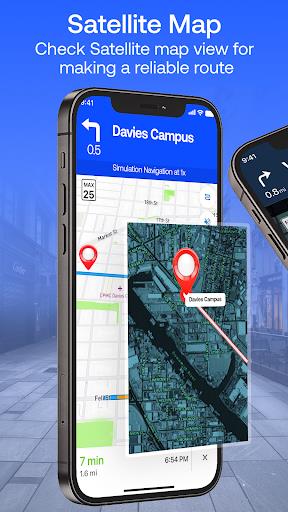
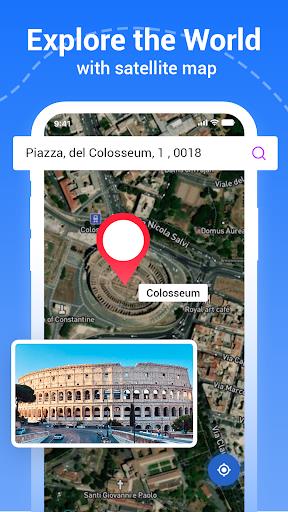
- Map layers: Satellite, terrain and standard map views with POI overlays.
How Routing Works
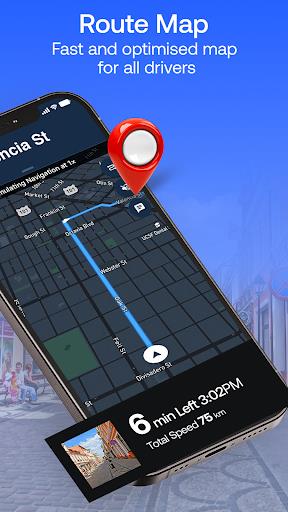
The routing engine prioritizes current conditions and selectable preferences. Choose fastest, shortest or eco-friendly routes; avoid tolls or ferries; and let the app recalculate when necessary. GPS Navigation & Live Maps merges historical speed models with live sensor data so suggested paths adapt as traffic changes.
Turn-by-Turn and Lane Guidance
Expect clear visual cues and spoken directions for upcoming turns, exits and lane choices. The lane guidance reduces lane-change stress in complex interchanges while the junction view previews merges and forks. Notifications for speed limits and camera alerts help maintain safer driving habits.
Interface and Performance
The user interface keeps key actions accessible: big search bar, quick access to saved places, and one-tap downloads for offline regions. Map rendering is smooth on most modern devices and adjusts detail level to preserve battery life. Background location use is optimized to limit unnecessary power draw while still delivering accurate tracking.
Customization and Tools
- Saved locations: Store home, work and favorite spots for instant routing.
- Custom routes: Add stops, reorder waypoints and preview total trip time.
- Alerts and filters: Toggle notifications for hazards, cameras, and traffic incidents.
- Integration: Export routes to calendar events or share itineraries with contacts.
User Experience Notes
New users find the onboarding straightforward: a quick setup asks for transport preferences and suggests downloading nearby offline maps. Regular users appreciate the balance between detail and clarity; maps show relevant points of interest without overwhelming the screen. GPS Navigation & Live Maps keeps menus uncluttered while providing advanced settings for power users.
Tips for New Users
- Download offline maps for areas you travel frequently to avoid interruptions in low-signal zones.
- Set preferred route types in advance to match your priorities: quickest route for urgency or eco-friendly to save fuel.
- Enable voice guidance before starting to ensure hands-free operation while driving.
- Use saved places to speed up repeated searches and reduce typing while on the move.
Installation and Setup
Installation is standard from app stores. After granting location permission, allow background access if you want continuous tracking and live rerouting. Check map update preferences so you receive fresh map tiles when connected to Wi-Fi and avoid large mobile downloads.
Why People Choose It
Many pick GPS Navigation & Live Maps for its combination of real-time awareness and offline reliability. The app is suitable for daily commuting, long-distance travel and exploring new neighborhoods. Frequent updates refine routing logic and expand map coverage, keeping the experience consistent across regions.
Whether you need a dependable daily navigator or a flexible tool for planned trips, GPS Navigation & Live Maps brings practical features into an accessible package that adapts to different travel styles and device capabilities.
Show More
Information
Screenshots
Latest Update












Hot Tags
Latest News
-
![Revealing the Launch Playlists and Cross-Progression for COD Warzone Mobile News]()
-
![March 2024 Free Redemption Codes for Honkai: Star Rail News]()
-
PUBG Mobile Teams Up with Bentley Motors: Luxury Cars, Exclusive Collectibles, and Beyond 2024-04-18
![PUBG Mobile Teams Up with Bentley Motors: Luxury Cars, Exclusive Collectibles, and Beyond News]()
-
![Monster Never Cry is now accessible on both Android and iOS mobile devices. News]()
-
V2.2 of the Farlight 84 update introduces an overhauled Season structure, fresh in-game currency, an 2024-04-16
![V2.2 of the Farlight 84 update introduces an overhauled Season structure, fresh in-game currency, an News]()
-
![Arrival of Genshin Impact 4.6 Update: 'Embers of Two Realms, Twilight of Crimson' News]()
-
April 2024 Clash of Clans Update: Unveiling a Fresh Companion, Enhanced Levels, Chat Tagging, and Be 2024-04-16
![April 2024 Clash of Clans Update: Unveiling a Fresh Companion, Enhanced Levels, Chat Tagging, and Be News]()






