

Camera
Version:98.13.43402.10
Published:2026-10-15
Introduction
Camera transforms smartphone photography into a fast, reliable toolkit for capturing, editing, and sharing images. Designed for both casual shooters and power users, Camera blends manual controls, intelligent presets, and simple retouch tools into a compact interface that speeds up everyday workflows while improving image quality.
What this app does
The app puts essential photography tools within reach. Whether you want a quick point-and-shoot with balanced exposure or a full manual session that records RAW files, Camera supports a wide set of modes. Auto adjustments are unobtrusive, while advanced controls unlock finer creative decisions such as shutter speed, ISO, and focus placement.
Key capabilities
- Manual controls: Adjust shutter, ISO, white balance, and focus for studio-level precision.
- RAW support: Capture uncompressed images for deeper editing and better dynamic range.
- Stabilization and HDR: Reduce motion blur and combine exposures for rich shadows and highlights.
- Smart presets: Quickly apply optimized settings for landscapes, portraits, night scenes, and more.
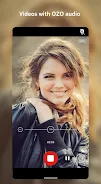
- Video options: Record in multiple frame rates and bitrates; use slow motion and time-lapse when needed.
How it works in everyday use
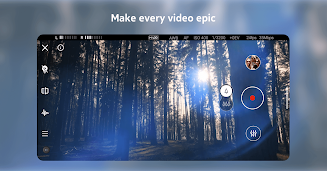
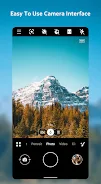
Open the viewfinder, frame the subject, and choose a mode. The interface keeps primary controls—exposure, focus, and zoom—near your thumbs for quick adjustments. For detailed work, switch to manual mode: a responsive dial and sliders let you refine settings without interrupting the shot. Built-in histograms and focus peaking guide composition and sharpness.
Editing tools built in
After capture, retouch without leaving the app. Basic edits include crop, rotate, and straightening. Advanced tools offer selective exposure, color calibration, noise reduction, and lens correction. Filters are customizable, and you can save favorite combinations as one-touch presets. If you shoot RAW, the editor retains full control over tone curves and color profiles.
Interface and performance
The design prioritizes speed. Camera launches quickly, previews render smoothly, and tapping to capture produces minimal lag on supported devices. The layout is modular: overlay controls can be hidden for a cleaner view or locked in place for consistent access. Background processing manages large files to avoid blocking the camera while you continue shooting.
Battery and storage considerations
Shooting in RAW or high frame rate video consumes more storage and battery. The app offers options to limit file sizes, compress bursts, or offload media to cloud services. A battery-saving mode disables power-hungry features like stabilization and live histograms while retaining core capture functionality.
Customization and accessibility
Customizable gestures and button mapping let you tailor the app to your grip and shooting style. You can assign long-press actions to flash, timer, or metering modes. Accessibility settings include larger UI elements, voice prompts for capture confirmation, and high-contrast overlays for easier visibility in bright conditions.
Tips for new users
- Start in auto mode to learn how the app exposes scenes, then gradually experiment with manual sliders.
- Use grid and level guides to improve composition and horizon alignment.
- Shoot in RAW when lighting is difficult; it preserves detail for recovery during editing.
- Enable burst mode for fast action and pick the sharpest frames later.
Camera balances power and simplicity. Its combination of quick-access controls, advanced capture options, and integrated editing creates a streamlined workflow for photographers who want more control without juggling multiple apps. Tap settings to personalize behavior, back up preferences to the cloud, and use app updates to unlock new shooting modes as they arrive.
Installing and getting started
Download, grant necessary permissions for camera and storage access, and follow the guided tutorial to configure the basics. Permissions are standard and limited to functions the app needs to operate. Once set, you can create a home-screen widget for single-tap access to favorite modes and begin building a portfolio with consistent, high-quality results.
Show More
Information
Screenshots
Latest Update












Hot Tags
Latest News
-
![Revealing the Launch Playlists and Cross-Progression for COD Warzone Mobile News]()
-
![March 2024 Free Redemption Codes for Honkai: Star Rail News]()
-
PUBG Mobile Teams Up with Bentley Motors: Luxury Cars, Exclusive Collectibles, and Beyond 2024-04-18
![PUBG Mobile Teams Up with Bentley Motors: Luxury Cars, Exclusive Collectibles, and Beyond News]()
-
![Monster Never Cry is now accessible on both Android and iOS mobile devices. News]()
-
V2.2 of the Farlight 84 update introduces an overhauled Season structure, fresh in-game currency, an 2024-04-16
![V2.2 of the Farlight 84 update introduces an overhauled Season structure, fresh in-game currency, an News]()
-
![Arrival of Genshin Impact 4.6 Update: 'Embers of Two Realms, Twilight of Crimson' News]()
-
April 2024 Clash of Clans Update: Unveiling a Fresh Companion, Enhanced Levels, Chat Tagging, and Be 2024-04-16
![April 2024 Clash of Clans Update: Unveiling a Fresh Companion, Enhanced Levels, Chat Tagging, and Be News]()






