

Google Translate
Version:8.10.58.640328148.3-
Published:2026-10-15
Introduction
Google Translate puts instant translation tools into your pocket, converting text, speech, images, and handwriting across hundreds of languages. The app combines offline packs, camera translation, conversation mode, and phrasebooks to help travelers, students, and professionals communicate quickly and accurately on Android devices.
Key features at a glance
Designed for practical use, Google Translate offers rapid text translation, real-time camera translation, voice transcription, and the ability to translate handwriting. The app supports phrasebook saving, offline language downloads, and a Tap to Translate function that works inside other apps. These tools make it simple to bridge language gaps without constant internet access.
- Text translation: Instant typed or pasted translations with pronunciation guides.
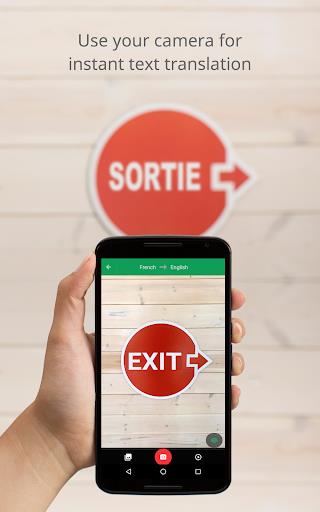
- Camera translation: Point your camera to translate signs, menus, or documents.
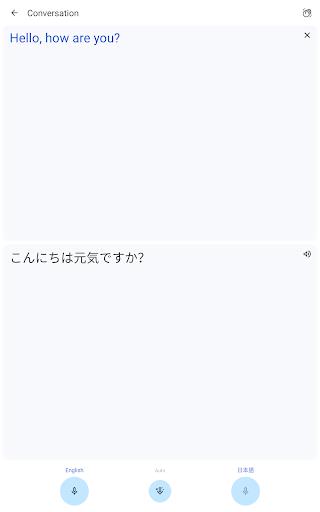
- Conversation mode: Bi-directional voice translation for live dialogues.
- Offline support: Download language packs for use without data.
- Phrasebook: Save and organize useful phrases for quick recall.
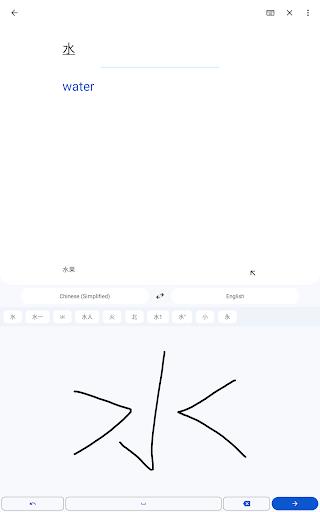
- Handwriting: Draw text to translate non-Latin scripts or stylized fonts.
User interface and workflow
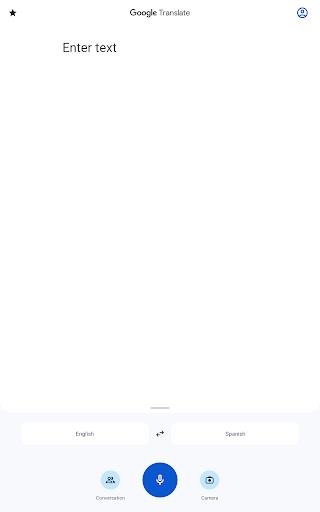
The interface focuses on speed and clarity, with large buttons for camera, voice, and text entry. Recent translations are stored for quick access, and a language selector makes switching between source and target straightforward. For many users, Google Translate becomes a daily workflow tool: tap to translate text in an app, snap a photo to read a sign, or flip to conversation mode when speaking with someone face-to-face.
Offline use and storage
Offline language packs let you carry translation capabilities without relying on a network. Each pack varies in size and includes core translation data; installing common languages like Spanish or French is compact, while less common languages may require more storage. The app displays download size and will notify you about updates. Using offline packs preserves battery and reduces data usage while keeping essential features available during travel or in low-connectivity areas.
Camera, voice, and conversation tools
Camera translation uses on-device recognition to overlay translated text on images or provide a translated snapshot. This is especially useful for menus, signs, and short documents. Voice translation converts spoken words into translated text and speech, smoothing exchanges in conversation mode by automatically detecting and switching between two languages. Handwriting recognition complements these modes for languages written in non-Latin scripts, and the phrasebook provides quick playback for pronunciation practice.
Performance and device compatibility
Google Translate performs reliably on a wide range of Android hardware, from budget phones to flagship devices. Performance improves with updated on-device models and recent Android versions; camera and voice functions rely on CPU and neural processing resources for the best results. Battery consumption is modest during short sessions but can rise when using camera or continuous voice translation. Regular updates refine accuracy and add language improvements, so keeping the app current enhances reliability.
Privacy, permissions, and data handling
The app requests permissions for microphone, camera, and storage to enable translation features. Voice and camera input can be processed locally when offline packs are available, though some cloud-based translations may be sent to servers for improved accuracy. You can manage saved phrases and clear history from settings. Understanding permission prompts and data options helps maintain control over what is uploaded or stored on your device.
Getting started and useful tips
To begin, install Google Translate, select the languages you need, and download any offline packs for travel. Try the camera mode for quick sign translation and the Tap to Translate feature to translate text inside messaging apps without switching screens. Save frequently used phrases to the phrasebook and enable conversation mode for two-way spoken exchanges. With a few settings adjusted, the app becomes a dependable companion for learning languages, navigating foreign cities, or handling international communication.
Show More
Information
Screenshots
Latest Update












Hot Tags
Latest News
-
![Revealing the Launch Playlists and Cross-Progression for COD Warzone Mobile News]()
-
![March 2024 Free Redemption Codes for Honkai: Star Rail News]()
-
PUBG Mobile Teams Up with Bentley Motors: Luxury Cars, Exclusive Collectibles, and Beyond 2024-04-18
![PUBG Mobile Teams Up with Bentley Motors: Luxury Cars, Exclusive Collectibles, and Beyond News]()
-
![Monster Never Cry is now accessible on both Android and iOS mobile devices. News]()
-
V2.2 of the Farlight 84 update introduces an overhauled Season structure, fresh in-game currency, an 2024-04-16
![V2.2 of the Farlight 84 update introduces an overhauled Season structure, fresh in-game currency, an News]()
-
![Arrival of Genshin Impact 4.6 Update: 'Embers of Two Realms, Twilight of Crimson' News]()
-
April 2024 Clash of Clans Update: Unveiling a Fresh Companion, Enhanced Levels, Chat Tagging, and Be 2024-04-16
![April 2024 Clash of Clans Update: Unveiling a Fresh Companion, Enhanced Levels, Chat Tagging, and Be News]()






