

Interpreter Voice Translator
Version:8.8.7
Published:2026-10-15
Introduction
Interpreter Voice Translator turns your Android device into a real-time language assistant, offering instant speech-to-speech and text translations across dozens of languages. Designed for travelers, professionals, and learners, the app delivers quick voice recognition, clear translated audio, and easy conversation mode for natural back-and-forth exchanges.
What the App Does
Interpreter Voice Translator converts spoken words into another language with minimal delay and translates typed text, screenshots, and short phrases. The app supports multiple input methods and offers audible playback of results so users can both read and hear translations. It's designed to simplify communication during travel, meetings, and language practice.
Key Features
- Real-time speech translation: Speak into your phone and receive near-instant audio translations in the chosen language.
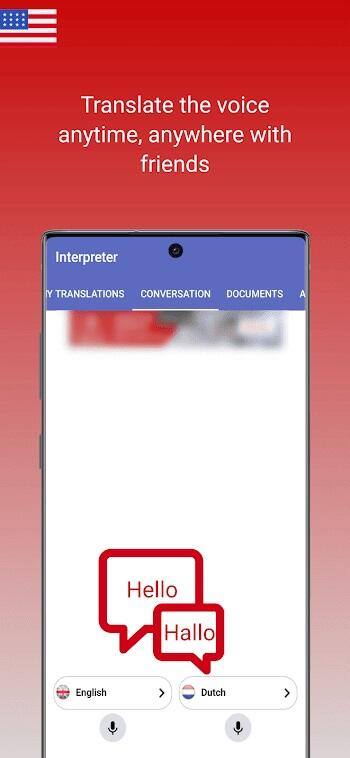
- Conversation mode: Switch between two languages for fluid, turn-based dialogue that feels natural in live interactions.
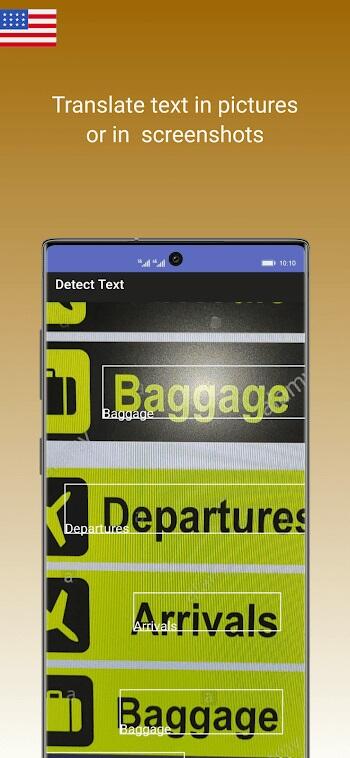
- Text and camera translation: Translate typed phrases or point your camera at signs, menus, and documents for on-screen translations.
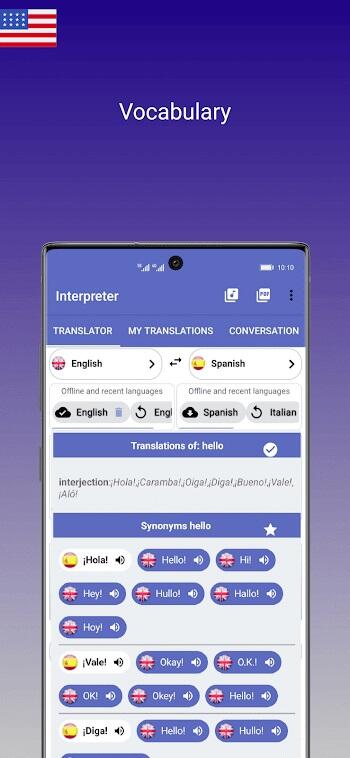
- Phrasebook and favorites: Save common expressions for quick access during trips or meetings.
- Multiple voice options: Choose from different synthesized voices and accents for clearer playback.
How the System Works
The app uses a three-step process: capture, translate, and speak. First, your spoken input is captured using the device microphone and converted into text with automatic speech recognition. Next, the text is processed by the translation engine and converted into the target language. Finally, the result is rendered as speech and displayed on-screen, enabling users to listen and confirm accuracy.
Interface and Workflow
Interface design focuses on speed and accessibility. A large microphone button starts voice capture, language selectors are prominently placed, and translated text appears in a readable font size. Users can toggle between full-screen conversation bubbles or compact mode for quick exchanges. Simple icons guide the workflow so even first-time users can navigate without tutorials.
Practical Use Cases
- Travel and tourism: Ask directions, order food, and read signs with confidence.
- Business meetings: Bridge language gaps during international calls or in-person negotiations.
- Language learning: Hear native-like pronunciations and practice speaking with instant feedback.
- Everyday communication: Communicate with neighbors, service personnel, or new acquaintances in different languages.
Performance and Compatibility
Interpreter Voice Translator is optimized for modern Android devices and runs smoothly on mid-range hardware. Voice recognition accuracy improves with clearer input and reduced background noise. Network-based translations offer wider language coverage and higher accuracy, while local models enable offline usage for frequent languages. Battery and data usage are managed to balance speed with power efficiency.
Privacy and Offline Capabilities
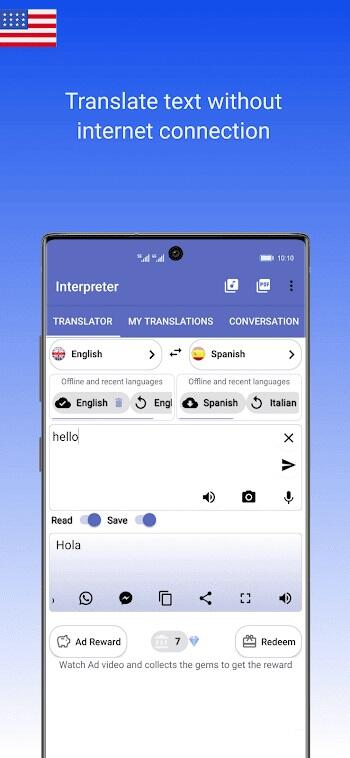
Privacy is a central consideration. Users can enable on-device processing when available to avoid sending audio to external servers, and the app provides clear controls for data retention and history deletion. Offline mode supports key languages so you can translate without cellular data, a useful feature for international travel where connectivity is limited.
Tips for Better Translations
- Speak clearly and at a moderate pace to improve speech recognition accuracy.
- Use the conversation mode to separate turns and reduce overlapping speech.
- When translating signage or menus, switch to camera mode and hold the device steady for best OCR results.
- Save frequently used phrases to your phrasebook before traveling to reduce repeat input time.
Getting Started
To begin, install the app and grant microphone and camera permissions when prompted. Select the languages you need, try a short test phrase, and explore conversation mode for live exchanges. Interpreter Voice Translator includes an intuitive onboarding flow that highlights core features and privacy options so you can customize settings from the first run.
Final Notes on Utility
Whether you're navigating a new city, facilitating cross-language collaboration, or practicing pronunciation, this app provides a compact set of tools to make communication more immediate and reliable. Regular updates expand language support and refine recognition models, keeping the app current with evolving translation technology.
Show More
Information
Screenshots
Latest Update












Latest News
-
![Revealing the Launch Playlists and Cross-Progression for COD Warzone Mobile News]()
-
![March 2024 Free Redemption Codes for Honkai: Star Rail News]()
-
PUBG Mobile Teams Up with Bentley Motors: Luxury Cars, Exclusive Collectibles, and Beyond 2024-04-18
![PUBG Mobile Teams Up with Bentley Motors: Luxury Cars, Exclusive Collectibles, and Beyond News]()
-
![Monster Never Cry is now accessible on both Android and iOS mobile devices. News]()
-
V2.2 of the Farlight 84 update introduces an overhauled Season structure, fresh in-game currency, an 2024-04-16
![V2.2 of the Farlight 84 update introduces an overhauled Season structure, fresh in-game currency, an News]()
-
![Arrival of Genshin Impact 4.6 Update: 'Embers of Two Realms, Twilight of Crimson' News]()
-
April 2024 Clash of Clans Update: Unveiling a Fresh Companion, Enhanced Levels, Chat Tagging, and Be 2024-04-16
![April 2024 Clash of Clans Update: Unveiling a Fresh Companion, Enhanced Levels, Chat Tagging, and Be News]()






