

WhatsApp Messenger
Version:2.24.3.81
Published:2026-10-15
Introduction
WhatsApp Messenger is a widely used messaging app that connects individuals and groups through instant texts, voice calls, and media sharing. Designed for speed and simplicity, it supports end-to-end encryption, group chats, and cross-platform syncing, making day-to-day communication fast, secure, and convenient for personal and small business use.
What this app brings to the table
At its core, WhatsApp Messenger focuses on reliable messaging and voice/video calls without complicated setup. The app integrates phone contacts automatically, offers threaded conversations, and delivers notifications that are responsive yet unobtrusive. It also provides tools for sharing images, documents, locations, and short status updates.
Essential features explained
- Text and multimedia messaging: Send one-on-one or group messages with photos, videos, GIFs, voice notes, and file attachments up to a generous size limit.
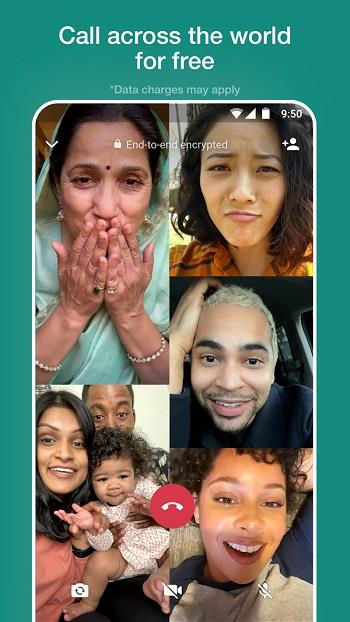
- Voice and video calls: Make data-driven voice or video calls to contacts around the world, with adaptive quality based on network conditions.
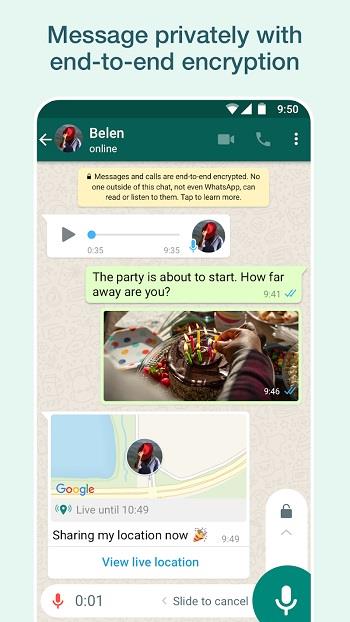
- End-to-end encryption: Messages and calls are protected so only participants can read or listen to them.
- Group chats and channels: Create groups for family, friends, or work teams with admin controls to manage membership and content.
- Cross-device use: Use the service across phones, tablets, and desktop apps with message syncing and session management.
How the app works in daily use
Getting things done with WhatsApp Messenger is straightforward: open the app, choose a contact or group, and start typing or tap the camera icon to snap and send media. Voice messages are recorded with a single gesture, and calls begin with one tap. Conversations are searchable, and starred messages help you keep track of important items like addresses or transaction details.
Interface and performance notes
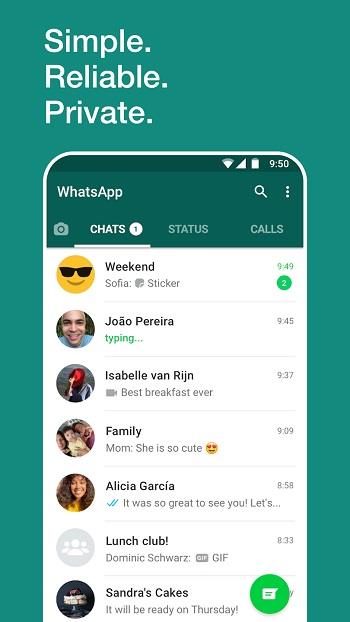
The user interface balances familiarity with minimalism. Chats are presented in a clean list with contact photos and message snippets. Performance is optimized for quick launches and low battery impact, even when handling large media transfers. UI elements scale well across screen sizes, keeping controls reachable on both phones and tablets.
Privacy controls and safety
Privacy settings let you manage who sees your profile photo, status, and last seen timestamp. Two-step verification adds a PIN for account recovery. Users can review active sessions, block or report contacts, and use ephemeral messages to automatically delete chat content after a set period. These options give users practical levers to reduce exposure and handle unwanted interactions.
Customization and organization
WhatsApp Messenger includes tools to personalize your experience. Choose chat wallpapers, mute or pin conversations, and configure notification tones to distinguish important contacts. Labels and archived chats help keep the inbox tidy, while search filters make it faster to find older messages and media.
Tips for new users
- Set up backups: Enable encrypted backups to cloud storage to preserve chat history when switching devices.
- Manage storage: Use the storage management tool to clear large files and free space without losing key conversations.
- Use groups wisely: Limit admin rights and create clear naming conventions to avoid chaotic group threads.
- Monitor data usage: Toggle low-data mode for calls when on metered connections to reduce bandwidth consumption.
Installation and initial setup
Installation is quick: download the app, verify your phone number, and allow access to contacts and media as needed. The app walks you through restoring any available backups and signing in on linked devices. Setting basic privacy preferences during setup speeds up a secure and personalized configuration.
Who will benefit most
The app suits users seeking a dependable communications platform with minimal fuss. Individuals who prioritize privacy, small teams coordinating projects, and families organizing events will find the feature set directly addresses common messaging needs. Frequent travelers also benefit from cross-border calling and media sharing without SMS fees.
WhatsApp Messenger combines a familiar user experience with practical tools for managing conversations, media, and privacy. Its straightforward approach makes it a steady choice for anyone who needs fast, secure communication across devices.
Show More
Information
Screenshots

Latest Update












Latest News
-
![Revealing the Launch Playlists and Cross-Progression for COD Warzone Mobile News]()
-
![March 2024 Free Redemption Codes for Honkai: Star Rail News]()
-
PUBG Mobile Teams Up with Bentley Motors: Luxury Cars, Exclusive Collectibles, and Beyond 2024-04-18
![PUBG Mobile Teams Up with Bentley Motors: Luxury Cars, Exclusive Collectibles, and Beyond News]()
-
![Monster Never Cry is now accessible on both Android and iOS mobile devices. News]()
-
V2.2 of the Farlight 84 update introduces an overhauled Season structure, fresh in-game currency, an 2024-04-16
![V2.2 of the Farlight 84 update introduces an overhauled Season structure, fresh in-game currency, an News]()
-
![Arrival of Genshin Impact 4.6 Update: 'Embers of Two Realms, Twilight of Crimson' News]()
-
April 2024 Clash of Clans Update: Unveiling a Fresh Companion, Enhanced Levels, Chat Tagging, and Be 2024-04-16
![April 2024 Clash of Clans Update: Unveiling a Fresh Companion, Enhanced Levels, Chat Tagging, and Be News]()






