

Declutter – Gallery Cleaner
Version:1.0.7
Published:2026-10-20
Introduction
Declutter – Gallery Cleaner is an Android utility that removes duplicate photos, blurry shots, and unwanted screenshots to free up space. The app scans your gallery, groups similar images, and offers one-tap cleanup suggestions, making it fast to reclaim storage while keeping important memories safe and easy to find.
What Declutter – Gallery Cleaner Does
This app focuses on streamlining your photo library with minimal fuss. It identifies exact duplicates, similar frames from burst shots, and low-quality captures that you are unlikely to keep. Rather than deleting immediately, the tool presents grouped results so you can review picks before removing files.
Key Features
- Duplicate detection: Finds identical files across albums and external storage to remove redundant copies.
- Similarity grouping: Clusters near-duplicate images and burst sequences so you can choose the best shot.
- Blurry and low-quality filter: Flags out-of-focus or dark photos so they don’t clutter your main gallery.
- One-tap cleanup: Accept suggestions and clear selected images with a single action.
- Safe review mode: Preview grouped images and undo deletions within a grace period.
How the Cleanup Workflow Works
After installation, the app performs an initial scan of internal and permitted external folders. It then sorts media into categories — duplicates, similar shots, screenshots, and large files. You can adjust sensitivity for similarity detection, then review each group. Using intuitive toggles, accept or reject recommended removals and apply changes in batches.
User Interface and Controls
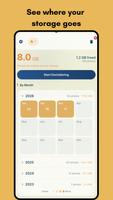
The interface emphasizes clarity: thumbnails, file sizes, and location labels are visible at a glance. Swipe gestures and multi-select checkboxes simplify navigation when dealing with thousands of images. Settings let you exclude folders, protect specific albums from scans, and schedule periodic cleanups to keep storage optimized without manual intervention.
Smart Detection and Privacy
Declutter – Gallery Cleaner uses on-device analysis to assess image similarity and quality, reducing reliance on cloud processing for faster results and improved privacy. All decisions remain under user control — scans don’t automatically delete files. The app also respects Android storage permissions, requesting access only to folders required for the chosen actions.
Performance and Compatibility
Designed to be lightweight, the app minimizes battery and CPU consumption during scans. Background scanning can be restricted to Wi-Fi or charging states to avoid unexpected resource use. Compatible with a wide range of Android versions, it supports both phones and tablets and works well with popular camera and messaging apps that produce multiple media files.
Practical Tips for Safer Cleanup
- Start with duplicate-only scans to safely remove exact matches before adjusting similarity sensitivity.
- Protect important albums by marking them as excluded in settings.
- Use the scheduled cleanup feature to automate maintenance during off-peak hours.
- Review suggested deletions in groups to avoid accidentally removing sentimental photos.
Why Keep Your Gallery Tidy?
A cleaner gallery improves device performance, frees space for updates and new apps, and makes finding photos faster. Declutter – Gallery Cleaner reduces manual sorting time and helps maintain an organized collection without sacrificing control or privacy. Regular maintenance also extends usable storage and reduces backup sizes.
Getting Started
Install the app, grant the requested storage permissions, and run an initial scan. Check grouped results, adjust detection sensitivity if needed, and accept suggestions you trust. With routine use and a few protected albums, the app will streamline your photo management and keep storage from filling up unnecessarily.
If you want a focused, privacy-conscious way to remove redundant and poor-quality images, Declutter – Gallery Cleaner is a practical tool for everyday Android photo maintenance. Its combination of automatic detection and manual review strikes a balance between efficiency and control.
Show More
Information
Screenshots







Latest Update












Hot Tags
Latest News
-
![Revealing the Launch Playlists and Cross-Progression for COD Warzone Mobile News]()
-
![March 2024 Free Redemption Codes for Honkai: Star Rail News]()
-
PUBG Mobile Teams Up with Bentley Motors: Luxury Cars, Exclusive Collectibles, and Beyond 2024-04-18
![PUBG Mobile Teams Up with Bentley Motors: Luxury Cars, Exclusive Collectibles, and Beyond News]()
-
![Monster Never Cry is now accessible on both Android and iOS mobile devices. News]()
-
V2.2 of the Farlight 84 update introduces an overhauled Season structure, fresh in-game currency, an 2024-04-16
![V2.2 of the Farlight 84 update introduces an overhauled Season structure, fresh in-game currency, an News]()
-
![Arrival of Genshin Impact 4.6 Update: 'Embers of Two Realms, Twilight of Crimson' News]()
-
April 2024 Clash of Clans Update: Unveiling a Fresh Companion, Enhanced Levels, Chat Tagging, and Be 2024-04-16
![April 2024 Clash of Clans Update: Unveiling a Fresh Companion, Enhanced Levels, Chat Tagging, and Be News]()






