
Ringtone Maker: Music Cutter
Version:1.01.61.0819.1
Published:2026-10-31
Introduction
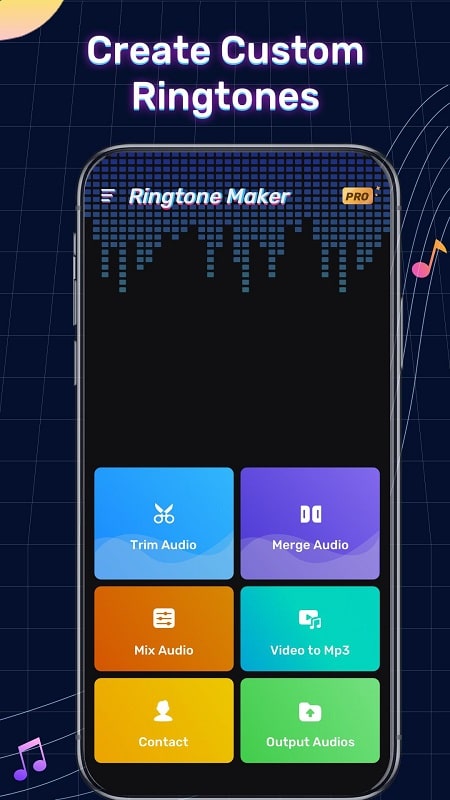
Ringtone Maker: Music Cutter helps you create personalized ringtones from tracks stored on your device, offering a fast, approachable way to replace default tones with sounds that suit your taste. Ringtone Maker: Music Cutter opens directly to a simple waveform editor where you can select a segment, preview edits, and save the result without navigating complex menus. The app targets users who want reliable, offline ringtone creation with straightforward controls and no steep learning curve.
Key features
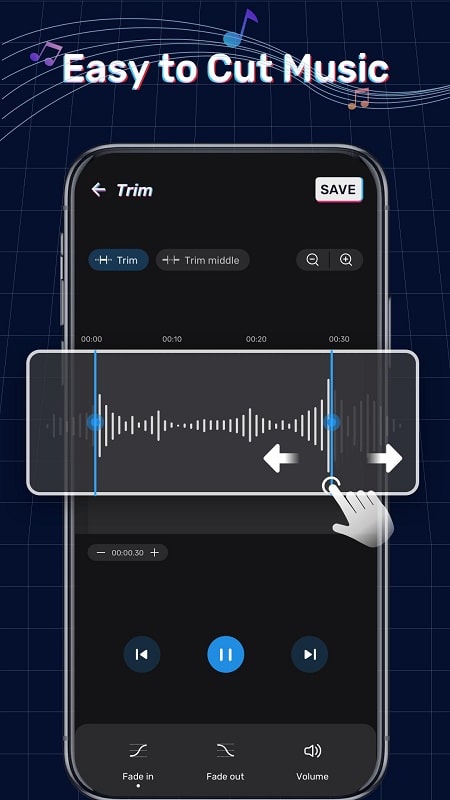
The core editing experience centers on precise trimming: drag handles on a visual waveform let you mark exact start and end points, and zoom controls refine selection down to milliseconds. A live preview plays the selected clip so you can test timing and volume before saving. Built-in fade-in and fade-out options smooth the start and finish of a clip, and simple volume adjustment tools help match loudness across tracks. After creating a tone you can save it as a ringtone, notification, or alarm sound and assign it directly to an individual contact from within the app.
How it works
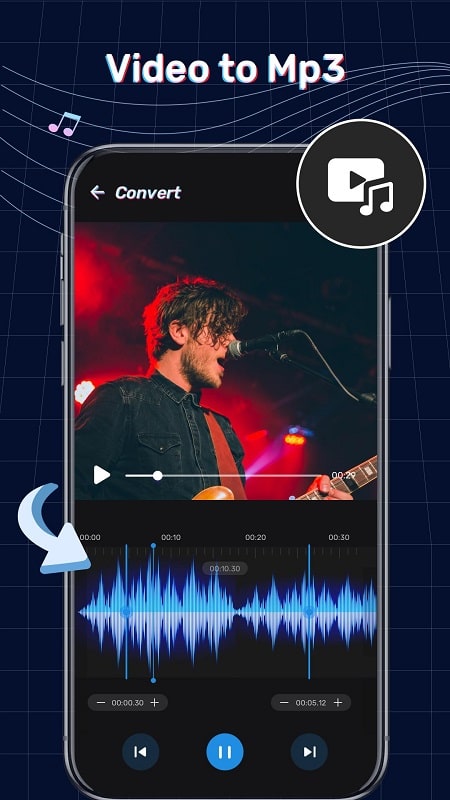
Open a song from your local library, then use touch gestures to position the selection handles; pinch-to-zoom and horizontal dragging let you move through the waveform with precision. Playback controls include play, pause, and loop for repeated auditioning of the selected segment. Once the edit sounds right, choose a label and destination (ringtone, notification, alarm, or contact) and the tool writes the file to your device so the new tone is available immediately. The workflow is designed for quick repetition, so you can create multiple tones in one sitting.
User experience and controls
The interface favors clear icons and large touch targets to reduce accidental taps and make editing comfortable on phones of all sizes. Contextual on-screen tips guide first-time users through trimming and assignment steps, while an undo option lets you revert the last change when needed. For people who prefer minimal steps, a one-tap save-and-assign option streamlines the process of turning a favorite chorus or beat into a working ringtone.
Customization and replay value
Although focused on single-track edits rather than multi-track production, the app offers meaningful customization: adjust volume, apply fades, and select exact timing to craft tones that stand out. The ability to assign different ringtones to individual contacts increases daily replay value because you can quickly tell who is calling by sound alone. Users often return to make seasonal or mood-based collections of tones, so the utility remains useful beyond an initial setup.
Visual style and accessibility
The visual design emphasizes a high-contrast waveform view and readable text to support use in varied lighting conditions. Controls are laid out sequentially, reducing cognitive load for users new to audio editing. Accessibility considerations include scalable UI elements and descriptive labels so that the app works well with system-level accessibility tools. These choices make the editor approachable for a wide range of users, including those who are not audio specialists.
Offline use and privacy
Most actions take place entirely on your device, allowing offline editing without uploading files to external servers. Because the app operates directly on locally stored music, you can create and assign ringtones without sharing personal audio. The saving process writes new audio files to your phone storage so they are available to the system sound picker and other apps that read local tones.
Limitations and ideal users
The app concentrates on fast, accurate single-track cutting and does not provide multi-track mixing, advanced mastering tools, or studio-level effects. Users seeking full audio production suites will find those features outside the scope of this utility. Ringtone Maker: Music Cutter is best suited for people who want a lightweight, reliable editor to produce contact-specific ringtones, notification sounds, and alarms with minimal fuss.
Tips for best results
For clean-sounding ringtones, choose segments with clear beginnings (such as an instrumental intro or a pronounced beat), apply gentle fades to avoid abrupt cuts, and test the clip at typical phone volume to ensure clarity. Repeat edits and save multiple versions when experimenting; keeping short, distinctive clips often works better for recognition than longer passages. With a few quick passes through the waveform editor you can build a personalized library of tones that reflect your preferences and improve everyday caller recognition.
Show More
Information
Screenshots
Latest Update












Hot Tags
Latest News
-
![Revealing the Launch Playlists and Cross-Progression for COD Warzone Mobile News]()
-
![March 2024 Free Redemption Codes for Honkai: Star Rail News]()
-
PUBG Mobile Teams Up with Bentley Motors: Luxury Cars, Exclusive Collectibles, and Beyond 2024-04-18
![PUBG Mobile Teams Up with Bentley Motors: Luxury Cars, Exclusive Collectibles, and Beyond News]()
-
![Monster Never Cry is now accessible on both Android and iOS mobile devices. News]()
-
V2.2 of the Farlight 84 update introduces an overhauled Season structure, fresh in-game currency, an 2024-04-16
![V2.2 of the Farlight 84 update introduces an overhauled Season structure, fresh in-game currency, an News]()
-
![Arrival of Genshin Impact 4.6 Update: 'Embers of Two Realms, Twilight of Crimson' News]()
-
April 2024 Clash of Clans Update: Unveiling a Fresh Companion, Enhanced Levels, Chat Tagging, and Be 2024-04-16
![April 2024 Clash of Clans Update: Unveiling a Fresh Companion, Enhanced Levels, Chat Tagging, and Be News]()






