

Volume Control
Version:6.2.1
Published:2026-11-02
Introduction
Volume Control is a compact Android utility that gives precise control over your device's sound levels. It organizes media, ringtone, alarm, and notification volumes into a single, accessible interface, plus customizable presets and widgets so you can switch audio profiles quickly without digging through system menus.
Key functionality at a glance
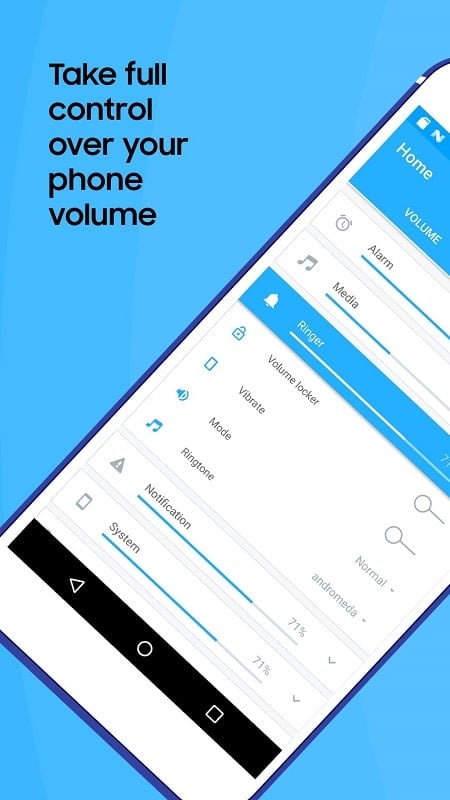
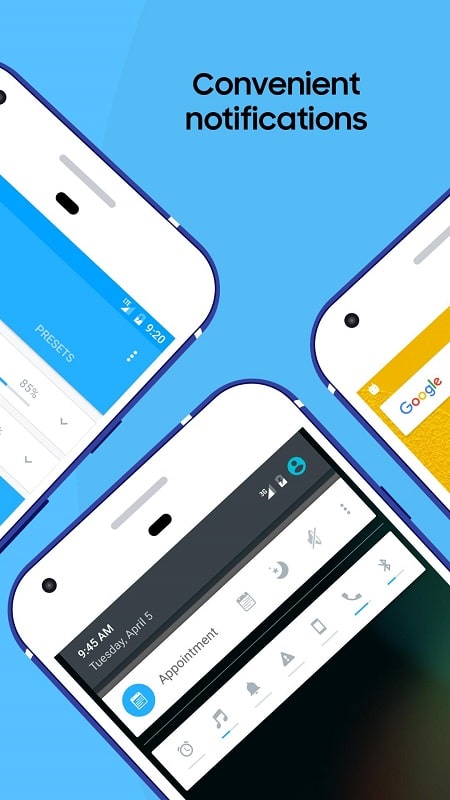
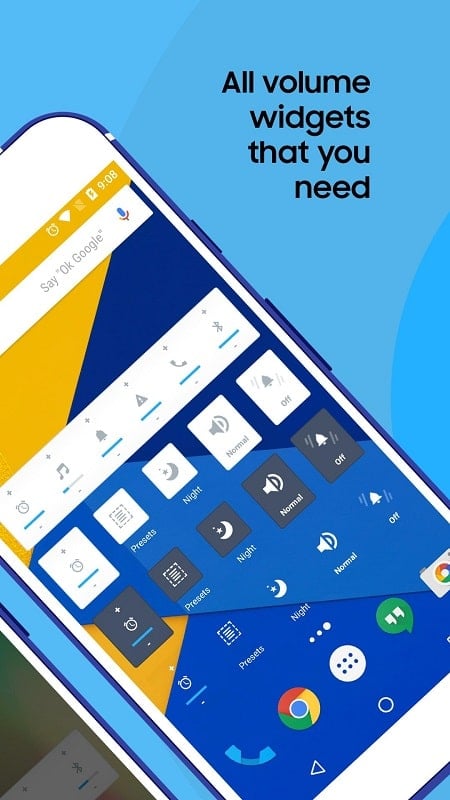
The app puts every audio slider in one place, making adjustments fast and predictable. With separate controls for alarms, calls, media playback, notifications and system sounds, you can tailor audio behavior per situation. Volume Control also includes quick-access widgets and a notification-area shortcut so changes are available without opening the full app.
Interface and day-to-day workflow
The layout emphasizes clarity: large sliders, labeled sections, and tactile buttons for instant mute or maximum. A minimal theme keeps the interface readable in low-light conditions while a compact mode is available for small-screen devices. Touch gestures let you swipe between profiles and long-press actions assign favorite volume setups to the home screen for one-tap switching.
Profiles and automation
Volume Control supports multiple saved profiles so you can prepare audio setups for work, sleep, commuting, and entertainment. Each profile stores all volume levels and optional settings such as vibration and Do Not Disturb integration. You can schedule profile changes by time or connect them to calendar events and Wi-Fi network states, allowing audio to adapt automatically to your routine.
Advanced tools for power users
Beyond sliders, the app offers fine-grained increments for subtle adjustments, a test tone generator to preview changes, and an optional equalizer-like balance control for left/right channel tweaks. For developers and testers, an export/import function saves profile collections as files, making it simple to move configurations between devices.
Performance and battery considerations
Designed with efficiency in mind, Volume Control runs lightweight background services only when profiles or schedules are active. Memory footprint and CPU usage remain low during normal use, and the app provides a battery usage summary so you can see its impact. Typical installations show negligible effect on overall battery life.
Compatibility and permissions
The app works on a wide range of Android versions and models. It requests only the permissions necessary for changing system audio and managing scheduled tasks. Optional permissions are clearly labeled and can be disabled without losing basic functionality. Where platform limits exist—such as certain manufacturer customizations—on-screen tips explain any restrictions and recommend workarounds.
Practical setup and tips
- Getting started: Open the app, review the default sliders, and save a profile that matches your usual preferences.
- Widgets: Place a widget for one-tap profile changes or a compact slider on your home screen for quick volume nudges.
- Schedules: Create a nighttime profile that lowers ringtones and notifications, then schedule it to activate at bedtime.
- Testing: Use the built-in tone generator to verify alarm and media levels before relying on them.
Accessibility and user support
Controls are designed for reachability and clarity, with support for larger font sizes and high-contrast modes. The app includes contextual help screens and a troubleshooting guide that addresses common issues like volume keys behaving inconsistently across OEM skins. A feedback channel links users to support for bug reports and feature requests.
Why choose this tool
If you want dependable, fast access to every sound control on your Android device, Volume Control streamlines the process with meaningful customization and automation. It reduces friction when switching contexts, improves control over notifications and alarms, and keeps audio predictable across different environments. For users who like fine-tuned audio without complex menus, it offers a clean, efficient solution.
Show More
Information
Screenshots
Latest Update












Hot Tags
Latest News
-
![Revealing the Launch Playlists and Cross-Progression for COD Warzone Mobile News]()
-
![March 2024 Free Redemption Codes for Honkai: Star Rail News]()
-
PUBG Mobile Teams Up with Bentley Motors: Luxury Cars, Exclusive Collectibles, and Beyond 2024-04-18
![PUBG Mobile Teams Up with Bentley Motors: Luxury Cars, Exclusive Collectibles, and Beyond News]()
-
![Monster Never Cry is now accessible on both Android and iOS mobile devices. News]()
-
V2.2 of the Farlight 84 update introduces an overhauled Season structure, fresh in-game currency, an 2024-04-16
![V2.2 of the Farlight 84 update introduces an overhauled Season structure, fresh in-game currency, an News]()
-
![Arrival of Genshin Impact 4.6 Update: 'Embers of Two Realms, Twilight of Crimson' News]()
-
April 2024 Clash of Clans Update: Unveiling a Fresh Companion, Enhanced Levels, Chat Tagging, and Be 2024-04-16
![April 2024 Clash of Clans Update: Unveiling a Fresh Companion, Enhanced Levels, Chat Tagging, and Be News]()






