

Price Tracker | Reprice
Version:2.30.0
Published:2026-11-02
Introduction
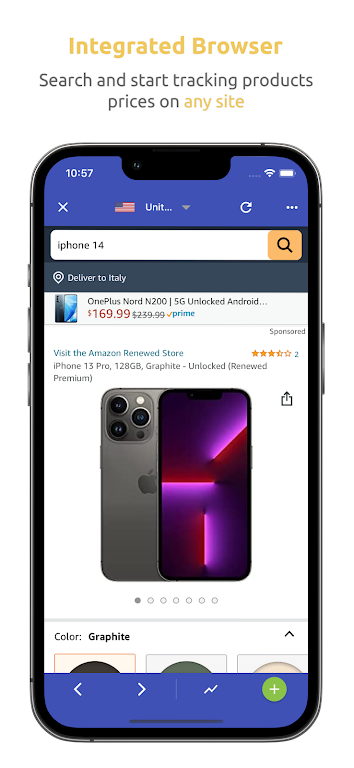
Price Tracker | Reprice helps shoppers take control of their spending by continuously monitoring product prices across thousands of listings and sending timely alerts when items reach your chosen target. Designed for bargain hunters and budget-conscious buyers, Price Tracker | Reprice builds customizable watchlists, compares offers from multiple retailers, and keeps a rolling price history so you can decide when to buy with confidence. The first-time setup is straightforward: add an item or paste a link, set a target price and region, and the app handles the rest while giving you clear, readable summaries of recent price movement.
How it works and core controls
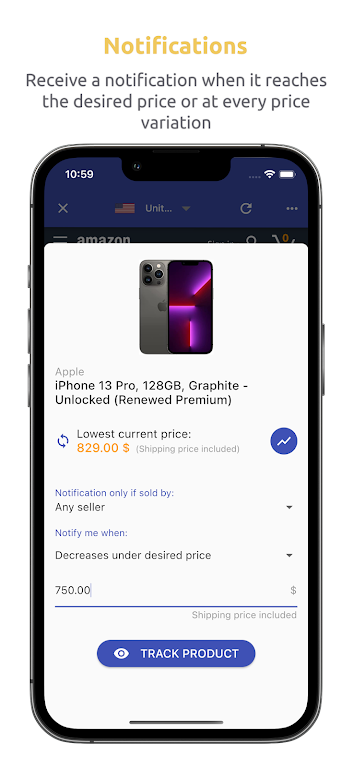
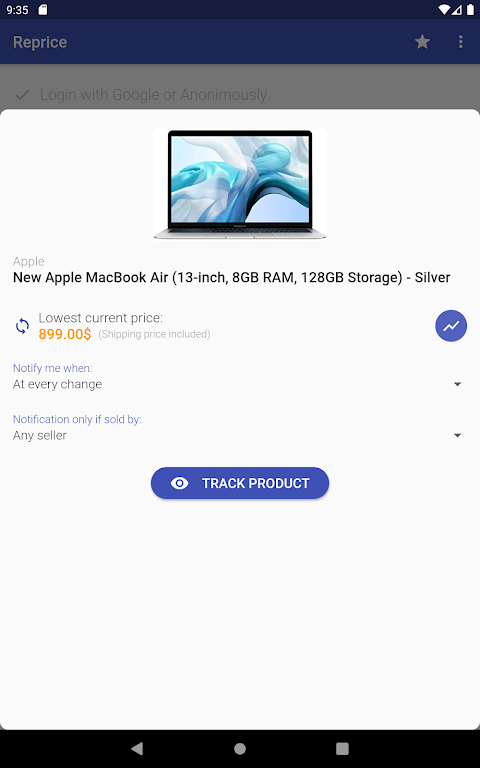
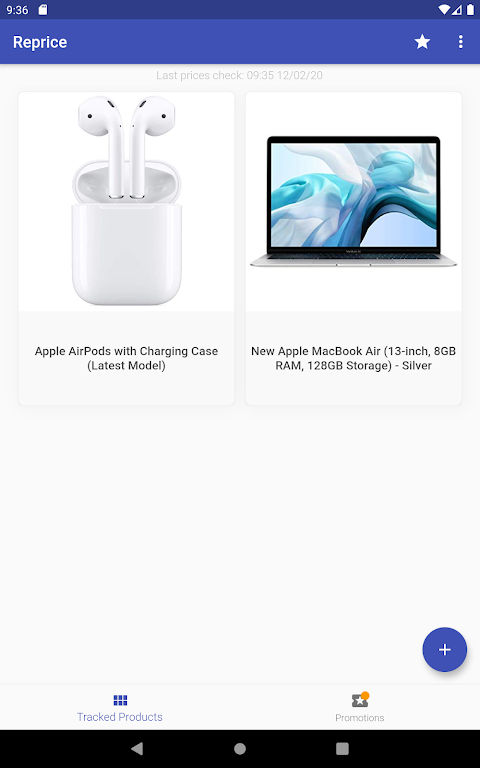
The app tracks price changes by periodically checking listings and consolidating results into a single view. Within the main interface you can sort and filter items, create named watchlists for categories like electronics or home goods, and set per-item thresholds for alerts. Notifications are fully adjustable so you control frequency and trigger conditions; for example, choose to be notified only for substantial drops, for drops below a moving average, or every time an item changes price. Visual price charts show historical ranges and typical sale windows, and simple on-screen controls let you change timeframe, zoom into a specific date range, or clear old data to save space.
Progression, customization, and long-term use
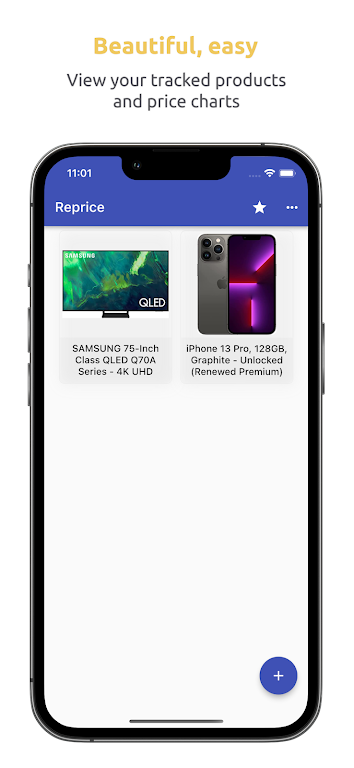
Instead of levels or achievements, progression here is practical: your watchlists become smarter over time as you tune thresholds, regional filters, and preferred sellers. Customization options include custom naming for lists, color-coded priorities, and sortable columns such as lowest current price, percent change, and last update time. If you follow many items, grouping and bulk-editing tools reduce maintenance—adjust prices for several items at once or temporarily pause tracking during holidays. These features increase the app’s replay value because it remains useful for weeks and months as you monitor wishlists, seasonal sales, and recurring deals.
User experience, accessibility, and offline support
Price Tracker | Reprice focuses on a clean, readable interface that works on a range of screen sizes and supports larger fonts and high-contrast modes for accessibility. Controls are streamlined: add, edit, and remove items with clear confirmation and undo options to prevent accidental deletions. When connectivity is intermittent, cached snapshots of the most recent price data remain available so you can review histories offline; the app then updates quietly when a network is restored. Data usage and battery consumption are kept low through adjustable polling intervals and intelligent backoff for slow or rate-limited retailers.
Visual style and in-app analytics
The visual design emphasizes clarity over clutter: timeline charts use simple lines and shading to show peaks and dips, while price summaries highlight the lowest offer and the most recent change. Built-in analytics help you spot patterns such as recurring discount cycles or price stability windows, and a volatility indicator highlights items that move frequently so you can prioritize monitoring where it matters. All visuals are designed to be legible at a glance, making it easy to scan many items and decide where to spend your attention.
Limitations and realistic expectations
Price tracking depends on the availability and responsiveness of retailer data. Some sellers update prices less frequently or restrict automated access, which can affect coverage and update cadence. Setting realistic polling intervals and region filters improves accuracy and helps avoid spurious alerts. There is an initial setup cost in time: creating watchlists and choosing sensible targets is necessary to get full value, but the time investment pays off by removing repetitive manual checks.
Why people use it and typical workflows
Users rely on Price Tracker | Reprice to aggregate offers across stores, avoid impulse purchases, and time buys around predicted sale windows. A common workflow is to add an item during browsing, tag it into a watchlist, and let the app gather price history for a week to determine a reliable target. When a notification arrives, it includes context—recent lows, retailer options, and the percentage change—so you can make a fast, informed choice. For shoppers who track gift lists, electronics, or seasonal items, the app delivers an ongoing, low-effort way to save without constant manual checking.
Show More
Information
Screenshots
Latest Update












Hot Tags
Latest News
-
![Revealing the Launch Playlists and Cross-Progression for COD Warzone Mobile News]()
-
![March 2024 Free Redemption Codes for Honkai: Star Rail News]()
-
PUBG Mobile Teams Up with Bentley Motors: Luxury Cars, Exclusive Collectibles, and Beyond 2024-04-18
![PUBG Mobile Teams Up with Bentley Motors: Luxury Cars, Exclusive Collectibles, and Beyond News]()
-
![Monster Never Cry is now accessible on both Android and iOS mobile devices. News]()
-
V2.2 of the Farlight 84 update introduces an overhauled Season structure, fresh in-game currency, an 2024-04-16
![V2.2 of the Farlight 84 update introduces an overhauled Season structure, fresh in-game currency, an News]()
-
![Arrival of Genshin Impact 4.6 Update: 'Embers of Two Realms, Twilight of Crimson' News]()
-
April 2024 Clash of Clans Update: Unveiling a Fresh Companion, Enhanced Levels, Chat Tagging, and Be 2024-04-16
![April 2024 Clash of Clans Update: Unveiling a Fresh Companion, Enhanced Levels, Chat Tagging, and Be News]()






