

jetAudio HD Music Player Plus
Version:12.2.0
Published:2026-11-03
Introduction
jetAudio HD Music Player Plus delivers powerful audio playback, customizable equalization, and extensive format support in a polished interface. It blends advanced sound processing with practical library management so listeners can fine-tune audio, create playlists, and enjoy gapless playback across local files and network streams.
Overview of the app
Aimed at users who want more control over their music, jetAudio HD Music Player Plus combines a straightforward media library with a suite of audio effects and playback options. The app supports popular file types and offers features that appeal to both casual listeners and audiophiles seeking more detail from mobile audio.
What makes it stand out
Unlike basic players, this app integrates a multi-band equalizer, sound enhancement plugins, and extensive tag management. Those who care about sound quality will appreciate options that alter tone, stereo field, and listening dynamics without adding complexity to everyday use.
Key features at a glance
- High-quality playback: Support for many formats and consistent bit-perfect output on compatible devices.
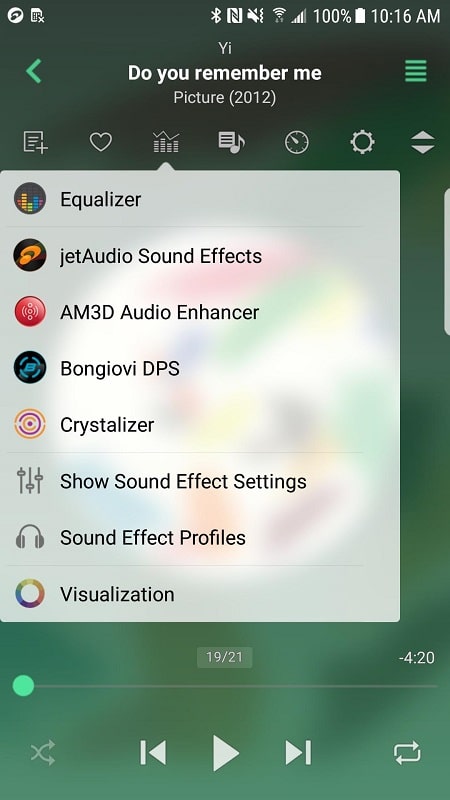
- Advanced equalizer: Multiple presets plus a 10-band graphic equalizer and parametric controls.
- Effects and enhancements: Reverb, bass boost, and wide stereo expansion to shape audio character.
- Gapless and crossfade: Smooth transitions between tracks for albums and playlists.
- Playlist management: Create, edit, and save multiple playlists with drag-and-drop sorting.
- Tag editor: Quick metadata editing for title, artist, album, and album art updates.
Sound customization and tools
The app puts a wide array of audio tools within reach. Users can switch between VST-like effects, adjust equalizer bands manually, or rely on genre-specific presets. For technical listeners, there are additional settings to manage sampling rates, output modes, and DSP chains that influence final sound quality.
Practical workflow
Tools are grouped logically so sets of adjustments can be toggled without reconfiguring the entire player. That makes it easy to jump from a bass-heavy preset for electronic music to a neutral setting for podcasts or classical recordings.
Interface and performance
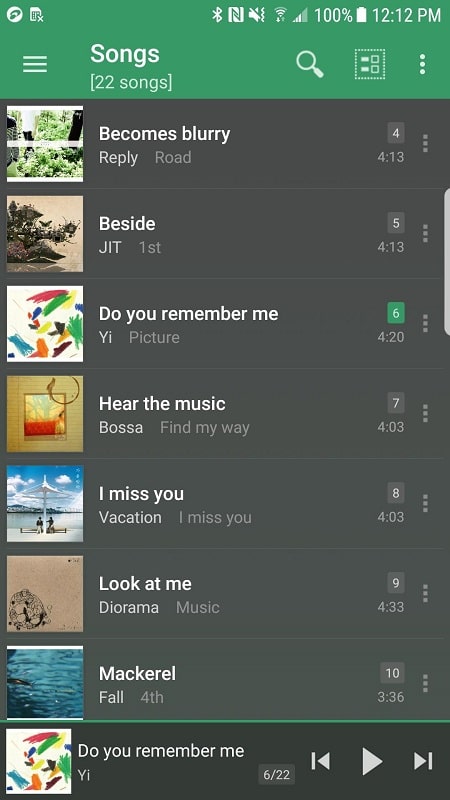
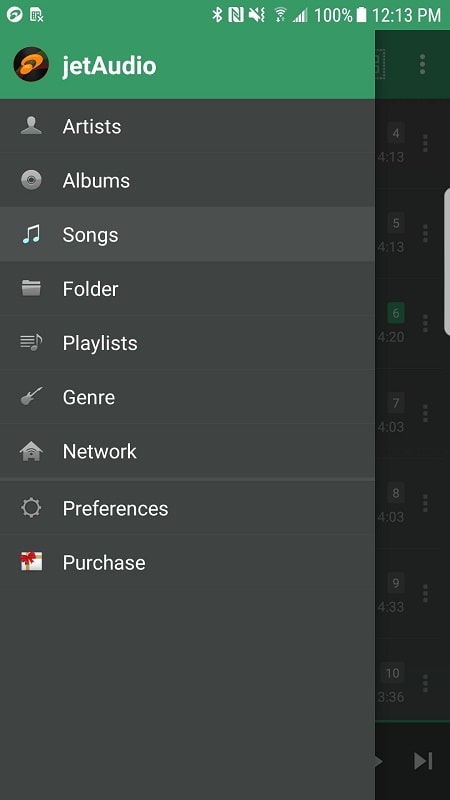
The interface shows album art, track progress, and playback controls on a single screen while keeping library navigation one tap away. Performance is optimized to minimize battery drain while decoding files; background playback is reliable and the player handles large libraries without lag.
Design choices
Developers prioritized readable layouts and responsive controls. Widgets and notification controls let you manage playback from the home screen or lock screen. For power users, quick-access buttons for repeat, shuffle, and audio effects speed up routine tasks.
User experience and community feedback
Listeners often highlight the app's balance between depth and usability. Many appreciate the ability to tweak fine-grain audio settings while keeping the routine listening experience simple. Regular updates and a supportive user base mean common issues are addressed quickly and feature requests are often considered.
Common praises
- Robust format support means fewer compatibility headaches.
- Equalizer presets reduce setup time for casual users.
- Reliable playback and stable background behavior on a wide range of devices.
Tips for new users
Start by scanning your library and letting the app build its index. Explore the equalizer presets to find a baseline you like, then tweak individual bands. Save custom presets for different headphones or environments. If you stream audio or play high-resolution files, check output settings to match sample rates for the best results.
Quick setup checklist
- Grant storage access and let the app scan your music folders.
- Choose a preset close to your preferred sound, then fine-tune the equalizer.
- Enable gapless playback for albums and crossfade for DJ-style transitions.
How to get started
Installing and configuring jetAudio HD Music Player Plus takes only a few minutes. After download, allow any requested permissions, perform an initial library scan, and try a few presets. Bookmark favorite settings and learn a couple of shortcuts to speed up daily use.
For users who want a flexible, feature-rich music player with strong audio controls, this app provides a mature set of options and a polished listening experience without overwhelming the interface.
Show More
Information
Screenshots
Latest Update












Hot Tags
Latest News
-
![Revealing the Launch Playlists and Cross-Progression for COD Warzone Mobile News]()
-
![March 2024 Free Redemption Codes for Honkai: Star Rail News]()
-
PUBG Mobile Teams Up with Bentley Motors: Luxury Cars, Exclusive Collectibles, and Beyond 2024-04-18
![PUBG Mobile Teams Up with Bentley Motors: Luxury Cars, Exclusive Collectibles, and Beyond News]()
-
![Monster Never Cry is now accessible on both Android and iOS mobile devices. News]()
-
V2.2 of the Farlight 84 update introduces an overhauled Season structure, fresh in-game currency, an 2024-04-16
![V2.2 of the Farlight 84 update introduces an overhauled Season structure, fresh in-game currency, an News]()
-
![Arrival of Genshin Impact 4.6 Update: 'Embers of Two Realms, Twilight of Crimson' News]()
-
April 2024 Clash of Clans Update: Unveiling a Fresh Companion, Enhanced Levels, Chat Tagging, and Be 2024-04-16
![April 2024 Clash of Clans Update: Unveiling a Fresh Companion, Enhanced Levels, Chat Tagging, and Be News]()






