

BAT BMS
Version:1.1.2
Published:2026-11-20
Introduction
BAT BMS is a compact Android utility that simplifies monitoring and managing lithium battery packs. Designed for hobbyists and professionals, it delivers live cell monitoring, balance control, charging logs, and fault alerts through a clear mobile interface, turning complex battery diagnostics into accessible, actionable data for everyday use.
Overview
BAT BMS targets users who need a portable way to check pack health and manage charging cycles without a laptop or desktop. The app connects to compatible battery management hardware over Bluetooth or Wi‑Fi, presenting cell voltages, temperature sensors, and state-of-charge estimates in an intuitive dashboard. It focuses on speed, clarity, and safety—helping you spot problems before they affect performance.
Core Capabilities
- Real-time monitoring: Continuous updates on each cell voltage and pack current to detect imbalances early.
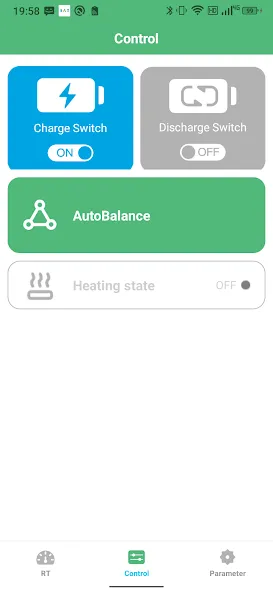
- Balance control: Manual and automatic balancing tools to extend pack life and improve efficiency.
- Event logging: Time-stamped records of charge, discharge, and error events for troubleshooting.
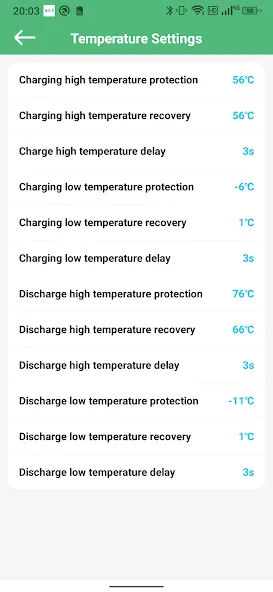
- Custom alerts: Notifications for over-voltage, under-voltage, high temperature, and communication loss.
How BAT BMS Works
Once paired with a BMS module, the app reads data frames sent by the hardware and decodes sensor inputs into readable metrics. It visualizes trends with lightweight charts and color-coded warnings so you can evaluate issues quickly. The communication layer supports retries and checksum verification to reduce false alarms from wireless interference.
User Interface and Interaction
The interface emphasizes a single-screen status view with quick access to detailed reports. Panels show overall pack health, each cell’s voltage, and temperature sensor readings. Buttons for calibration, balance initiation, and log export are placed where technicians expect them. The color scheme and typography prioritize legibility in bright workshop or outdoor lighting conditions.
Tools and Advanced Settings
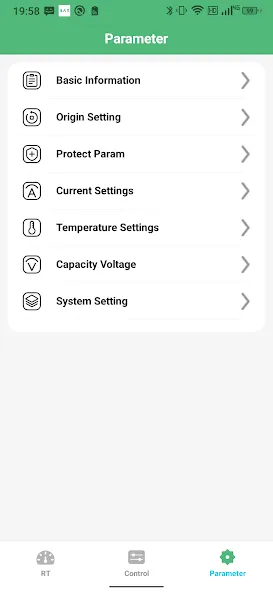
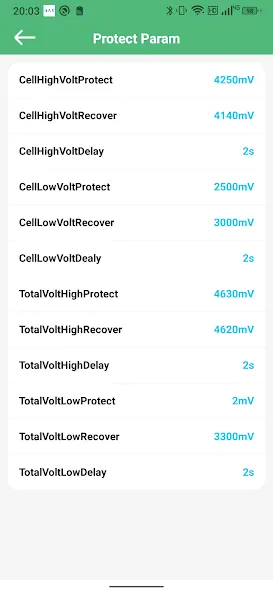
BAT BMS includes a set of advanced controls for experienced users. Configure balancing thresholds, set charge and discharge cutoff points, and calibrate voltage offsets. Firmware update support lets you apply manufacturer patches and protocol improvements without disconnecting the hardware from the pack.
- Profile manager: Save different configurations for multiple battery packs or use cases.
- Export options: CSV and JSON logs for analysis in spreadsheets or third-party software.
- Safety locks: PIN-protected actions to prevent accidental configuration changes during critical operations.
Performance and Resource Use
The app is engineered to be lightweight on system resources while maintaining reliable data throughput. It uses optimized polling intervals to balance responsiveness against battery draw on both the phone and the monitored pack. Connection recovery routines help keep the interface current when signal strength fluctuates.
Practical Tips for First-Time Users
New users should start with passive observation: pair BAT BMS, monitor a few charge-discharge cycles, and review the logged events. Calibrate temperature sensors and verify cell voltages with a handheld meter before enabling automated balancing. Save a configuration profile once your thresholds are tuned to avoid repeated setup.
- Run a short test charge to confirm communications and alarm triggers.
- Use the export function to compare readings against a trusted data logger.
- Keep firmware and the app updated to access stability fixes and new hardware support.
Why Professionals Choose It
Technicians and makers appreciate BAT BMS for combining essential diagnostics with portability. It reduces time spent hauling equipment to workbenches and simplifies field checks. The app’s logging and export features make it easier to produce reports for maintenance records or warranty claims.
Installation and Getting Started
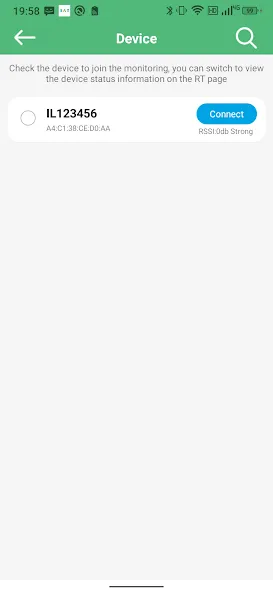
Installation is straightforward: install the APK, grant necessary Bluetooth or network permissions, and follow the on-screen pairing guide. A short setup wizard helps create the first profile and run an initial pack scan. Documentation and tooltips are integrated into the app, reducing the need to consult external manuals.
BAT BMS brings practical battery management to Android devices with an emphasis on clarity, safety, and configurability. Whether you maintain a fleet of battery packs or fine-tune a personal energy system, the app provides the controls and insights needed to keep packs healthy and reliable.
Show More
Information
Screenshots
Latest Update











Latest News
-
![Revealing the Launch Playlists and Cross-Progression for COD Warzone Mobile News]()
-
![March 2024 Free Redemption Codes for Honkai: Star Rail News]()
-
PUBG Mobile Teams Up with Bentley Motors: Luxury Cars, Exclusive Collectibles, and Beyond 2024-04-18
![PUBG Mobile Teams Up with Bentley Motors: Luxury Cars, Exclusive Collectibles, and Beyond News]()
-
![Monster Never Cry is now accessible on both Android and iOS mobile devices. News]()
-
V2.2 of the Farlight 84 update introduces an overhauled Season structure, fresh in-game currency, an 2024-04-16
![V2.2 of the Farlight 84 update introduces an overhauled Season structure, fresh in-game currency, an News]()
-
![Arrival of Genshin Impact 4.6 Update: 'Embers of Two Realms, Twilight of Crimson' News]()
-
April 2024 Clash of Clans Update: Unveiling a Fresh Companion, Enhanced Levels, Chat Tagging, and Be 2024-04-16
![April 2024 Clash of Clans Update: Unveiling a Fresh Companion, Enhanced Levels, Chat Tagging, and Be News]()






