

Bluestacks Emulator Launcher
Version:2.0
Published:2026-11-20
Introduction
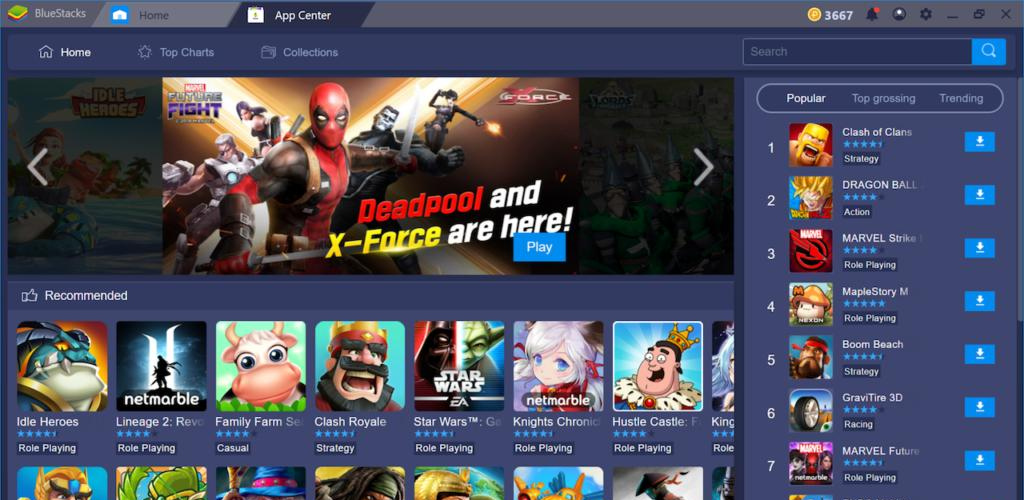
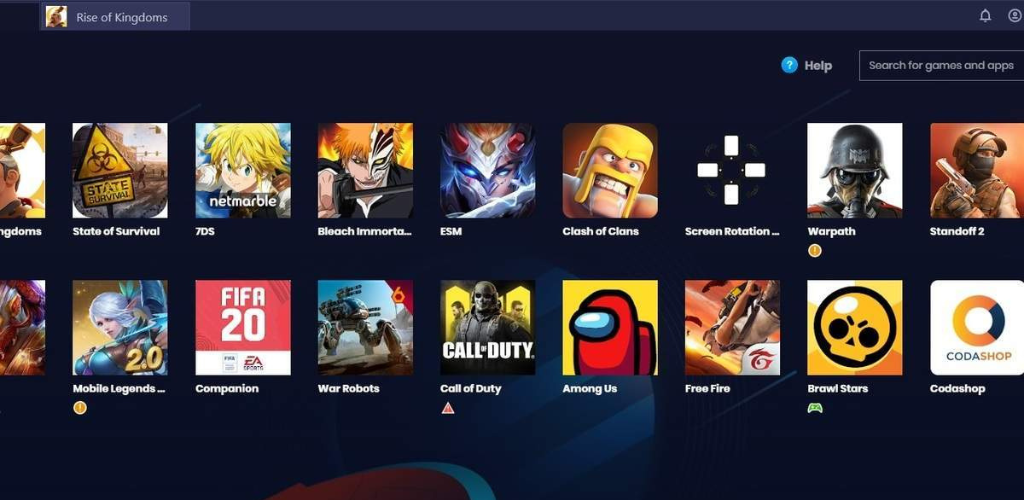
Bluestacks Emulator Launcher provides a compact, touch‑friendly gateway that brings many PC-class titles and desktop utilities onto Android devices while preserving familiar desktop controls. Bluestacks Emulator Launcher opens fast and stays focused on making it simple to locate and start apps: the clean home view, an intelligent search field and a one-touch launch approach cut down the time between finding a title and playing it. The launcher is designed for users who want to run heavier applications with custom key mapping, gamepad support, multi-instance workflows and a degree of personalization without the clutter of a full desktop environment.
Key Features
The interface centers on quick discovery and direct access. A smart search tool filters installed apps and recommended titles, letting you jump to games or productivity programs by name, genre or recently used status. Personalization options include custom wallpapers, configurable icon layouts and lock screen security with passcode or pattern to help protect access on shared devices. The launcher also integrates in-app discounts and rewards where available, and it surfaces AI-driven community recommendations that suggest compatible titles or settings based on what you use most.
Under the hood you will find practical emulator-oriented tools rather than speculative features: flexible key mapping lets you assign keyboard keys or on-screen controls to desktop-style actions, while native gamepad support simplifies playing titles built with controller input in mind. Multi-instance capability allows you to run two or more independent app instances simultaneously—useful for testing settings, keeping separate accounts active, or running a second client for productivity tasks—without requiring extra devices.
Gameplay Mechanics and Controls
For games originally designed for keyboard and mouse, the launcher provides touch-mapping utilities that translate taps and gestures into clicks and keystrokes. Controls are customizable at the app level so you can save a layout for each title and switch between configurations quickly. When a controller is connected, mappings automatically adapt to standard gamepad buttons, and you can fine-tune sensitivity and dead zones to match your play style. These options are meant to preserve the original input model of PC titles while making control adjustments simple and repeatable.
Progression, Level Structure and Replay Value
Because the launcher runs the original Android or PC-targeted builds, progression systems such as level gating, in-game achievements, save checkpoints and campaign structures behave the same way they would on their native platforms. That continuity keeps long-form experiences intact and ensures your progress carries forward just as expected. Replay value is enhanced by the ability to quickly swap control schemes, try alternate difficulty settings, or run multiple instances to experiment with builds and strategies without overwriting a primary save file.
Visual Style and Performance
Visual rendering is optimized for a wide range of hardware: the launcher can make use of device GPUs and scaling options to improve clarity and frame pacing for supported titles. While some apps may require higher-end hardware to achieve desktop-like visuals, many benefit from the launcher’s rendering optimizations and display adjustments. Keep in mind that the emulation environment can consume additional system resources on lower-end or older devices; the app includes simple toggles to manage power, silent mode and connectivity to help balance battery life and performance.
User Experience, Accessibility and Offline Use
Menus are laid out to minimize friction — search results, recent apps and pinned favorites are all one tap away. Accessibility improvements such as adjustable text sizes, one-touch shortcuts and simplified layouts aim to make the launcher usable for a broader range of players. Offline play is supported for any installed game or app that itself works without an internet connection; the launcher does not require constant online access to start locally stored titles. For users who prefer hands-free interaction, the one-touch functions and fast switching reduce repeated gestures and streamline the overall experience.
Challenge Systems and Practical Considerations
The emulator preserves the challenge systems that come with the games you run: mission objectives, level progression, timing-based encounters and in-game tutorials behave as implemented by each title. Because the launcher focuses on faithfully running these experiences, it does not add artificial difficulty layers or external ranking systems. Instead, it provides the tools—mapping, multi-instance and profile-saving—to let players approach challenges in ways that match their skill level and hardware capability. Be aware that compatibility varies by title; some apps may perform differently in an emulated environment and testing individual settings is recommended.
Overall, Bluestacks Emulator Launcher aims to be a practical, approachable bridge between desktop-class software and mobile convenience. Whether you want to adapt a control scheme, run multiple instances for testing, or simply organize and secure your heavier apps on a phone or tablet, the launcher supplies clear settings and helpful automation to get you started quickly. If you value control over how PC-style titles behave on Android, Bluestacks Emulator Launcher is built to make that transition predictable and customizable without unnecessary complexity.
Show More
Information
Screenshots
Latest Update











Latest News
-
![Revealing the Launch Playlists and Cross-Progression for COD Warzone Mobile News]()
-
![March 2024 Free Redemption Codes for Honkai: Star Rail News]()
-
PUBG Mobile Teams Up with Bentley Motors: Luxury Cars, Exclusive Collectibles, and Beyond 2024-04-18
![PUBG Mobile Teams Up with Bentley Motors: Luxury Cars, Exclusive Collectibles, and Beyond News]()
-
![Monster Never Cry is now accessible on both Android and iOS mobile devices. News]()
-
V2.2 of the Farlight 84 update introduces an overhauled Season structure, fresh in-game currency, an 2024-04-16
![V2.2 of the Farlight 84 update introduces an overhauled Season structure, fresh in-game currency, an News]()
-
![Arrival of Genshin Impact 4.6 Update: 'Embers of Two Realms, Twilight of Crimson' News]()
-
April 2024 Clash of Clans Update: Unveiling a Fresh Companion, Enhanced Levels, Chat Tagging, and Be 2024-04-16
![April 2024 Clash of Clans Update: Unveiling a Fresh Companion, Enhanced Levels, Chat Tagging, and Be News]()






