
Launcher iOS 26 Theme
Version:1.2.5
Published:2026-11-20
Introduction
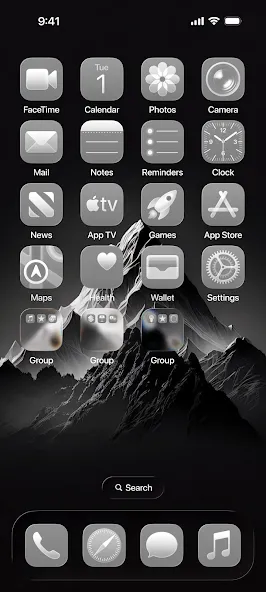
Swipe, arrange - Launcher iOS 26 Theme makes it simple to give your Android device a familiar iPhone-like appearance while keeping Android's flexibility intact. This launcher and theme package supplies a rotating library of wallpapers, icon packs, and widgets so you can craft a tidy home screen that matches your taste. Whether you prefer compact grids or a minimal dock, the app aims to blend polished visuals with practical shortcuts and privacy controls.
Getting Started with Launcher iOS 26 Theme
Install and set as default: After downloading, open the app and follow the prompt to set it as your default launcher so icons and gestures take effect.
Browse themes and wallpapers: Explore categorized packs inside the built-in gallery to preview different wallpapers, icon sets, and layout presets before applying them.
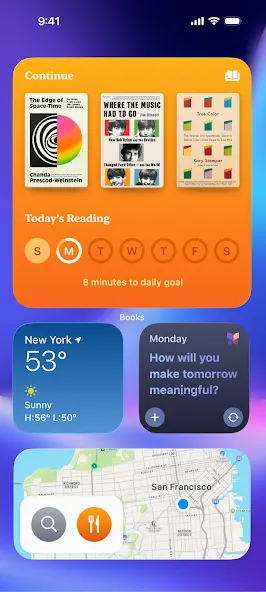
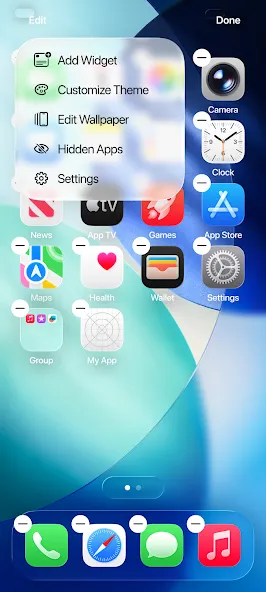
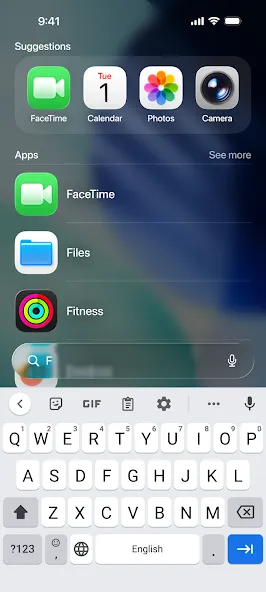
Add widgets: Use the search field to find widgets for clock, weather, calendar, and more; drag them onto your home screen and resize as needed.
Hide apps: Enable the hide-app option to remove chosen apps from the home view without uninstalling them, useful for maintaining a clean look.
Features of Launcher iOS 26 Theme
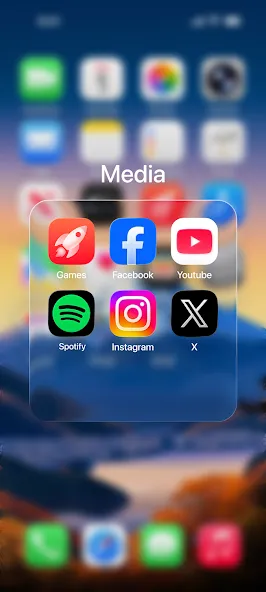
iOS-inspired visuals: Icon shapes, rounded folders, and notification badges are designed to evoke an iPhone aesthetic while running on Android.
Control Center-style access: Swipe gestures reveal quick toggles for connectivity and brightness, offering fast controls without digging through settings.
Custom widget library: A searchable collection of widgets helps you place weather, clock, and schedule information where it fits best on your layout.
Continuously updated assets: The wallpaper and theme catalog receives new entries periodically so you can refresh your look regularly.
Tips and Tricks
Mix native and themed widgets: Combine Android widgets with the app's iOS-style widgets to build a hybrid layout that balances function and uniform design.
Create a work/home setup: Use separate pages or folders to keep professional apps and personal apps distinct, then hide sensitive shortcuts when handing your phone to others.
Optimize transitions: If animations feel heavy, reduce animation settings in the launcher options to preserve battery and improve responsiveness on older phones.
FAQs of Launcher iOS 26 Theme
Will this change my device's core functions?
The launcher replaces the home screen and app drawer visuals but does not modify core system services. You can always switch back to your previous launcher if you prefer the original layout.
Can I keep my existing widgets and apps?
Yes. Standard Android widgets remain supported alongside the app's themed widgets, and installed apps are preserved; the launcher simply reorganizes how they appear.
Does the launcher drain battery or slow performance?
Performance depends on your device and chosen effects. You can disable or simplify animations and select lighter icon packs to reduce the workload on CPU and battery.
Conclusion
Launcher iOS 26 Theme offers a visually cohesive way to make Android look and feel more like iOS without losing Android features, ideal if you want a cleaner home screen and quick access controls. Keep in mind that some customization choices can affect responsiveness depending on hardware, and the selection of themes and widgets may vary with updates or regional releases.
Show More
Information
Screenshots
Latest Update












Latest News
-
![Revealing the Launch Playlists and Cross-Progression for COD Warzone Mobile News]()
-
![March 2024 Free Redemption Codes for Honkai: Star Rail News]()
-
PUBG Mobile Teams Up with Bentley Motors: Luxury Cars, Exclusive Collectibles, and Beyond 2024-04-18
![PUBG Mobile Teams Up with Bentley Motors: Luxury Cars, Exclusive Collectibles, and Beyond News]()
-
![Monster Never Cry is now accessible on both Android and iOS mobile devices. News]()
-
V2.2 of the Farlight 84 update introduces an overhauled Season structure, fresh in-game currency, an 2024-04-16
![V2.2 of the Farlight 84 update introduces an overhauled Season structure, fresh in-game currency, an News]()
-
![Arrival of Genshin Impact 4.6 Update: 'Embers of Two Realms, Twilight of Crimson' News]()
-
April 2024 Clash of Clans Update: Unveiling a Fresh Companion, Enhanced Levels, Chat Tagging, and Be 2024-04-16
![April 2024 Clash of Clans Update: Unveiling a Fresh Companion, Enhanced Levels, Chat Tagging, and Be News]()






