

Game Controller Tester
Version:3.02
Published:2026-11-20
Introduction
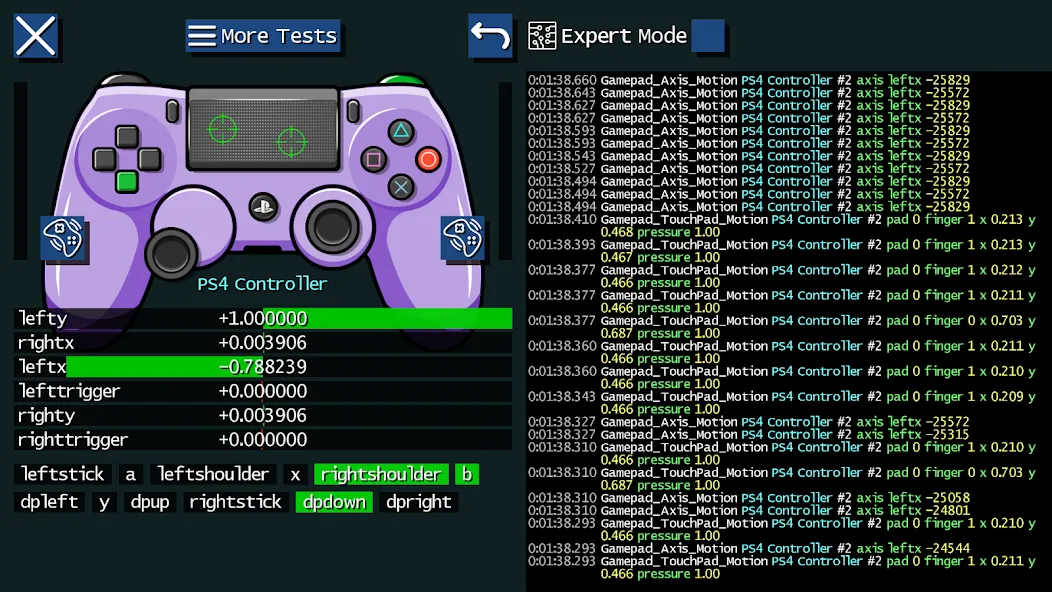
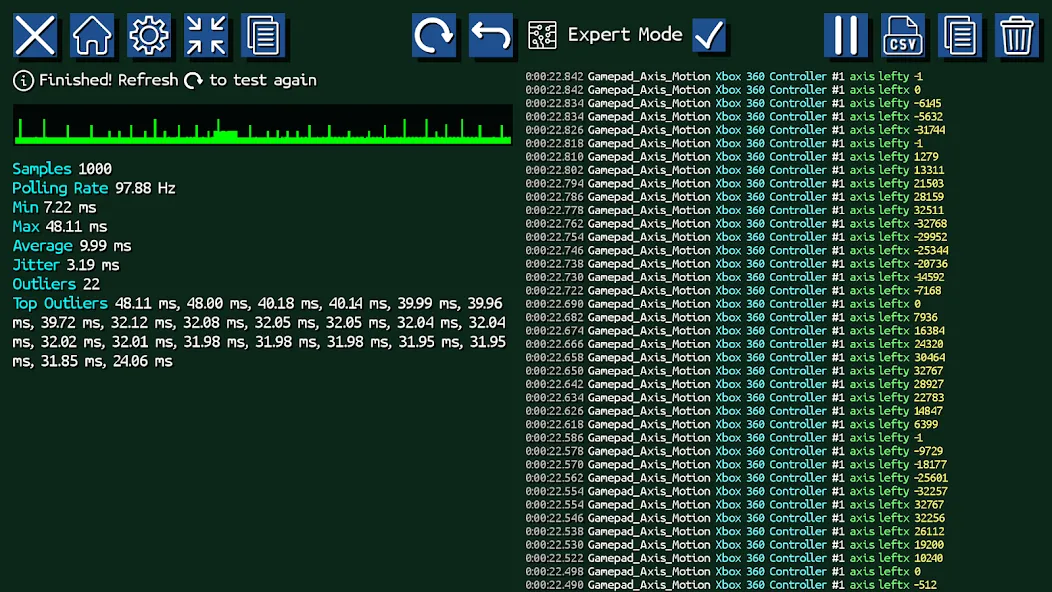
Game Controller Tester is a lightweight utility that inspects buttons, sticks, triggers, and vibration on gamepads connected to Android devices. It provides a clear visual readout of input state, simple calibration aids, and live diagnostics to help identify hardware problems or map controls for games and emulators.
What Game Controller Tester Does
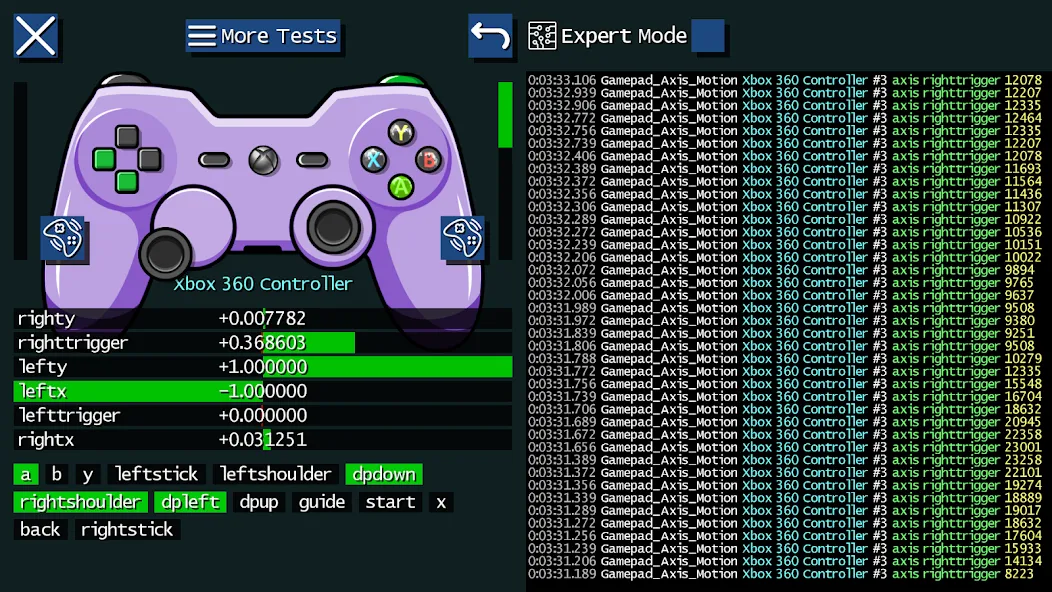
At its core, Game Controller Tester converts raw controller signals into an easy-to-read interface so you can verify every input. The app reads analog and digital axes, shows button presses in real time, and reports connection status. It supports wired and wireless controllers, giving developers, streamers, and casual users a quick way to confirm that a gamepad behaves as expected before launching a session.
Key Features
- Real-time visualization: Watch buttons light up, sticks move, and triggers respond as you operate the controller, with minimal latency.
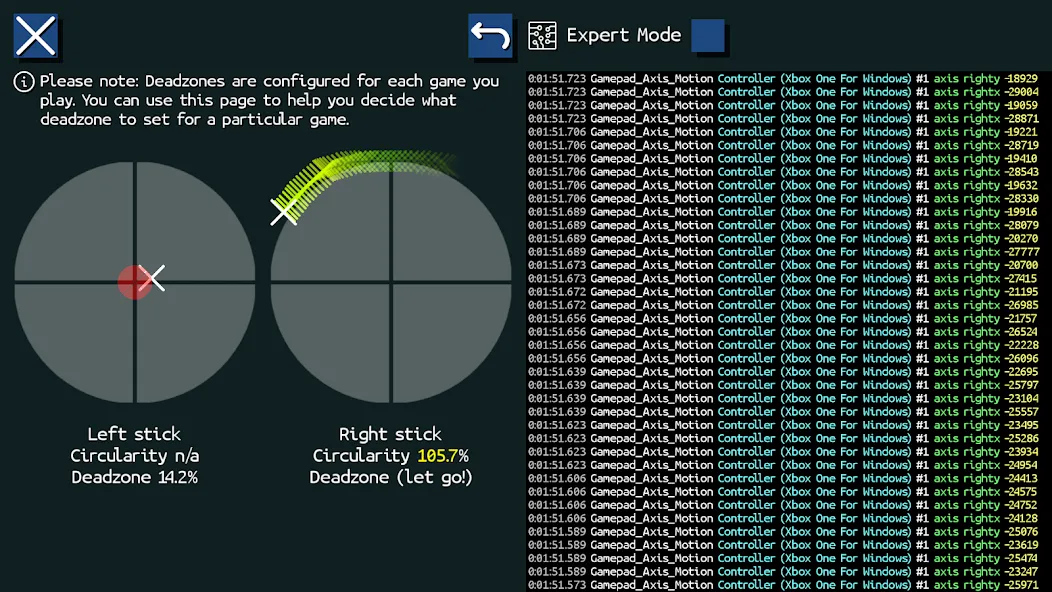
- Axis and dead zone detection: Identify stick drift and set appropriate dead zones so in-game movement feels precise.
- Vibration test: Trigger rumble motors to confirm haptic feedback works and to compare intensity levels.
- Connection diagnostics: Verify Bluetooth pairing, USB connections, and battery level where available.
- Simple reports: Capture a snapshot of controller status to share with support or to keep a record of intermittent faults.
How to Use the App
Getting started with Game Controller Tester is straightforward. Plug or pair your controller with the Android device, launch the app, and grant any necessary permissions. Inputs appear instantly in the visual readout. For troubleshooting, wiggle each axis, press every button, and activate triggers to see whether the app registers each action. Use the recorded snapshots when you need to escalate an issue to a manufacturer or to compare multiple controllers.
Interface and Compatibility
The interface focuses on clarity: large status indicators, labeled axes, and a minimal menu. That design keeps the workflow fast on phones and tablets alike. Game Controller Tester supports a wide range of controllers that adhere to standard Android input profiles, including popular console and third-party gamepads. Compatibility is typically seamless for modern controllers, but older or proprietary hardware may show limited data depending on driver support.
Workflow Tips and Best Practices
To get the most reliable results, follow a short checklist each time you test hardware. Ensure the controller has a charged battery, avoid extreme proximity to wireless interference when testing Bluetooth devices, and test both idle and active states to reveal drift or intermittent disconnections. If you find inconsistent input, use the axis visualization to determine whether the issue is mechanical, electrical, or software-related.
Troubleshooting and Calibration
Game Controller Tester includes guidance for common problems. If a stick shows drift, perform a recalibration by centering the stick and using the app’s calibration prompts. For buttons that remain stuck or fail to register, inspect for debris and test again after cleaning. When vibration doesn't activate, check the controller's firmware and power level. The app can confirm whether the signal is being issued from the device or whether the hardware itself is unresponsive.
Why Install Game Controller Tester
Installing Game Controller Tester is a low-effort way to save time and frustration. It helps gamers confirm control layouts, assists developers in validating input mapping, and offers a fast diagnostic tool when a controller appears unreliable. With immediate visual feedback and clear test routines, the app reduces trial-and-error and speeds up problem resolution for anyone who relies on gamepad input on Android devices.
Show More
Information
Screenshots
Latest Update











Hot Tags
Latest News
-
![Revealing the Launch Playlists and Cross-Progression for COD Warzone Mobile News]()
-
![March 2024 Free Redemption Codes for Honkai: Star Rail News]()
-
PUBG Mobile Teams Up with Bentley Motors: Luxury Cars, Exclusive Collectibles, and Beyond 2024-04-18
![PUBG Mobile Teams Up with Bentley Motors: Luxury Cars, Exclusive Collectibles, and Beyond News]()
-
![Monster Never Cry is now accessible on both Android and iOS mobile devices. News]()
-
V2.2 of the Farlight 84 update introduces an overhauled Season structure, fresh in-game currency, an 2024-04-16
![V2.2 of the Farlight 84 update introduces an overhauled Season structure, fresh in-game currency, an News]()
-
![Arrival of Genshin Impact 4.6 Update: 'Embers of Two Realms, Twilight of Crimson' News]()
-
April 2024 Clash of Clans Update: Unveiling a Fresh Companion, Enhanced Levels, Chat Tagging, and Be 2024-04-16
![April 2024 Clash of Clans Update: Unveiling a Fresh Companion, Enhanced Levels, Chat Tagging, and Be News]()






